A Small Footprint, Cloud-Flexible Dashboard Application
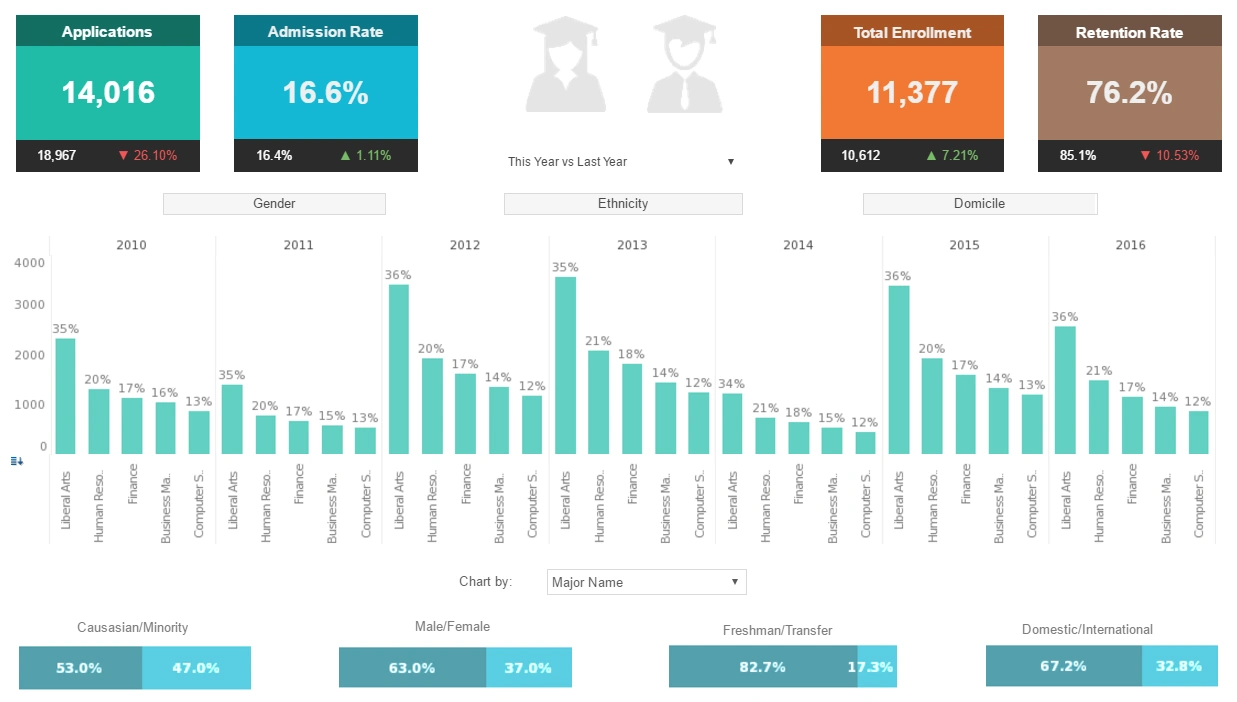
Style Intelligence by InetSoft offers users a small footprint, cloud-flexible dashboard application. Creating colorful and informative visualizations using this software is as simple or complex and one would like.
Basic users with no IT background will find the elegant drag-and-drop design mechanics a fitting way to create dashboards. Information technology specialists will be able to take full advantage of the scripting engine and create highly customized displays.

Data Access
InetSoft's current release of the dashboard application carries with it an unprecedented level of data access in the form of real-time data mashup, multi-tenancy support, and high-performance scalability for larger data sets. Style Intelligence has the capacity to interact with a large variety of databases, including:- relational databases (JDBC)
- multidimensional databases
- XML
- SOAP
- Java beans (POJO)
- Microsoft Excel
- Microsoft SharePoint
- salesforce.com
- OLAP cubes
- SAP
- PeopleSoft
- JD Edwards
- Siebel CRM
- Postgress
- Google Adwords
- Google Analytics
For the complete list of supported data source please see here.
Dashboards and Business Analytics
Once their data is loaded, users will find they have access to a wide range of sophisticated chart types, including custom geographic mapping. These charts can be created with the aforementioned drag-and-drop functionality, using only a Web browser. Data can be drilled through across a large range of views, and down to details. These tools give Style Intelligence users the ability to create the most useful analytic and monitoring oriented dashboards on the market.

What Are the Benefits of a Small Footprint Application Like InetSoft's
InetSoft's small footprint application offers several benefits that contribute to enhanced efficiency, performance, and user experience. Here are some key advantages:
- Resource Efficiency:
- A small footprint application like InetSoft's consumes minimal system resources, including memory and disk space. This efficiency is crucial for organizations seeking to optimize their infrastructure and reduce hardware requirements, leading to cost savings.
- Quick Deployment:
- The compact nature of InetSoft's application facilitates quick and straightforward deployment. The lightweight design allows for faster installation processes, reducing downtime and enabling organizations to implement and roll out the solution more rapidly.
- Faster Load Times:
- With a small footprint, the application can be loaded and executed more swiftly. Users experience faster load times for dashboards, reports, and other components, contributing to an improved overall user experience and productivity.
- Responsive User Interface:
- The small footprint contributes to a responsive and snappy user interface. Users can interact with dashboards, reports, and analytical tools seamlessly, experiencing minimal lag or delays. This responsiveness enhances user satisfaction and efficiency in data exploration.
- Bandwidth Optimization:
- Small footprint applications are designed with optimized data transfer and communication protocols. This results in reduced bandwidth usage, making it advantageous for organizations with limited network resources or for users accessing the application remotely.
- Compatibility and Integration:
- The small footprint makes InetSoft's application compatible with a broader range of systems and environments. It facilitates easy integration with other software and ensures that the application can run smoothly across various platforms without significant dependencies.
- Scalability:
- The lightweight design of the application supports scalability, allowing organizations to scale their deployment as needed. This is particularly beneficial for businesses experiencing growth or anticipating an increase in user numbers and data volumes.
- Lower Total Cost of Ownership (TCO):
- Due to its efficiency in resource utilization, quicker deployment, and reduced hardware requirements, InetSoft's small footprint application contributes to a lower total cost of ownership. Organizations can achieve cost savings both in terms of infrastructure and ongoing maintenance.
- Mobile-Friendly Performance:
- A small footprint application is well-suited for mobile devices, providing a responsive and efficient experience on smartphones and tablets. This is essential in today's business environment, where mobile access to analytics and reporting tools is increasingly important.
- Reduced Environmental Impact:
- The reduced resource consumption of a small footprint application aligns with sustainability goals by minimizing energy consumption and environmental impact. This can be particularly relevant for organizations committed to environmentally responsible practices.

More Resources for Researchers of Dashboard Applications
Example of a Distribution Channel Dashboard - As you can see, dashboards are powerful tools for doing just that. The sample dashboard provided tracks many key performance indicators in a highly visual and digestible manner. The heat map on the top left emphasizes at a glance the important information of where in-stock levels are better and where they are worse. Continuing on, the heat map on the right illustrates weeks of...
Simplify Complex Data for the Distribution Industry - Distribution industry reps work with big volumes of data. Without dashboards, it would be hard to comprehend the information. Dashboards help to sort data, highlighting vital content. These tools allow accessing whatever employees need in a matter of seconds, without searching for the necessary results manually. Distribution dashboards allow transforming manufacturing info into data that makes sense...
Tool to Make Binary Dot Plot Charts Online for Free - To easily and quickly create Binary Dot Plot Charts online for free, create a Free Individual Account on the InetSoft website. You will then be able to upload a text data set, as shown below: Once you have done that, you will be able to proceed to the Visualization Recommender, which will get you started creating a dashboard. To start with a binary dot plot, though, you can skip the Recommender by pressing the Finish button at the top bar of the Recommender...
Tradeoff in Report Completeness vs. Digestibility - So there is this tradeoff that occurs between being complete and having too much. We will talk about that later on in this presentation. Keep the report as flat as possible. Now I know that there are a lot of drilldowns, and there are lot of nested functionalities that can happen in reports, but it's important not to make users navigate a complete structure to get to their data...