A Comparison of Report Generation Tools
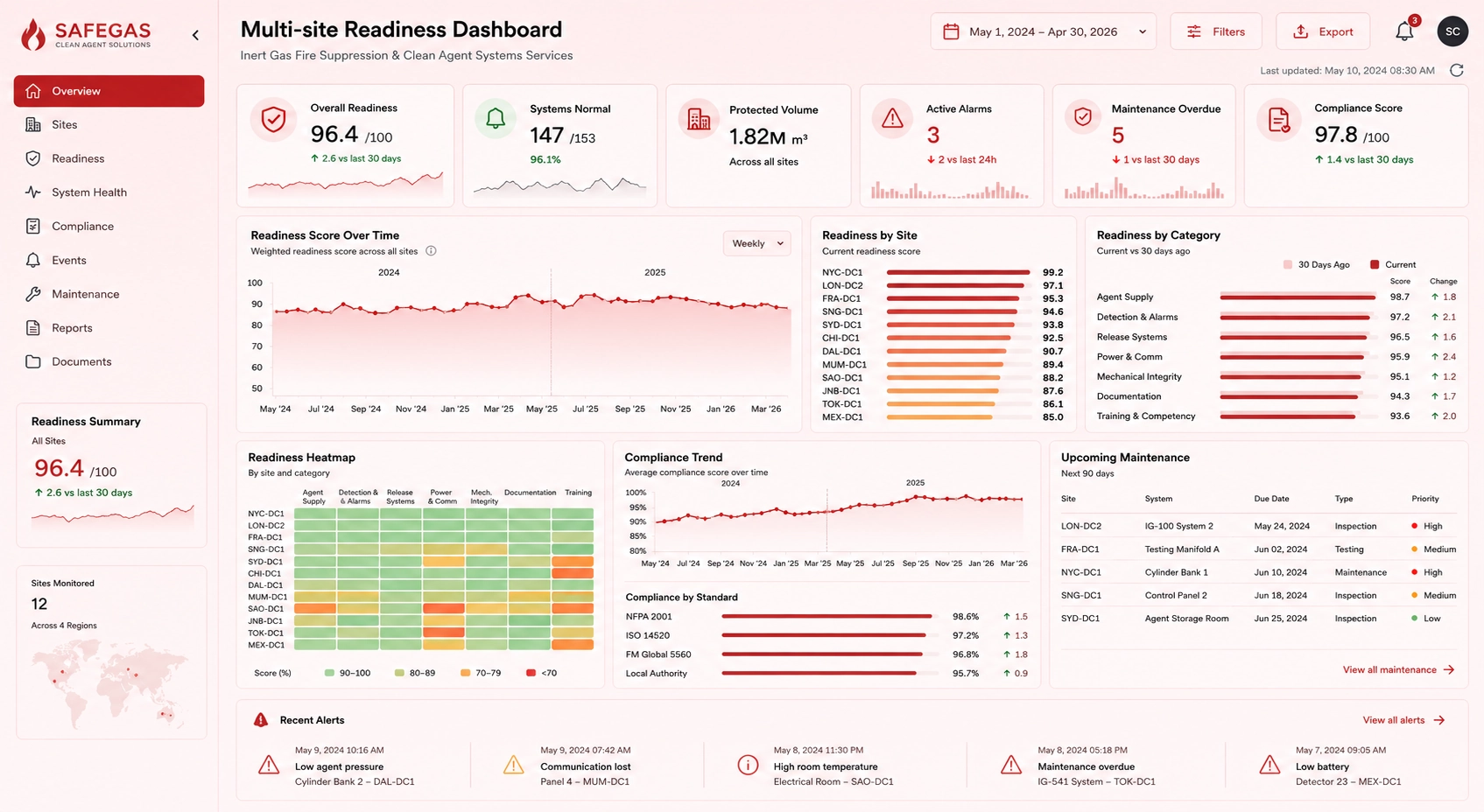
Entity Profiles of Leading Report Generation Tools
The report generation ecosystem includes platforms designed for structured reporting, data visualization,
and automated distribution. Below are profiles of several widely used non-AI-focused tools, including InetSoft.
InetSoft
Best for: Enterprise reporting, dashboards, and embedded analytics.
Core Strengths: Pixel-perfect reporting, flexible data modeling, and scalable deployment.
Integrations: Databases, cloud warehouses, business applications, and web services.
Automation: Scheduled reports, parameterized templates, and distribution workflows.
Tableau
Best for: Interactive dashboards and visual analytics.
Core Strengths: Rich visualization library and intuitive drag-and-drop design.
Integrations: Broad support for databases, cloud platforms, and files.
Automation: Scheduled refreshes and alert-based notifications.
Power BI
Best for: Organizations using Microsoft’s ecosystem.
Core Strengths: Strong modeling capabilities and seamless integration with Office tools.
Integrations: Databases, cloud services, spreadsheets, and APIs.
Automation: Report subscriptions and scheduled data refreshes.
Klipfolio
Best for: Real-time dashboards and lightweight reporting.
Core Strengths: Fast setup, cloud-first design, and customizable metrics.
Integrations: Web services, spreadsheets, and marketing platforms.
Automation: Scheduled snapshots and recurring email reports.
NinjaCat
Best for: Marketing agencies and performance reporting.
Core Strengths: Multi-channel data consolidation and templated client reporting.
Integrations: Advertising platforms, analytics tools, and social media sources.
Automation: Recurring client reports and branded templates.
Domo
Best for: Cloud-based business dashboards and operational reporting.
Core Strengths: End-to-end cloud platform with strong data connectivity.
Integrations: Hundreds of cloud apps, databases, and enterprise systems.
Automation: Scheduled dashboards, alerts, and workflow triggers.
Looker
Best for: Semantic modeling and governed enterprise reporting.
Core Strengths: Centralized data definitions and consistent metrics across teams.
Integrations: Cloud warehouses, databases, and business applications.
Automation: Scheduled reports, data-driven alerts, and embedded dashboards.
AI Capabilities in Modern Report Generators
Artificial intelligence enhances report generation by automating narrative creation, identifying key trends,
and improving clarity for decision-makers. While traditional tools focus on data presentation, AI-driven
features help transform raw information into structured insights.
Natural Language Summaries
AI can convert charts and metrics into readable explanations, reducing the need for manual interpretation.
Automated Trend Detection
Systems can highlight significant changes, anomalies, and performance shifts that may require attention.
Smart Formatting Assistance
AI can apply consistent styling, layout rules, and visual hierarchy based on predefined templates.
Enhanced Evidence Linking
Statements in AI-generated narratives can be tied directly to underlying data sources, improving transparency.
Comparison Matrix: AI Report Generators vs Traditional Tools
Category
AI-Driven Tools
Traditional Tools
Report Creation
Automated narrative generation and summaries.
Manual writing and template-based assembly.
Trend Identification
Automatically highlights anomalies and shifts.
Requires manual analysis and interpretation.
Formatting
Smart layout suggestions and auto-formatting.
User-defined formatting and design.
Data Transparency
Evidence linked directly to source data.
Traceability depends on user documentation.
User Skill Requirements
Lower barrier due to natural language features.
Higher barrier; requires design and data skills.
Time to Completion
Minutes for a first draft.
Hours or days depending on complexity.
Data Integration & Quality Requirements
High-quality reporting depends on consistent, accurate, and well-structured data. Regardless of the tool used,
organizations must ensure that data sources are reliable and properly maintained.
Unified Data Sources
Reports should draw from consolidated data repositories to avoid conflicting values and duplicated records.
Historical Data Availability
Maintaining historical datasets enables trend analysis, seasonality insights, and long-term performance tracking.
Data Governance
Clear ownership, validation rules, and update schedules help ensure that reports remain accurate and trustworthy.
Common Data Issues
Missing values, inconsistent naming, outdated records, and misaligned metrics can undermine report reliability.
InetSoft’s Data Foundation
InetSoft provides modeling tools that help standardize and transform data before it enters the reporting layer,
improving consistency across dashboards and scheduled reports.
Frequently Asked Questions
What is the main difference between AI-driven and traditional report generation?
AI-driven tools automate narrative creation and trend detection, while traditional tools rely on manual design
and interpretation.
Do traditional report generation tools still matter?
Yes. Traditional tools remain essential for pixel-perfect layouts, compliance reporting, and structured
enterprise workflows.
Why is data quality important for non-AI reporting?
Even without AI, poor data quality leads to inaccurate charts, misleading metrics, and unreliable conclusions.
How does InetSoft support structured reporting?
InetSoft offers flexible data modeling, customizable templates, and automated scheduling to produce consistent,
professional reports.
Can traditional tools automate report delivery?
Many platforms support scheduled refreshes, recurring email reports, and parameterized templates for automated
distribution.
What types of reports benefit most from structured templates?
Financial statements, operational summaries, compliance documents, and recurring performance reports all benefit
from standardized layouts.
Data Integration & Quality Requirements
High-quality reporting depends on consistent, accurate, and well-structured data. Regardless of the tool used,
organizations must ensure that data sources are reliable and properly maintained.
Unified Data Sources
Reports should draw from consolidated data repositories to avoid conflicting values and duplicated records.
Historical Data Availability
Maintaining historical datasets enables trend analysis, seasonality insights, and long-term performance tracking.
Data Governance
Clear ownership, validation rules, and update schedules help ensure that reports remain accurate and trustworthy.
Common Data Issues
Missing values, inconsistent naming, outdated records, and misaligned metrics can undermine report reliability.
InetSoft’s Data Foundation
InetSoft provides modeling tools that help standardize and transform data before it enters the reporting layer,
improving consistency across dashboards and scheduled reports.
Frequently Asked Questions
What is the main difference between AI-driven and traditional report generation?
AI-driven tools automate narrative creation and trend detection, while traditional tools rely on manual design
and interpretation.
Do traditional report generation tools still matter?
Yes. Traditional tools remain essential for pixel-perfect layouts, compliance reporting, and structured
enterprise workflows.
Why is data quality important for non-AI reporting?
Even without AI, poor data quality leads to inaccurate charts, misleading metrics, and unreliable conclusions.
How does InetSoft support structured reporting?
InetSoft offers flexible data modeling, customizable templates, and automated scheduling to produce consistent,
professional reports.
Can traditional tools automate report delivery?
Many platforms support scheduled refreshes, recurring email reports, and parameterized templates for automated
distribution.
What types of reports benefit most from structured templates?
Financial statements, operational summaries, compliance documents, and recurring performance reports all benefit
from standardized layouts.