Style Scope Agile Edition Training Videos
These videos are provided to help you take full advantage of the features of Style Scope Agile Edition. Looking for more comprehensive instructions, or to search for a particular feature? Access the Style Scope Agile Documentation here.
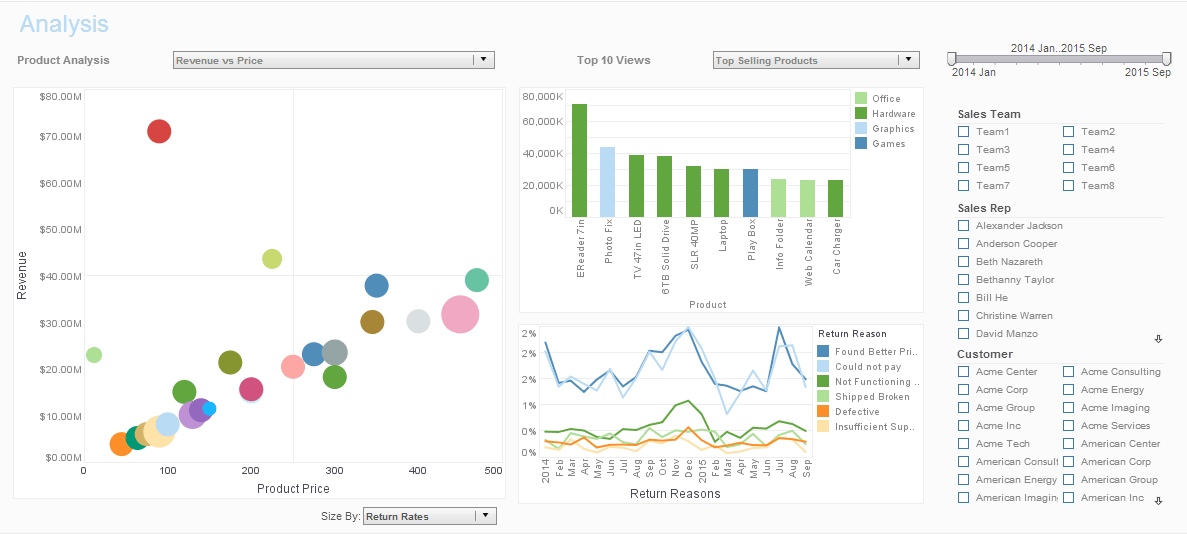
Get Familiar With Style Scope Agile Edition
Overview
- The basic getting started process for InetSoft's Style Scope Agile Edition
- Overview and walkthrough of basic Style Scope Agile Edition features
Using the Portal
- Creating a new dashboard folder
- Creating a new data set folder
- Moving, deleting, and recovering a dashboard, data set, or folder
- Emailing a dashboard, exporting a dashboard
- Automatically emailing a dashboard on a specified schedule
- Deleting/editing a scheduled task
- Refreshing a dashboard from a live data connection
- Recalculating dashboard scripts
- Using a bookmark to save dashboard settings
- Creating a new bookmark
- Adding a dashboard/component-level annotation
- Adding a data-level annotation
Accessing Your Data
- Creating and editing a database connection
- Importing data from Excel or text file.
- Opening a data set for editing
- Verifying an active database connection
- Creating a new data set from database tables
- Mashing up data sets using an inner join
- Mashing up data sets using a concatenation
- Creating a new data set by manually typing data
- Changing the column data type for an embedded table
- Unpivoting data in an imported crosstab
- Renaming a data set column
Laying Out Dashboards
- Adding components to a dashboard
- Moving and resizing dashboard components
- Placing components into a tabbed interface
- Changing tab labels
- Grouping multiple components into a single tab
- Adding an image/logo to a dashboard
- Using an image/shape component as a background
- Changing font, size, color using the toolbar
- Formatting numerical data
- Applying conditional formatting (highlights) to a chart/table
- Using the ad hoc crosstab/chart editor
- Adding a label to a Form component
- Combining components into a tabbed interface
- Controlling component visibility with Form components
- Defining a dashboard layout for devices of different sizes.
- Defining a dashboard layout for print.
Creating Charts
- Adding a chart component to a dashboard
- Positioning a chart on the dashboard
- Creating and formatting a pie chart on a dashboard
- Adding a chart component to a dashboard.
- Positioning a chart on the dashboard.
- Adding trend lines to a chart
- Projecting trend lines into the future
- Creating a chart using multiple measures
- Adding multiple dimensions to a chart
- Adding dimensions and measures to a chart or crosstab
- Adding dimensions and measures to a chart
- Adding multiple measures to a chart axis
- Adding multiple dimensions/measures to a chart axis in a grid
- Charting data on a map
Filtering Data
- Filtering at the data set level
- Filtering with selection components
- Filtering aggregated chart data with an ad hoc filter
- Filtering a chart by brushing data
- Filtering date ranges with a range slider
- Filtering date ranges with a calendar
- Filtering categorical data with a selection list
- Setting selection list properties
- Filtering numerical data with a range slider
- Setting range slider properties
- Filtering aggregated chart data with an ad hoc filter
- Filtering aggregated crosstab data with an ad hoc filter
- Filtering with a selection list
- Filtering with multiple selection lists and trees
- Filtering with a selection tree
- Searching a selection tree
- Modifying the selection tree hierarchy
- Ranking the top N groups in a chart by aggregate value
- Sorting groups in a chart by aggregate value
- Adding form components (ComboBox, RadioButton, Spinner)
- Renaming a component
- Applying conditional formatting (highlights) to a chart/table
- Sharing filters between modules in a composite dashboard
- Hiding components in an embedded dashboard
- Creating a simple filter condition using an AND operator
- Creating an advanced filter condition using an OR operator
- Applying a filtering condition to a data set
- Filtering a data set that does not support conditions
Mashing Up Data
- Mashing up data sets using an inner or outer join
- Changing an inner join to an outer join
- Adding joins to a joined data set
- Mashing up data sets using a union concatenation
- Mashing up data sets using a intersect concatenation
Grouping Data
- Grouping and aggregating data in a data set
- Joining grouped and detail data
- Grouping and aggregating data in a data set
- Joining grouped and detail data
- Grouping data in a row or column header
- Changing the grouping level for date fields
- Displaying aggregated data in a Text/Gauge component
- Changing grouping and aggregation via ad hoc editing
- Disabling end-user ad hoc editing for chart and crosstab
- Displaying/exporting detail data for a chart or crosstab
Creating Crosstabs/Pivot Tables
- Adding dimensions and measures to a chart/crosstab
- Adding a crosstab/pivot table to a dashboard
- Opening the crosstab editor
- Changing the grouping level for a date field
- Converting a crosstab into a freehand table
- Adding formulas/expressions into a table
- Adding multiple independent dimensions into a crosstab
Performing Calculations
- Adding an expression column to a data set
- Adding a calculated field to a dashboard
- Adding an expression column to a data set
- Adding a calculated field to a dashboard
- Adding an expression column to a data set
- Adding a calculated field to a dashboard
- Concatenating strings
- Adding a detail-level expression column to a data set
- Adding a detail-level calculated field to a dashboard
- Grouping and aggregating a data set
- Creating a mirror of an aggregated data set
- Adding an aggregate-level expression column to a data set
Administration
- Creating and editing users/groups
- Deleting users
- Assigning permissions for folders, dashboards, and data sets
- Recovering assets from an automatic backup
- Enabling high-performance data caching
We will help you get started
Contact us