Looking for Reporting Tools to Integrate with SharePoint?
It's no wonder that so many businesses adopt Microsoft SharePoint as a collaboration tool. SharePoint sites provide an easy way for organizations to share information and coordinate on projects and tasks. However, using SharePoint alone as a business intelligence tool has definite limitations.
While SharePoint enables rudimentary reporting on list data, it lacks the agility to meet many of today's more elaborate reporting needs. And while it is capable of data mashup to some degree, it can only incorporate a limited number of data sources. SharePoint's reporting also lacks in self service, often requiring IT skills and knowledge of SharePoint SQL.
Let InetSoft assist you with a free evaluation.
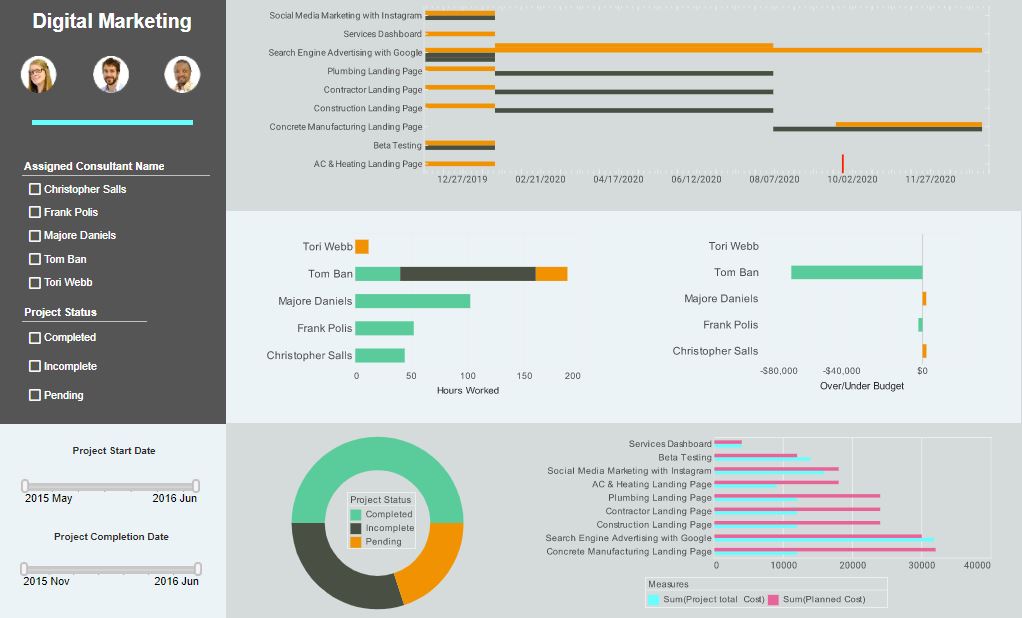
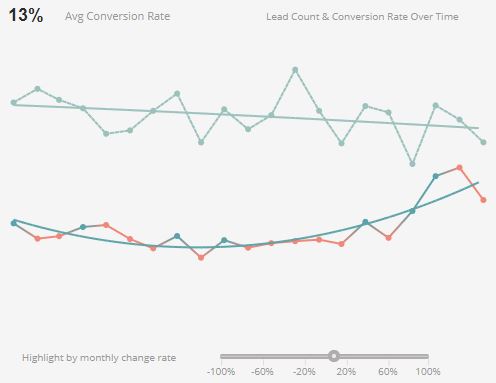
InetSoft's StyleBI Integrates Perfectly into your SharePoint Site
InetSoft's StyleBI is a complete web-based BI solution that makes a perfect complement to Microsoft SharePoint. Style provides more sophistication, more interactivity, and a unified view of information that spans multiple source systems.
Style's robust data mashup engine can pull data from an unlimited number of disparate sources in a way unparalleled not only by SharePoint but also by other major reporting providers.
InetSoft's solution also includes a SharePoint data connector that unlocks the business information stored in SharePoint lists. The application can be deployed in hours and does not require prior BI expertise.
Reports created with StyleBI can also be embedded in a SharePoint site. Whether you're interested in tracking content management and usage, project management details, compliance information, or any other business data, InetSoft's solution can bring a new dimension to your use of SharePoint.

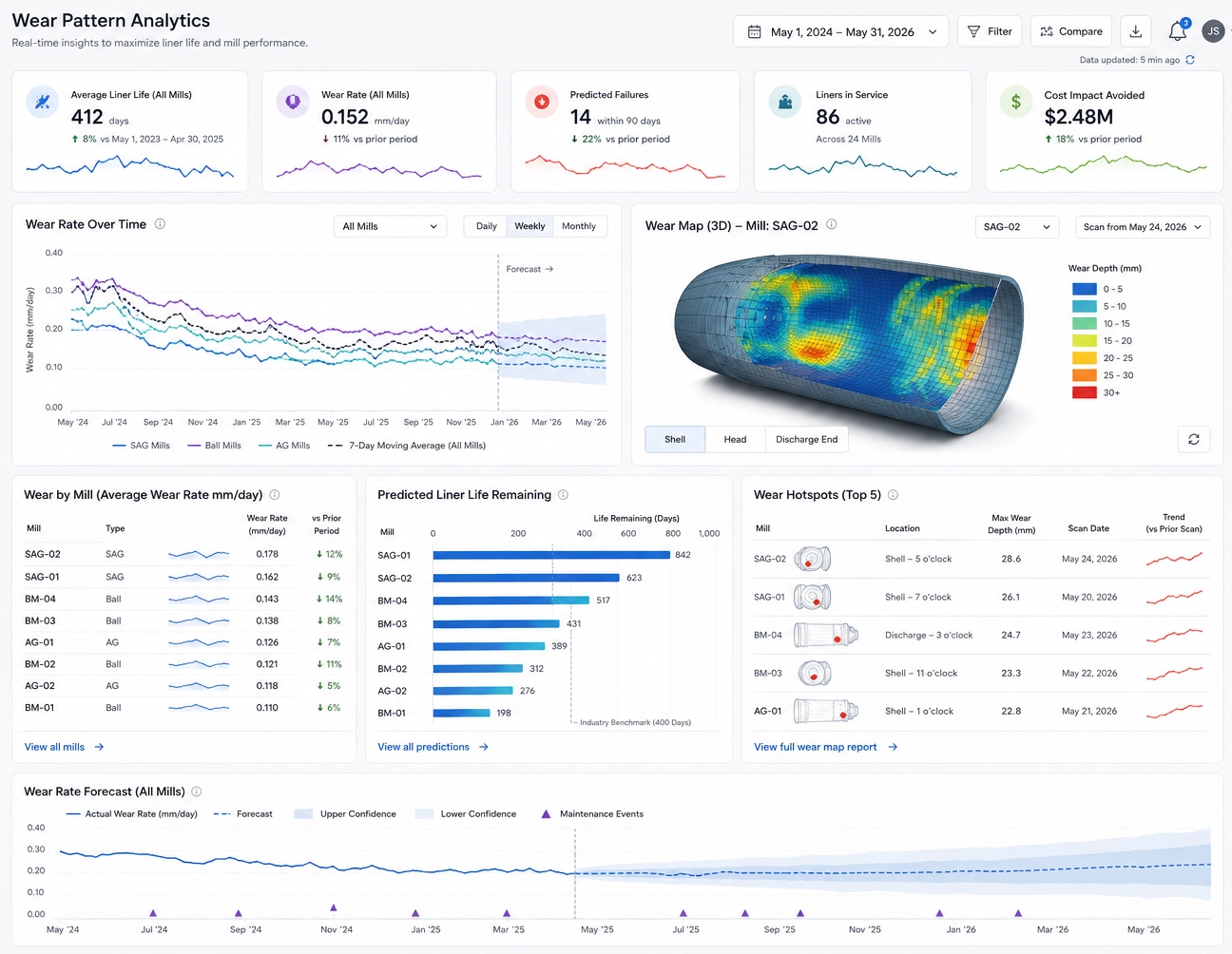
A Mill Liner Manufacturing Company Upgrades To StyleBI For Its SharePoint Reporting Tools
The mill liner manufacturing industry operates behind the scenes of global mining, yet it plays a critical role in ensuring efficient ore processing and equipment longevity. One company at the forefront of this niche sector—IronShield Liner Technologies—recently undertook a major modernization of its reporting infrastructure. For years, the company relied on RapidMiner for data preparation and modeling, while using SharePoint as the central hub for distributing operational reports to plant managers, metallurgists, and executive leadership. However, as IronShield expanded into new markets and increased production capacity, its existing reporting workflows became too rigid and time‑consuming. The company ultimately chose to upgrade to StyleBI as its primary engine for SharePoint Reporting Tools, transforming how insights were delivered across its global operations.
IronShield’s challenges were rooted in the complexity of its manufacturing environment. Mill liners must be engineered with precision, taking into account ore hardness, mill speed, liner profile geometry, wear patterns, and customer‑specific performance requirements. The company collected vast amounts of data from CNC machining centers, metallurgical testing labs, wear‑monitoring sensors, and customer feedback loops. While RapidMiner supported advanced modeling, it lacked the visualization flexibility and SharePoint‑ready reporting capabilities needed to communicate insights effectively. Reports were often exported manually, reformatted in spreadsheets, and uploaded to SharePoint libraries—an error‑prone process that slowed decision‑making and frustrated both engineers and managers.
The decision to adopt StyleBI centered on the platform’s ability to integrate seamlessly with SharePoint while offering a far more robust visualization and dashboarding environment. IronShield needed a solution that could automate report generation, support interactive dashboards, and maintain strict governance over data definitions. StyleBI’s architecture aligned perfectly with these requirements. Its ability to publish dashboards directly into SharePoint web parts meant that users could access real‑time insights without leaving the collaboration environment they already relied on. This eliminated the manual export‑upload cycle and ensured that every stakeholder—from plant supervisors to executive leadership—was always viewing the most current data.
One of the most transformative improvements came from StyleBI’s data modeling and mashup capabilities. IronShield previously maintained separate data pipelines for production metrics, wear‑rate analysis, and customer performance reports. These pipelines were difficult to maintain and required constant intervention from the data engineering team. With StyleBI, the company created reusable data blocks that standardized how machining data, metallurgical results, and field‑performance metrics were combined. This not only reduced maintenance overhead but also empowered analysts to build new dashboards without relying on IT. The shift democratized access to data and accelerated the development of new insights, particularly in areas such as predictive wear modeling and production optimization.
Enhanced Interactivity and User Experience
StyleBI also enabled IronShield to design dashboards tailored to the unique needs of different user groups. Plant managers needed real‑time visibility into production throughput, machine utilization, and quality‑control metrics. Metallurgists required detailed views of alloy composition, hardness profiles, and wear‑testing results. Executives needed high‑level summaries of order fulfillment, customer satisfaction, and profitability. With StyleBI’s flexible layout engine, the company created dashboards that balanced clarity with depth, allowing users to drill down into specific mills, liner types, or customer sites. This level of interactivity was impossible with the static reports previously generated through RapidMiner and manual formatting.
Governance was another area where StyleBI delivered significant value. As IronShield expanded into new regions, ensuring consistent reporting standards became increasingly important. RapidMiner’s visualization layer offered limited control over versioning, permissions, and content organization. StyleBI introduced a structured environment where administrators could manage user roles, enforce standardized metrics, and track changes across dashboards. This governance framework proved essential when IronShield began working with large multinational mining companies that required transparent, auditable reporting. StyleBI’s metadata management and audit trails provided the accountability needed to meet these expectations.
The upgrade also improved IronShield’s ability to communicate with customers. Mining companies often requested detailed performance reports showing liner wear rates, mill efficiency improvements, and cost‑per‑ton reductions. Previously, these reports required hours of manual assembly. With StyleBI, IronShield created automated reporting templates that refreshed with the latest data and could be embedded directly into customer‑facing SharePoint portals. This not only saved time but also strengthened customer relationships by providing transparent, data‑driven evidence of product performance. The ability to deliver interactive dashboards rather than static PDFs set IronShield apart from competitors and reinforced its reputation as a technology‑forward manufacturer.
From an operational standpoint, StyleBI’s deployment flexibility aligned well with IronShield’s hybrid infrastructure. The company maintained on‑premise systems for sensitive production data while leveraging cloud services for customer‑facing portals and remote monitoring. StyleBI supported both environments, allowing IronShield to integrate data securely without restructuring its architecture. Additionally, server‑based licensing provided predictable costs as the number of users grew, avoiding the escalating per‑seat fees associated with other BI platforms. This cost stability was particularly important as IronShield expanded its SharePoint‑based reporting to international teams.
The cultural impact of the transition was equally significant. Engineers who previously spent hours assembling reports could now focus on process optimization and product innovation. Analysts gained the ability to explore data independently, leading to new insights into wear‑pattern anomalies, alloy performance, and machining efficiency. Executives gained clearer visibility into operational bottlenecks and strategic opportunities. StyleBI became the central interface through which insights were shared, replacing a patchwork of spreadsheets, static reports, and manually updated SharePoint pages.

Operational Performance and Competitive Advantage
Perhaps the most compelling outcome of the upgrade was the improvement in operational performance. With better visualization tools, IronShield identified inefficiencies in machining cycles, optimized alloy formulations, and improved liner design based on real‑world wear data. These insights led to higher product durability, reduced downtime for mining customers, and increased profitability for the company. StyleBI’s dashboards became a strategic asset, enabling IronShield to make faster, more informed decisions and to demonstrate the value of its products with unprecedented clarity.
In the end, IronShield Liner Technologies’ decision to upgrade to StyleBI for its SharePoint Reporting Tools marked a turning point in its digital transformation. While RapidMiner remained valuable for modeling and data science, StyleBI delivered the visualization power, governance structure, and SharePoint integration needed to scale reporting across the organization. For a company operating in the Mill Liner Manufacturing industry—where precision, reliability, and customer trust are paramount—StyleBI provided the foundation for a more agile, transparent, and data‑driven future. The upgrade not only modernized IronShield’s reporting workflows but also strengthened its competitive position in a demanding global market.