From Tipboard to StyleBI: How an Industrial Laundry Company Rebuilt Its Analytics
In the industrial laundry services industry, margins are tight, operations are complex, and service failures are unforgiving.
One mid-sized regional laundry company, serving hospitals, hotels, and food processors across three states, discovered that its existing dashboard solution, Tipboard, was no longer keeping up with the pace and complexity of its business.
The decision to migrate to StyleBI for dashboard analytics became a turning point in how the company managed plant performance, service levels, and profitability.
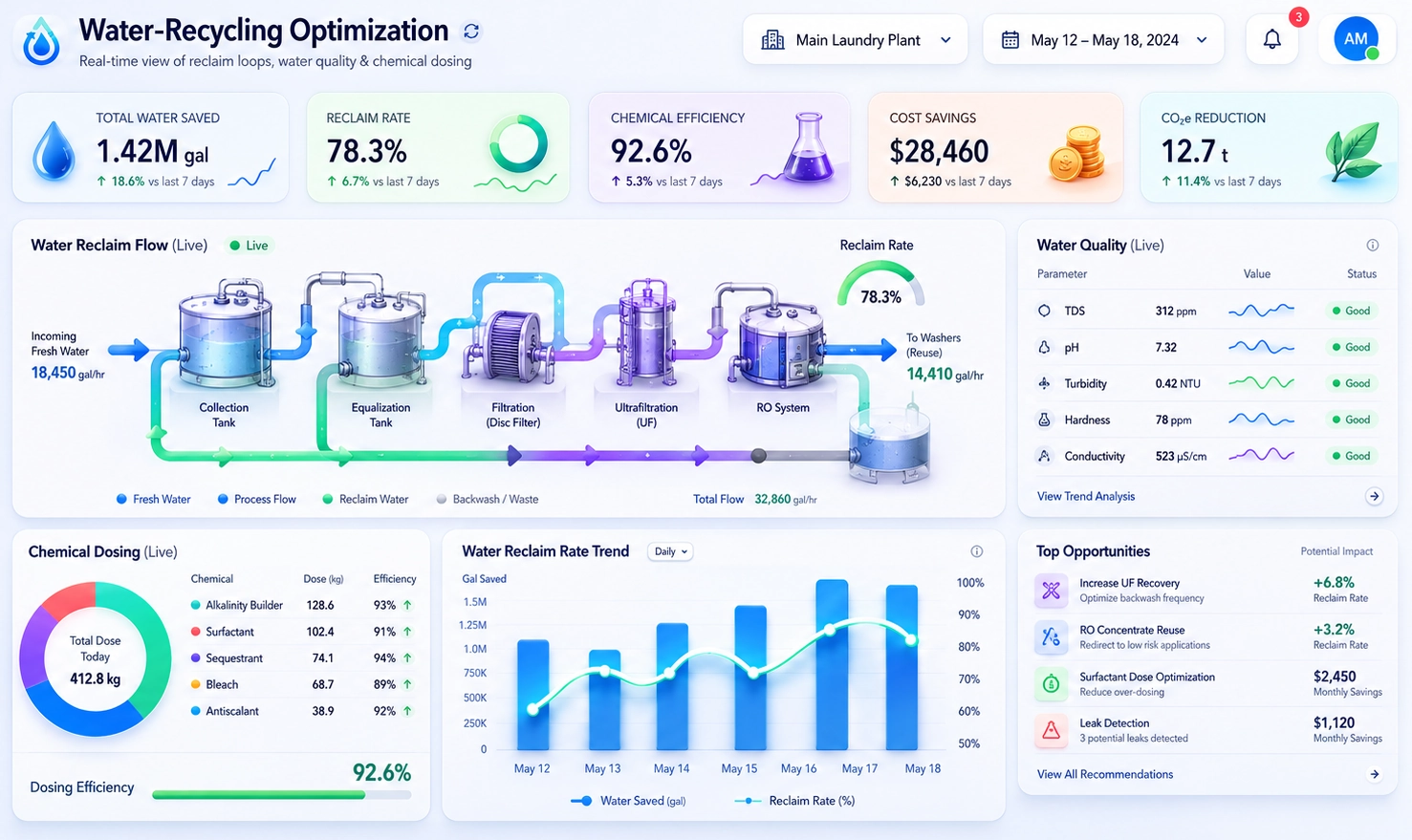

The Operational Context of Industrial Laundry
Industrial laundry is a deceptively complex business. Each day, the company processes hundreds of thousands of pounds of linens, uniforms, mats, and specialty garments. Turnaround times are measured in hours, not days. A missed delivery can disrupt a hospital’s operating room schedule or a food processor’s production line.
To stay competitive, the company must track:
- Throughput: Pounds processed per hour by tunnel washers, dryers, and finishing lines.
- Quality: Rewash rates, stain rates, and reject reasons by customer and item type.
- Service: On-time delivery, route adherence, and order completeness.
- Costs: Utilities, chemicals, labor, and maintenance per pound processed.
The leadership team believed dashboards should be the “control tower” for these metrics. Tipboard had been their first attempt at building that control tower.
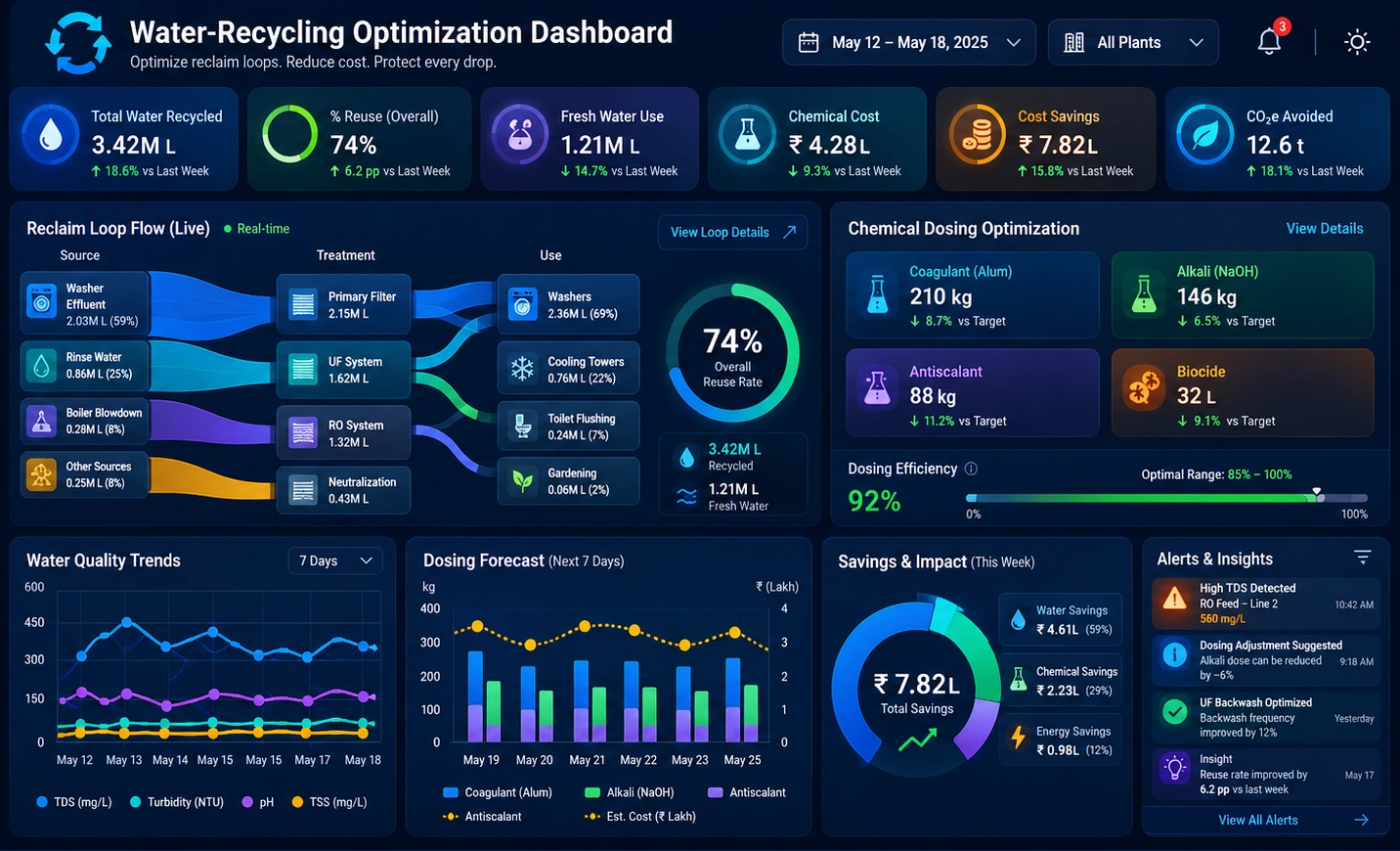
Where Tipboard Started to Fall Short
Tipboard initially appealed to the company because it allowed quick creation of simple wallboard-style dashboards. Operations managers could see a few key metrics on large screens in the plant: current throughput, machine status, and basic alerts. For a time, this was enough.
As the business grew, however, several limitations became painful:
- Static views: Dashboards were mostly fixed. Drilling into data by customer, route, or shift required separate reports or manual exports.
- Fragmented data: Tipboard dashboards were fed by custom scripts pulling from the ERP, route management system, and maintenance logs. Each change required developer time.
- Limited self-service: Plant managers and supervisors could not easily build or modify dashboards themselves. They had to submit requests to IT and wait.
- Scaling issues: As more screens and metrics were added, performance and maintainability became concerns. The team struggled to keep dashboards consistent across plants.
The result was a growing gap between what leadership wanted—real-time, flexible, plant-to-plant comparability—and what Tipboard could realistically deliver within their resource constraints.

Why the Company Chose StyleBI
When the company evaluated alternatives, StyleBI stood out for several reasons that aligned with their operational and organizational needs.
- Unified data model: StyleBI’s semantic layer allowed them to define business metrics—such as “pounds per labor hour” or “rewash rate”—once and reuse them across dashboards, plants, and user groups.
- Self-service dashboards: Supervisors and managers could build and adjust dashboards through a visual interface, without writing code or relying on IT for every change.
- Row-level security: Route managers could see only their routes, plant managers only their plants, while executives could see everything in a consolidated view.
- Embedded and wallboard support: StyleBI dashboards could be embedded into existing internal portals and displayed on large shop-floor screens, preserving the “control room” feel Tipboard had provided.
Equally important, StyleBI offered a more robust governance model. The company could standardize definitions, control who could publish dashboards, and ensure that “pounds processed” meant the same thing in every plant.
Planning the Migration from Tipboard
The company approached the migration as both a technical project and a cultural shift. They did not simply want to recreate the old Tipboard screens; they wanted to rethink how analytics supported daily decisions.
They structured the migration in three phases:
- Foundation: Build the core data model and connect key systems.
- Pilot dashboards: Rebuild and improve the most critical Tipboard views in StyleBI.
- Scale-out: Roll out to all plants, routes, and departments, and retire Tipboard.

Phase 1: Building the Data Foundation
The first step was to centralize data that had previously been stitched together by custom scripts. The team connected StyleBI to:
- ERP and production system: Orders, items, weights, and processing timestamps.
- Route and logistics system: Delivery schedules, route stops, and GPS data.
- Maintenance and downtime logs: Machine outages, reasons, and durations.
- Utility and chemical usage: Meter readings and chemical dosing logs.
Using StyleBI’s modeling capabilities, they defined standardized dimensions (plant, line, route, customer, item type, shift) and measures (pounds processed, rewash count, on-time deliveries, downtime minutes). This semantic layer became the backbone for all future dashboards.
Phase 2: Reimagining the Key Dashboards
Instead of copying Tipboard screens one-for-one, the team asked a simple question for each dashboard: “What decision should this view help someone make in under 30 seconds?”
They focused on three flagship dashboards:
- Plant performance wallboard: A real-time view of throughput, rewash rate, and downtime by line, designed for large screens on the production floor.
- Route service dashboard: A daily view for route managers showing on-time performance, missed stops, and customer complaints by route and driver.
- Cost-per-pound dashboard: A management view combining labor, utilities, and chemical costs per pound, with comparisons across plants and time periods.
StyleBI’s interactive features allowed users to click into a plant, then a line, then a specific shift, without leaving the dashboard. Filters for customer, route, and item type made it easy to answer follow-up questions on the fly.

Phase 3: Scaling and Retiring Tipboard
Once the pilot dashboards were stable and well-received, the company rolled out StyleBI to all plants. They created role-based views:
- Executives: Multi-plant scorecards and trend analysis.
- Plant managers: Detailed operational dashboards with drill-downs to lines and shifts.
- Supervisors: Shift-level performance and staffing views.
- Route managers: Service and delivery performance dashboards.
During a three-month overlap period, Tipboard and StyleBI ran in parallel. Users were encouraged to compare the two and provide feedback. As confidence grew, Tipboard screens were gradually replaced with StyleBI wallboards, and the old scripts feeding Tipboard were decommissioned.
Concrete Benefits After Switching to StyleBI
Within six months of fully adopting StyleBI, the company saw measurable improvements in both operations and culture.
Operational Improvements
- Reduced rewash rate: By tracking rewash by item type, customer, and line, supervisors identified specific process issues and training gaps. Rewash rates dropped, freeing capacity and reducing chemical and utility usage.
- Higher throughput consistency: Real-time visibility into line performance helped supervisors rebalance work and respond quickly to bottlenecks. Variability between shifts narrowed, making planning more reliable.
- Improved on-time delivery: Route managers used StyleBI to monitor late deliveries by route and driver, correlating them with loading times and traffic patterns. Small process changes led to fewer late deliveries and happier customers.
- Better cost control: The cost-per-pound dashboard made it clear which plants and lines were outliers. Managers could target specific issues—such as excessive overtime or inefficient machine settings—rather than applying broad cost-cutting measures.
Cultural and Organizational Benefits
- Empowered managers: Plant and route managers no longer waited for IT to build or modify dashboards. They could adjust views, add filters, and create new analyses themselves within the governed StyleBI environment.
- Single source of truth: With a shared semantic model, arguments about “whose numbers are right” diminished. Everyone worked from the same definitions and metrics.
- Faster decision cycles: Questions that once required ad-hoc spreadsheets or custom reports could now be answered in minutes directly in StyleBI.
- Stronger cross-plant collaboration: Because dashboards were standardized, plants could compare performance and share best practices using the same visual language.

Lessons Learned from the Migration
The company’s journey from Tipboard to StyleBI offers several lessons for other industrial laundry providers considering a similar move.
- Do not just “lift and shift” dashboards: Use the migration as an opportunity to rethink what decisions each dashboard should support and how quickly users should get to an answer.
- Invest in the semantic layer: Clear, consistent definitions of metrics and dimensions are more valuable than any single visualization. This is where StyleBI’s strengths paid off most.
- Balance governance with self-service: Establish a core team to manage certified datasets and key dashboards, while enabling local teams to build their own views on top of that foundation.
- Train with real scenarios: Instead of generic training, the company used real operational questions—“Why did Plant B’s rewash spike last week?”—to teach managers how to explore data in StyleBI.
Looking Ahead: From Dashboards to Optimization
With StyleBI firmly in place, the company is now exploring more advanced analytics. They are experimenting with predictive models for rewash risk, forecasting linen demand by customer segment, and simulating the impact of adding new routes or shifting volume between plants.
What began as a straightforward replacement of Tipboard has evolved into a broader transformation of how the industrial laundry business uses data. Dashboards are no longer just digital scoreboards on the wall; they are active tools for daily decision-making, continuous improvement, and strategic planning.
For this industrial laundry company, switching from Tipboard to StyleBI was not just a software change. It was a shift from static, script-driven displays to a living analytics environment — one that matches the speed, complexity, and stakes of the industry it serves.