Advanced Dashboard Filtering: Designing Multi‑Layer, Context‑Aware Filters for Complex Analytics
As dashboards evolve from simple reporting tools into mission‑critical operational systems, filtering becomes one of the most important—and most misunderstood—components of dashboard design. Basic filters like date ranges and category selectors are no longer enough for organizations dealing with high‑dimensional data, governed metrics, and diverse user roles. What users increasingly need is advanced dashboard filtering: a structured, multi‑layer approach that ensures clarity, consistency, and performance across complex analytics environments.
This article explores the principles, patterns, and practical techniques behind advanced dashboard filtering. Whether you’re building dashboards for manufacturing, finance, supply chain, healthcare, or any other data‑intensive domain, mastering these filtering strategies will help you deliver dashboards that scale with your organization’s needs.
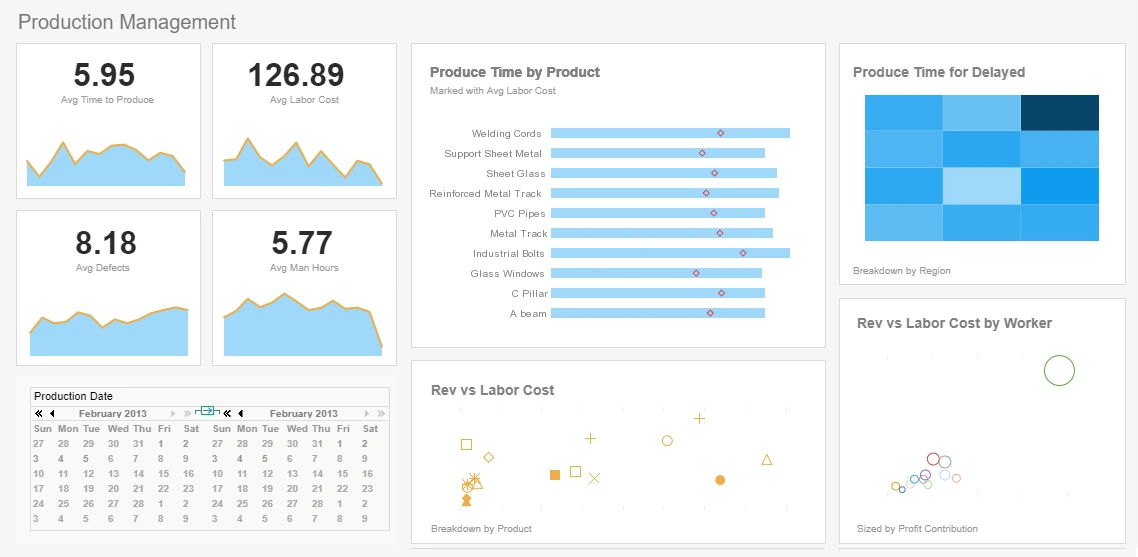

Understanding the Purpose of Advanced Filtering
At its core, filtering is about reducing data to the subset that matters for a specific question. But as dashboards grow more sophisticated, filtering must do more than simply narrow results. It must:
- Guide users toward the right analytical paths
- Prevent conflicting or misleading combinations of filters
- Support multiple user roles with different access levels
- Maintain performance even with large datasets
- Preserve consistency across dashboards and teams
These goals require a deliberate filtering architecture rather than a collection of ad‑hoc controls.
Global vs. Local Filters: The First Layer of Structure
One of the most important distinctions in advanced filtering is the separation between global and local filters. Global filters apply to the entire dashboard, while local filters apply only to specific visualizations.
Global filters are ideal for:
- Date ranges
- Product lines or business units
- Geographic regions
- Customer segments
Local filters are better suited for:
- Drilling into a specific chart without affecting others
- Comparing two visualizations with different filter contexts
- Supporting specialized views like anomaly charts or trend overlays
The key is to avoid overwhelming users with too many global filters. A well‑designed dashboard uses global filters sparingly and relies on local filters to provide deeper analytical flexibility.

Cascading Filters and Filter Inheritance
Cascading filters—where the selection in one filter determines the available options in another—are essential for preventing invalid or confusing filter combinations. For example, selecting a region should automatically limit the available countries, and selecting a product category should limit the available SKUs.
Cascading filters improve:
- Data quality by preventing impossible selections
- User experience by reducing clutter
- Performance by reducing query complexity
Filter inheritance extends this concept by allowing child dashboards or drill‑downs to automatically inherit the filter context of the parent. This ensures continuity as users navigate deeper into the data.
Context‑Aware Filtering for Role‑Based Dashboards
In enterprise environments, different users often require different views of the same dashboard. A plant manager, quality engineer, and executive may all use the same dashboard but need different filtering options and default selections.
Context‑aware filtering allows dashboards to adapt based on:
- User role or department
- Security permissions
- Data access rules
- Workflow stage or operational context
For example, a quality engineer might see filters for defect categories and root cause codes, while an executive sees only high‑level product lines and time periods. This prevents filter overload and ensures that each user interacts with the dashboard in a way that aligns with their responsibilities.

Advanced Filter Operators and When to Use Them
Basic operators like equals, contains, and between are useful, but advanced dashboards often require more expressive filtering logic. Advanced operators include:
- In‑list for selecting multiple discrete values
- Regex for pattern‑based filtering
- Exclusion filters for removing specific categories
- Multi‑select with logic (AND/OR)
- Range sliders for continuous variables
These operators should be used carefully. While they offer power, they can also confuse users if exposed without guidance. A best practice is to expose advanced operators only in specialized dashboards or behind an “Advanced Options” panel.

Performance‑Driven Filtering Strategies
Filtering is not just a UX concern—it has a direct impact on performance. Poorly designed filters can trigger unnecessarily large queries, slow down dashboards, or overload data sources.
Performance‑driven filtering strategies include:
- Pre‑aggregation to reduce dataset size
- Semantic layers to centralize metric definitions
- Indexed fields for commonly used filters
- Limiting multi‑select filters on high‑cardinality fields
- Using default filters to avoid loading full datasets
A well‑designed filtering system ensures that dashboards remain responsive even when dealing with millions of rows of data.
UX Patterns for Effective Filter Design
Even the most powerful filtering system fails if users cannot understand or navigate it. Advanced filtering requires thoughtful UX design to ensure clarity and usability.
Effective UX patterns include:
- Filter bars for high‑frequency filters
- Filter panels for complex or rarely used filters
- Collapsible sections to reduce clutter
- Clear labeling to avoid ambiguity
- Default selections that reflect typical workflows
One of the most important UX principles is avoiding filter redundancy. If a filter appears in multiple places, users may not understand which one takes precedence. Consolidation is key.

Designing Multi‑Layer Filtering Architectures
The most advanced dashboards use a multi‑layer filtering architecture that combines global filters, local filters, cascading logic, and role‑based controls into a coherent system.
A typical multi‑layer architecture includes:
- Layer 1: Global filters for time, region, or product line
- Layer 2: Cascading filters for hierarchical dimensions
- Layer 3: Local filters for chart‑specific analysis
- Layer 4: Context‑aware filters based on user role
- Layer 5: Advanced operators for power users
This layered approach ensures that dashboards remain flexible without becoming chaotic.
Common Pitfalls and How to Avoid Them
Even experienced dashboard designers fall into common filtering traps. These include:
- Too many global filters
- Conflicting filter logic
- High‑cardinality fields exposed as drop‑downs
- Filters that break drill‑downs
- Unclear default states
Avoiding these pitfalls requires a combination of governance, UX design, and technical optimization.

Filtering as a Strategic Design Element
Advanced dashboard filtering is not just a technical feature—it is a strategic design element that determines how users interact with data, how quickly they find insights, and how consistently teams make decisions. By adopting a structured, multi‑layer approach to filtering, organizations can build dashboards that scale gracefully, support diverse user needs, and maintain high performance even in complex analytical environments.
As dashboards continue to evolve, filtering will remain one of the most important tools for shaping the analytical experience. Mastering advanced filtering is essential for anyone building dashboards that must serve as reliable, governed, and intuitive decision‑making systems.