Strengths and Weaknesses of Top BI Server Providers
Datameer
Strengths
- Strong data preparation on big data – Datameer was built around Hadoop and large-scale data processing, offering robust data integration, transformation, and preparation capabilities for complex datasets.
- Spreadsheet-like interface – The familiar spreadsheet paradigm lowers the barrier for analysts, enabling them to define transformations and calculations without deep coding skills.
- End-to-end data pipeline in one environment – Datameer combines ingestion, preparation, analytics, and visualization in a single application, reducing tool sprawl and integration overhead.
- Self-service data discovery – Business users can explore and join datasets with less reliance on IT, supporting agile analytics and experimentation on top of large data platforms.
- Integration with modern data platforms – Support for cloud data warehouses and data lakes allows Datameer to sit close to the data, leveraging scalable compute and storage.
Weaknesses
- Visualization depth vs. dedicated BI tools – While Datameer offers visualizations, its core strength is data preparation; its dashboarding and storytelling capabilities may lag behind specialized BI servers.
- User experience for non-technical business users – The spreadsheet metaphor can still feel technical when dealing with complex pipelines, making it less intuitive for purely business-focused users.
- Dependency on underlying big data stack – Performance, governance, and reliability are closely tied to the configuration and health of the underlying Hadoop or cloud data platform, which can add operational complexity.
- Competitive pressure from modern ELT and BI stacks – As cloud-native ELT tools and BI platforms improve their own data prep features, Datameer can be squeezed between them in the architecture.
- Limited brand recognition vs. top BI vendors – Compared with mainstream BI names, Datameer may face adoption hurdles in organizations that prefer widely recognized platforms.
InetSoft
Strengths
- Mature, server-based BI architecture – InetSoft has long focused on web-based reporting and dashboards, offering a traditional BI server model with centralized administration and distribution.
- Strong pixel-perfect reporting – The platform supports highly formatted, production-grade reports suitable for regulatory, financial, and operational reporting where layout precision matters.
- Embeddable analytics – InetSoft is often used to embed dashboards and reports into other applications, providing white-label and integration options for ISVs and OEM scenarios.
- Flexible data access – It can connect to a variety of relational databases and other sources, enabling federated reporting across multiple systems.
- Robust data pipeline and transformation – InetSoft provides built-in ETL capabilities for data loading, transformation, and integration, enabling organizations to prepare and model data efficiently without external tools.
- Multi-tenancy support – The platform supports multi-tenant deployments, allowing service providers and enterprises to securely isolate and manage multiple client environments within a single instance.
- Role-based security and governance – Centralized control over users, roles, and data access supports enterprise governance requirements.
Weaknesses
- Limited market visibility – InetSoft is less widely known than major BI brands, which can impact community resources, hiring, and perceived vendor stability.
- Advanced analytics and AI features – InetSoft focuses on reporting and dashboards; advanced ML/AI-assisted analytics may require external tools or custom integration.
- Learning curve for design tools – Designing complex, pixel-perfect reports can be powerful but may require specialized skills and training.
- Smaller community for answers – With a smaller user base compared to major BI platforms, finding community support, forums, and readily available solutions to common problems can be more challenging.
- No natural language query creation – InetSoft lacks built-in natural language processing for query generation, requiring users to manually construct queries or rely on traditional interfaces rather than conversational analytics.
Looker
Strengths
- Modern data modeling with LookML – Looker's LookML language enables centralized, version-controlled semantic layer that ensures consistent metrics and dimensions across the organization.
- Embedded analytics focused – Looker is purpose-built for embedding analytics into applications, with flexible APIs and SDKs that support white-label deployments.
- Real-time collaboration – Shared exploration and drill-down capabilities enable teams to collaborate on insights dynamically within the platform.
- Cloud-native architecture – Built for cloud from the ground up, Looker scales seamlessly and integrates well with modern data warehouses and cloud platforms.
- Strong governance and permissions – Role-based access control and content governance features support enterprise security requirements.
Weaknesses
- Learning curve for LookML – While powerful, LookML requires technical expertise and can slow down rapid development for business users seeking quick self-service.
- Cost and licensing complexity – Looker's pricing model can be complex, and costs may escalate with large numbers of users or high query volumes.
- Visualization customization limits – While Looker dashboards are functional, customization options for advanced visualizations may require development work.
- Less suited for exploratory ad hoc analysis – The platform's focus on governed metrics means ad hoc, free-form exploration may be less intuitive than some competitors.

Power BI Report Server
Strengths
- On-premises deployment for Power BI – Power BI Report Server brings much of the Power BI experience to organizations that require on-prem or private cloud deployments for regulatory or security reasons.
- Integration with Microsoft stack – Tight integration with SQL Server, Azure, Active Directory, and Office 365 makes it attractive for Microsoft-centric enterprises.
- Mixed content types – It supports both Power BI reports and traditional paginated (SSRS-style) reports, covering interactive dashboards and operational reporting in one server.
- Familiar tooling for developers – Developers and BI teams already using SQL Server Reporting Services and Power BI Desktop can leverage existing skills and workflows.
- Licensing synergies – For organizations with Software Assurance or existing Microsoft agreements, licensing can be cost-effective relative to some competitors.
Weaknesses
- Feature lag vs. Power BI Service – Power BI Report Server often trails the cloud Power BI Service in terms of the latest features, visuals, and AI capabilities.
- Infrastructure management overhead – Organizations must manage their own servers, upgrades, backups, and scaling, which adds operational burden.
- Limited multi-cloud reach – The platform is optimized for Microsoft environments; heterogeneous or non-Microsoft stacks may see less benefit.
- Self-service at large scale – While self-service is possible, broad, frictionless sharing and collaboration are generally smoother in the cloud Power BI Service.
- Advanced governance complexity – Balancing multiple report types, data sources, and security models can become complex in large deployments.

Qlik Sense Enterprise
Strengths
- Associative data engine – Qlik’s in-memory associative engine enables users to explore data freely, revealing relationships and outliers that might be missed in strictly query-based tools.
- Strong self-service and guided analytics – Qlik Sense supports both governed, guided dashboards and ad hoc exploration, serving a range of user personas.
- Flexible deployment options – Qlik Sense Enterprise can be deployed on-premises, in the cloud, or in hybrid models, giving organizations architectural flexibility.
- Robust data integration layer – Qlik’s scripting and data loading capabilities allow complex transformations and data modeling within the BI layer.
- Governance and security – Centralized management, security rules, and app-level governance support enterprise-scale deployments with controlled access.
Weaknesses
- Learning curve for scripting – Qlik’s data load scripting and associative modeling can be powerful but require specialized skills to master.
- Design flexibility vs. simplicity – While highly customizable, building polished, consistent apps can demand careful design standards and experienced developers.
- Cost and licensing complexity – Enterprise licensing can be complex to navigate, and total cost may be significant for large user bases.
- Competing with cloud-native newcomers – Qlik faces strong competition from cloud-first BI platforms that emphasize ease of deployment and rapid innovation.
- Reliance on in-memory for large datasets – Very large datasets may require careful architecture (e.g., aggregation, data-on-demand) to maintain performance.
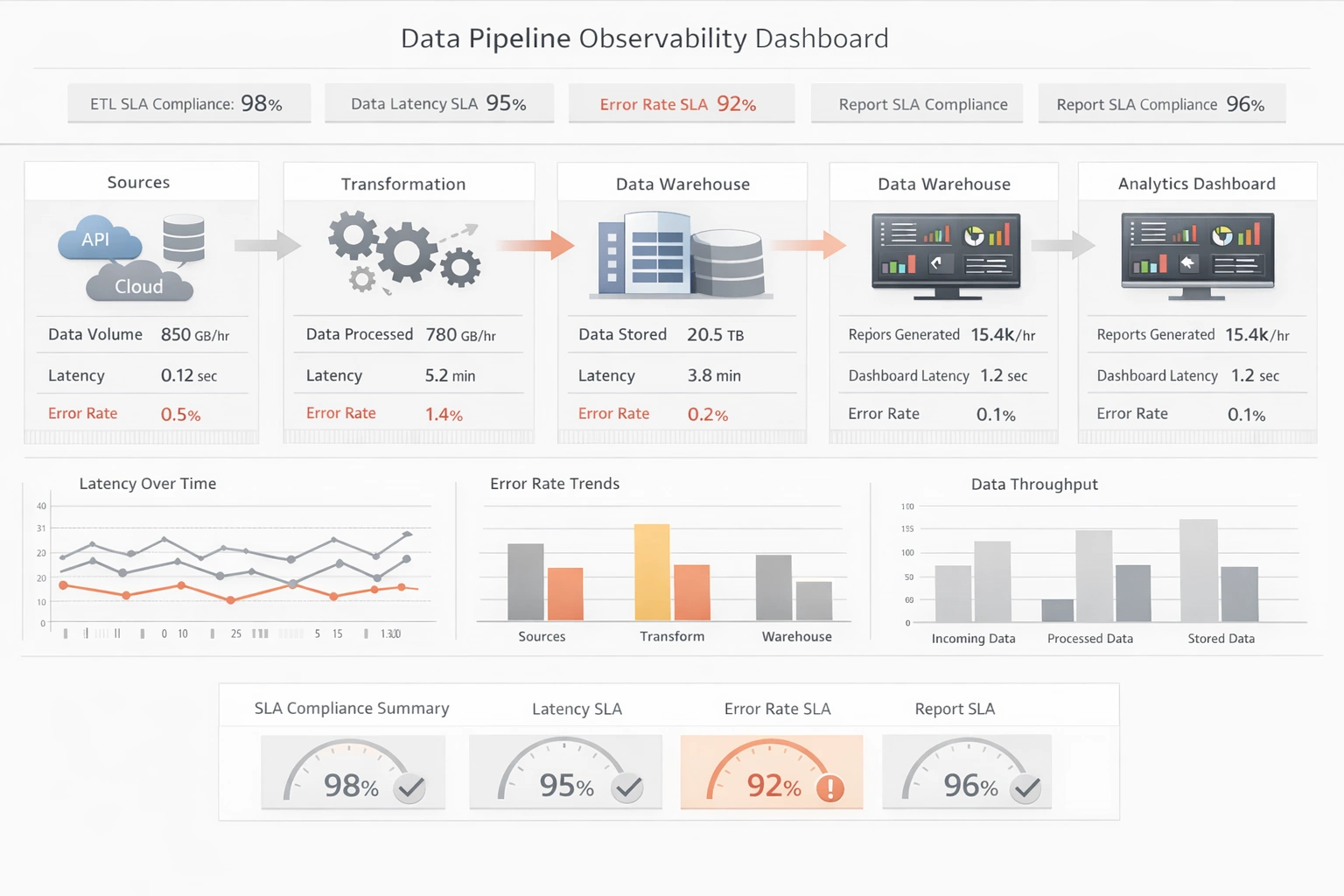
Splunk
Strengths
- Exceptional machine data handling – Splunk is outstanding at ingesting, indexing, and querying massive volumes of machine-generated data (logs, metrics, events), making it ideal for operational analytics, observability, and security monitoring scenarios.
- Powerful search and query language – The Splunk Processing Language (SPL) is expressive and flexible, enabling complex searches, correlations, and alert logic that go beyond traditional BI SQL-style reporting.
- Real-time monitoring and alerting – Splunk’s streaming and real-time capabilities support dashboards and alerts that react quickly to infrastructure, application, and security events, which is crucial for NOC/SOC environments.
- Rich ecosystem and apps – A large marketplace of apps and integrations (for security, IT operations, cloud platforms, and more) accelerates deployment and extends Splunk’s capabilities without heavy custom development.
- Enterprise-grade scalability – Splunk is designed to scale horizontally across distributed environments, handling high data volumes and supporting large, complex organizations with multi-tenant and role-based access needs.
- Strong security and compliance focus – Features like audit trails, granular permissions, and specialized security content (e.g., SIEM use cases) make Splunk attractive for regulated industries and security teams.
Weaknesses
- High total cost of ownership – Licensing based on data ingestion volume, plus infrastructure and administration costs, can make Splunk significantly more expensive than many traditional BI servers for broad enterprise deployment.
- Steeper learning curve – SPL and the operational analytics mindset can be challenging for classic business analysts who are more familiar with SQL, semantic models, and drag-and-drop BI tools.
- Less suited for classic semantic BI – While Splunk offers dashboards and visualizations, it is not primarily designed as a dimensional, governed BI semantic layer for finance, sales, or marketing reporting.
- Visualization flexibility vs. modern BI tools – Splunk dashboards are capable but can feel less polished and less self-service-friendly compared with leading visual BI platforms focused on business users.
- Data modeling complexity – Building reusable, business-friendly data models on top of raw machine data can require significant expertise and ongoing maintenance.

Tableau Server
Strengths
- Highly interactive visual analytics – Tableau Server delivers rich, interactive dashboards with strong visual best practices, enabling deep data exploration by business users.
- Strong self-service model – Business users can publish, share, and interact with content with relatively little IT intervention, supporting a culture of data democratization.
- Broad data connectivity – Tableau connects to a wide range of databases, cloud warehouses, and files, supporting both live queries and in-memory extracts.
- Robust community and ecosystem – A large user community, extensive learning resources, and partner ecosystem make it easier to find skills and best practices.
- Governance features for enterprise – Tableau Server offers content governance, permissions, and data source certification to balance self-service with control.
Weaknesses
- Server administration complexity – Managing performance, extracts, and scaling for large deployments can be complex and may require dedicated admin expertise.
- Cost at scale – Licensing and infrastructure costs can grow quickly as the number of users and workloads increases.
- Limited pixel-perfect reporting – Tableau excels at interactive dashboards but is less suited for highly formatted, paginated reports compared with traditional reporting tools.
- Data modeling limitations – While relationships and data models exist, complex enterprise semantic modeling can be more cumbersome than in classic BI suites.
- Performance tuning requirements – Achieving consistently fast dashboards often requires careful data modeling, extract strategies, and server tuning.
Easy Data Mining - Cutting costs and increasing revenue is an established goal for all businesses. In order to accomplish this, data must be collected and then analyzed for any readjustments that must be made. That's where data mining comes in handy. So the question is what is data mining and how can it help? Data mining is the process of finding patterns, trends, and relationships by interpreting raw data into meaningful information. This information can then be used effectively to make key decisions and/or predictions on future sales, inventory levels, customer response, etc. 'Mining' data requires sifting through a diverse field of relational databases for market research, report creation, and report analysis. This in turn can be used to sort and summarize any relations that are derived...
Easy to Use BI Tools - Back on the end of easy to use BI tools, you have more of a search driven interface which is very exploratory and allows for a minimal level of analytics, but it is extremely accessible. There is another type of interface that our customers use which is an interactive dashboard. An interactive dashboard is basically taking a dashboard which is one of the easiest most digestible forms of information in the BI realm and adding self-service access through a keyword search box with fast navigation. Some of those modes are borrowed from the search world. You really get a kind of a managed simple self-service experience. When you have a BI platform the best case supports this broad spectrum of access modes. So I’ll get to that little bit later on the discussion. The principle user of a BI system is a nontechnical user. But these users do have business process acumen. So often times they’re aware of the types of data that’s available, but they’re not necessarily fluent or cognizant of the language necessary to manipulate it. So if you look at visual tools there’s that bridge that crosses the chasm from not being able to understand access to that information...
Embed BI into a Cloud DevOps Environment - Embedding Business Intelligence (BI) into a cloud DevOps environment means integrating BI tools, data analytics processes, and decision-support capabilities into the continuous development, deployment, and operations workflows of cloud-native applications. This enables real-time insights and data-driven decision-making throughout the DevOps lifecycle. Here's a detailed exploration of what this entails: 1. Understanding BI in the Context of DevOps BI (Business Intelligence) refers to tools and practices used to collect, process, and analyze data, turning it into actionable insights. DevOps (Development and Operations) is a culture and set of practices aimed at automating and integrating software development and IT operations to enable faster, more reliable software delivery. By embedding BI into DevOps, data becomes a core component of both development and operational decisions, enhancing agility and performance in cloud-native environments. 2. Key Components of Embedded BI in Cloud DevOps...
Embedded Business Intelligence - Business is an ever evolving field. As technology gets more sophisticated and the times change, businesses must adapt. They must not only adapt they way they conduct their business, however, but also the way they track it. Today, there exist three categories of business intelligence software: standalone, integrated, and embedded...
Embedded Business Intelligence Trends - What we are going to be talking about is a concept of embedded business intelligence, where analytical capability is integrated or as a module or extension within other software applications. What you are going to hear really is two different perspectives around the value of embedded BI, so you will hear the end user perspective of why BI matters and why companies are taking this type of embedded approach. Really, my hope is that you will be able to draw analogies to your own organizations and your own toolsets to understand how BI in these types of analytical capabilities might be able to make a significant impact on the way that you do business...
Embedding BI in a Cloud Application - InetSoft's technology is very well-suited for deployment in a cloud environment, whether it be an OEM scenario or an internal enterprise deployment. The company’s primary application has been designed from the ground up as a Web-based server application so it naturally integrates with other Web-based solutions. In addition, the application’s infrastructure has been designed to scale up based on distributed computing principles, just as cloud computing has been. Lastly, a major part of InetSoft's business comes from SaaS providers who integrate the entire business intelligence platform or the visualization or publishing component of the BI application in their cloud-based offerings. The architecture of InetSoft's business intelligence application, StyleBI, is based on SOA and Java, so it delivers an embedding and integration ready platform perfectly suited for other Web-based applications...

Emerging BI & Data Analytics Trends for 2022 and Beyond - In an age where technology is in a constant state of flux, keeping your finger on the data pulse is vital when it comes to running a successful business. For continual growth and evolution as a modern business (regardless of your niche or industry), staying on top of emerging BI and data analytics trends will help you get ahead of the pack. Across industries, businesses are looking to invest in cutting-edge dashboard software and BI tools to improve their overall strategies while improving their decision-making processes...
Employment of Mobile Business Intelligence - One of the anecdotes that I often hear is that employees are bringing their own personal mobile devices to work and requesting or even demanding that corporate IT provide them with access to data. I expect some of you have been in that situation either as a user or as a member of corporate IT. You also hear people talk about the democratization of data and making data available to everyone, and not just a select few...
Embedding BI Software into Web Based Applications - And then a few other points about the platform, some things I already mentioned but security and permissions, we really offer strong granularity there. Like I’ve already mentioned before whether it be an ISV or an enterprise portal integrating us, embedding our BI software into any web based application is a major strength of ours. Attendee: Okay. Presenter: Talking about our history, we have over 120 full time employees in two countries. We have a broad based customer portfolio based on the horizontal solution. It’s not a vertical one. We serve all kinds of different market segments, and more well-known customer logos are shown here. Attendee: Okay. How about a geographies? I mean I assume most customers are in America, but you do a lot of work in EMEA? Presenter: Yeah we are global although, yeah, probably two-thirds of businesses is in North America. Attendee: Okay. Presenter: Whatever those developed markets need, it's just pretty much what works for a few countries. Attendee: Yeah. This would be great. Presenter: Okay. So now, I’m going to pass over control to Katie. Attendee: Perfect...
End User BI Tool - Looking for good end user BI tools? InetSoft's pioneering dashboard reporting application makes producing great-looking web-based reports and dashboards easy with a drag-and-drop designer and the ability to connect to all your data sources. Maximize self-service for all types of users. View a demo and try interactive examples...
Enterprise BI Tool - Are you looking for the best enterprise BI tools? Since 1996 InetSoft has been making BI software that is easy to deploy and easy to use. Build self-service oriented dashboards and visual analyses quickly. InetSoft's data mashup engine solves the data access and transformation challenges that other tools cannot. View a demo and download one of our applications for free...
Enterprise-wide BI Deployments - I think in the past, BI really has been deployed departmentally. But increasingly, it is being treated as an enterprise application. Organizations are recognizing that business intelligence really is that important. I think BI should be treated as an enterprise solution and I hope that’s the way, the direction the industry continues to move in. Even if you are just getting started, make sure that you have a big vision of where you want to take BI in your company. But absolutely, start small to learn about the different facets of business intelligence, to understand the challenges not only from a technical point of view but also from an organization and political point of view, and take that one application that could be a big win in terms of the value added to the department or to the company or perhaps solving a current pain. And beyond that, make sure that your project is jointly staffed by IT and business experts, and make sure you get that executive-level sponsorship. So maybe for one prototype or one initial application, you won't have executive-level sponsorship. But when you have success with that first application, make sure then you engage that executive of that business unit or that department to become your champion to engage other business units...

Enterprises Are Moving to Self-service BI - Absolutely, we are seeing that. And there are many reasons for that, and we will definitely come back to all of them, but I think the main one is that even though we have been talking about the business and IT alignment in most of these application segments, business intelligence specifically has been the most challenging. And I think this slide that you see in front of you probably shows that very well because if we think about the different objectives, different priorities, different goals from businesspeople and their IT counterparts, as you can see, they don’t really always align very easily. They actually pull us in completely different directions. So if we think about something like an ability to react to ever-changing business requirements, obviously the world doesn’t stand still, and every day you have a new competitive threat, or you have new merger-and-acquisition activity. So businesses need to react on a dime to be able to address all of these changing conditions and be able to analyze them...
Equities BI Use Case - A similar business story holds for Equities. Here it’s not as much an issue of pricing but quickly recognizing order-processing problems and increasing order-share volume. With newer trading venues, Buy-side banks can get their orders filled quicker than ever before; large orders are now sliced, diced and submitted as smaller orders for execution. This execution method has established better average-pricing returns for Buy-side customers (depending on the Algorithm used and its performance against the market). At the same time, Sell-side banks have provided their top customers with lightweight trading platforms to place and monitor their orders and executions. This gives the Buy-side customer the ability to choose their own execution strategy without broker assistance, yielding additional commission savings to the Buy-side client. Buy-side banks now have clear visibility into the Sell-side’s execution operations along with the performance and availability of their underlying IT systems. As a consequence the Buy-side often knows about a problem before the Sell-side does...