Why Choose StyleBI Over Databox?
When comparing modern BI platforms, the deciding factor often comes down to how each product handles data preparation, transformation, and delivery at scale. Databox excels as a fast, metrics-focused tool with a strong emphasis on connectors, templated dashboards, and executive-friendly monitoring.
StyleBI, on the other hand, is structured around an integrated data pipeline and a “mashing up” approach that treats multi-source data combinations as reusable, flexible assets rather than fixed models. This difference becomes especially important for teams that need adaptable analytics, customized deployments, or embedded visual experiences.
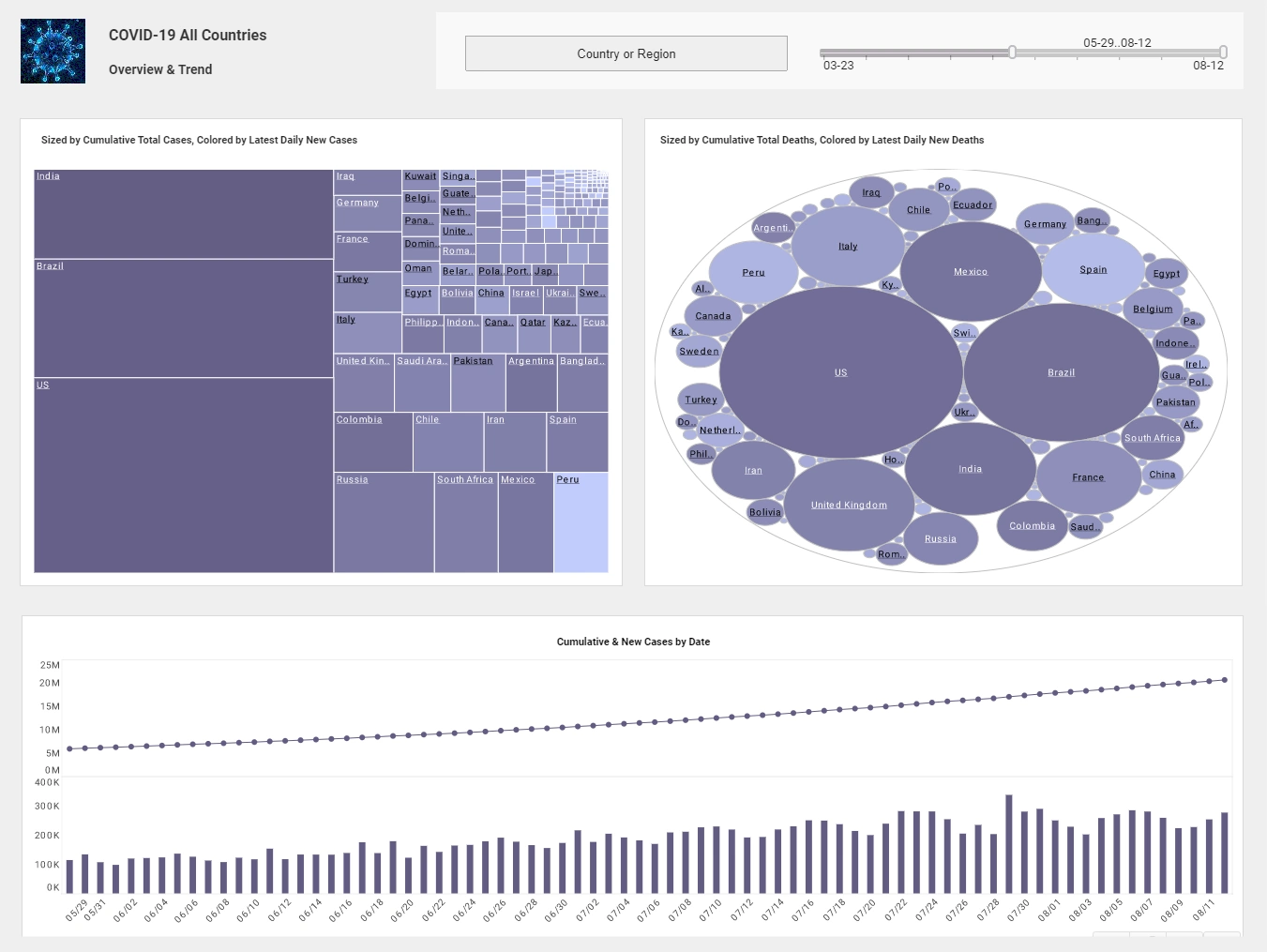

A Built-In Data Pipeline Designed for Mashing Up Complex Sources
One of the most significant distinctions is the transformation layer. StyleBI includes a visual pipeline and an interactive environment for preparing data, allowing teams to mash up disparate sources—databases, files, cloud apps, APIs—without maintaining a separate ETL system or a warehouse-first workflow. The pipeline isn’t just a one-time ingestion step; it supports iteration, quality checks, and real-time adjustments. Analysts can test transformations visually, catch structural issues early, and apply logic that evolves with business needs.
Databox focuses more on ease of connection and metric extraction. Its design is ideal for pulling KPIs from popular SaaS systems and displaying them quickly in dashboard templates. That speed is helpful, but when data requires custom joins, reconciling mismatched schemas, or ongoing transformation logic, teams often turn to external tools, custom scripts, or manual processes. This creates extra overhead and limits how far Databox can go for complex analytical use cases.

Reusable Data Sets vs. Metric-Centric Dashboards
StyleBI treats mashed-up datasets as reusable objects that can feed many dashboards and analyses. Once a dataset is created—combining CRM tables, billing exports, web analytics logs, or internal product event streams—it can be reshaped or extended without reauthoring the entire model. This is particularly valuable for multi-tenant analytics, operational reporting, and product analytics where data rarely arrives in a clean, unified format.
Databox focuses heavily on metrics and “databoards,” optimizing for fast assembly of high-level KPIs. Its strength lies in rapid visualization, not deep data restructuring. While it has introduced more advanced formula and metric features over time, they support dashboard creation rather than functioning as a fully flexible mashup environment. Teams needing nuanced, reusable datasets often find themselves constrained by the metric-first architecture.
Embedding, Customization, and Deployment Flexibility
Another major advantage of StyleBI is its embeddability. It’s built to integrate directly into products, customer portals, or internal platforms. Teams can deploy it as lightweight microservices or containers, maintain full governance control, and white-label the analytics experience. This ability to deploy on-premises or in a controlled environment matters for organizations with strict compliance requirements or customer-facing analytics.
Databox favors a fully managed SaaS approach. Dashboards are hosted, shared, and consumed through its environment, with a strong emphasis on mobile-friendly layouts and quick stakeholder access. This is ideal for businesses that want low-maintenance reporting and a simplified setup, but it does not offer the same depth of customization or embedded deployment options. For companies that need to integrate analytics directly into their product or infrastructure, StyleBI provides a level of flexibility Databox is not designed to match.
Performance Controls for Complex Workloads
As data grows and dashboards become more interactive, performance tuning becomes critical. StyleBI includes caching features, incremental update strategies, and tuning mechanisms that let administrators optimize workloads for freshness, speed, and scale. These controls help reduce the need for constant warehouse rebuilds or external optimization scripts, especially when working with mashed-up datasets that change regularly.
Databox’s fully hosted environment simplifies operations but provides less control over refresh logic and underlying data performance. It works well for lightweight metric monitoring but can become challenging when dealing with high-volume, high-variability datasets that require custom refresh patterns or fine-grained performance optimization.

Governance, Testing, and Observability
StyleBI’s transformation environment makes it easier to test and validate data before it reaches dashboards. Because mashing up data happens inside the platform, teams can attach QA checks, track transformation stages, and catch issues early in the process. This level of observability is essential for analytics that serve as operational systems or customer-facing features.
Databox primarily monitors dashboards and KPIs, alerting users when metrics change or fall out of expected ranges. While useful for performance insights, this approach detects problems after the data is already displayed, not during the preparation phase. Teams with complex datasets may need external quality checks or ETL monitoring tools to ensure upstream consistency.
Where Databox Shines—and Where StyleBI Takes the Lead
Databox is an excellent choice for teams focused on speed, simplicity, and mobile-friendly reporting. Marketing teams, leadership groups, and agencies often find its quick connectors and prebuilt templates perfect for surfacing KPIs without heavy configuration.
StyleBI stands out when the analytics use case requires:
- Detailed, repeatable mashing up of many different data sources
- Embedded analytics inside products or customer portals
- Self-hosting or container-based deployments for governance and compliance
- A transformation environment that supports testing, monitoring, and iteration
In these scenarios, StyleBI provides greater long-term flexibility, stronger governance, and faster iteration cycles, especially as datasets grow more complex over time.
Total Cost of Ownership Considerations
Choosing between platforms isn’t only about licensing—it’s about the operational cost of maintaining pipelines, models, and dashboards. If a team must manage separate ETL systems, write custom glue scripts, or constantly modify datasets outside the analytics tool, that overhead adds up quickly. StyleBI’s integrated mashup and transformation environment reduces the number of tools involved and consolidates maintenance into a single workflow.
Databox, with its lighter SaaS footprint, may appear less expensive initially. However, if teams need heavy customization or frequent restructuring of datasets, the hidden labor costs can exceed the savings from a simpler dashboard tool. Understanding how often datasets need to be reshaped is key to evaluating the long-term value of each platform.

Choosing the Right Tool for the Job
The best platform depends on a team’s priorities. For fast dashboards, mobile views, and easy executive reporting, Databox is efficient and user-friendly. But for teams working with many evolving data sources, building analytics products, or needing embedded visualizations, StyleBI’s mashup-first design provides deeper capability and stronger long-term scalability.
The most effective way to evaluate the differences is to run a realistic pilot: mash up real datasets, build dashboards with real transformation logic, and test performance under real workloads. That kind of evaluation quickly reveals which platform accelerates insights—and which one limits them as complexity increases.
Teams that need to adapt quickly, deliver analytics at scale, and maintain consistency across many datasets will find StyleBI’s architecture particularly well suited to modern BI challenges. Databox offers simplicity and speed, but StyleBI delivers the flexibility, extensibility, and control required for more advanced, data-rich environments.