Modernizing Excel-Based ETL Pipelines with StyleBI
A small property insurance adjusting company operates a lean data department responsible for delivering mission-critical reporting and analytics to both internal staff and external clients.
The current data architecture is centered on an on-premise SQL Server database hosted on a 24/7 Azure virtual machine, with a monthly infrastructure and tooling budget of approximately $500.
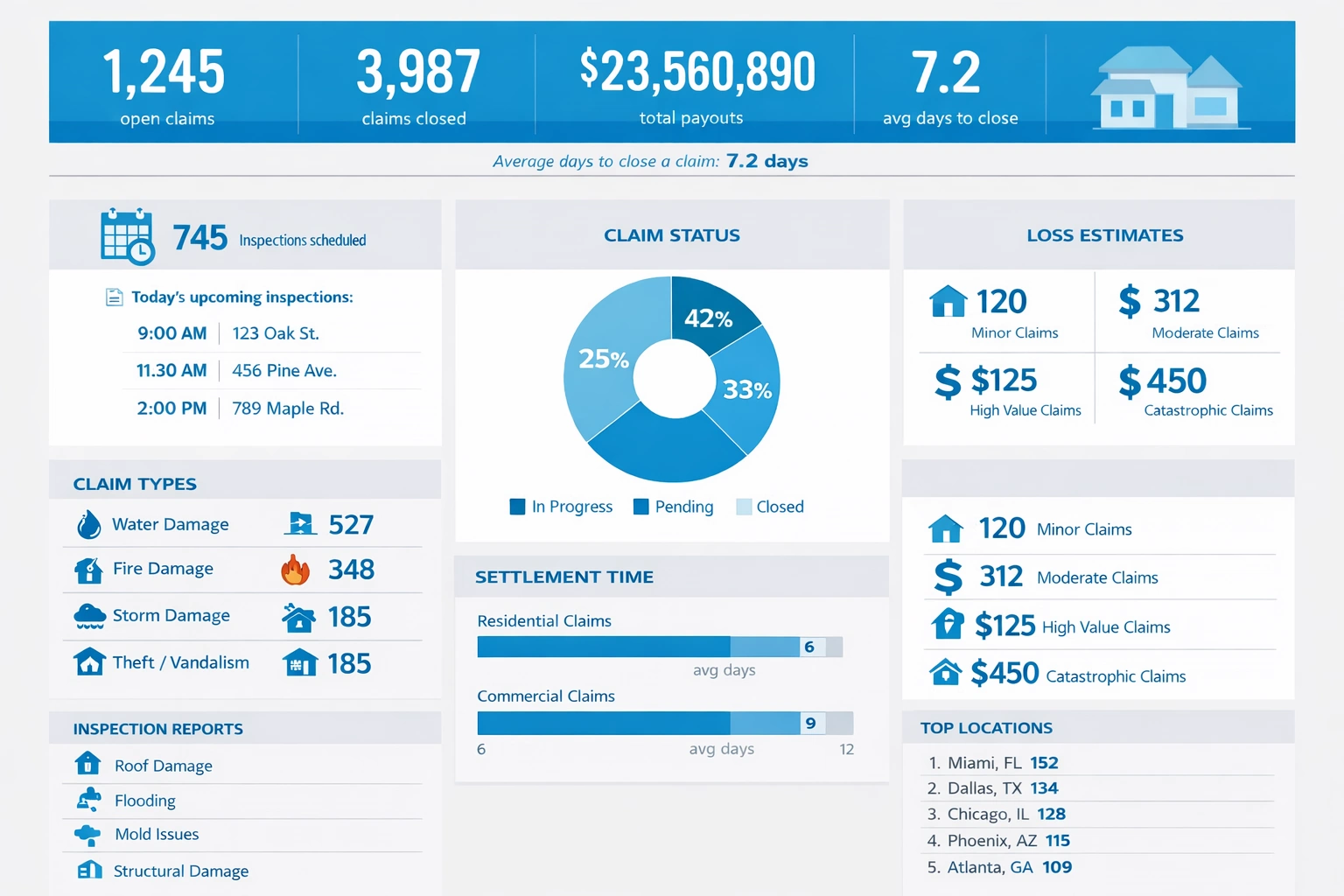

The existing ETL and reporting process is composed of multiple scheduled and manual steps:
- Nightly execution of approximately 50 SQL scripts via Python and Windows Task Scheduler to drop and reinsert tables and views in the SQL Server database.
- Automated refresh of around 10 shared Excel reports that query the SQL database, used by staff for operational flags and reconciliation.
- Scheduled refresh of roughly 40 Power BI reports through a gateway on the same VM, serving both staff and clients for monitoring, reimbursement, and analysis.
- Manually triggered Python-based refreshes for weekly and monthly Excel reports, including logging and email-based error notifications, once data quality is confirmed.
The organization relies heavily on Excel as the primary consumption layer, with limited adoption of Power BI among staff and clients. Many users insist on having Excel files on their local machines, which constrains the ability to fully modernize the analytics stack. At the same time, the company must keep the SQL database and VM running continuously to support international clients and ad hoc reporting needs.
Within these constraints, the data leader is seeking a more robust, maintainable, and scalable ETL and reporting architecture that:
- Fits within a total budget of about $500 per month for infrastructure and tools.
- Reduces operational fragility and manual intervention in the ETL process.
- Supports both Excel-centric users and more modern BI consumption patterns.
- Works effectively with an existing, partially archaic system landscape.
- Provides better governance, observability, and reliability without requiring a full rebuild on platforms like Databricks, Snowflake, or dbt.
The core problem is how to evolve this pragmatic but fragile, script-driven environment into a more resilient, governed, and user-friendly analytics platform—without exceeding the modest budget or alienating users who are deeply attached to Excel.
How StyleBI Solves This Problem
Unifying a Fragmented Pipeline Without Throwing It Away
StyleBI is designed for exactly the kind of environment you are running: practical, budget-conscious, and heavily dependent on Excel and SQL, with a mix of legacy processes and modern expectations. Instead of forcing a wholesale migration to a new cloud data platform, StyleBI layers on top of your existing SQL Server and scripts, turning a collection of ad hoc jobs into a coherent, governed analytics workflow.
Your current pipeline already does the hard work: extracting data from source systems, transforming it with SQL and Python, and landing it in a structured SQL database. StyleBI does not ask you to abandon that investment. Instead, it:
- Treats your SQL Server as the central, trusted semantic layer for reporting.
- Wraps your existing SQL and Python processes in a managed, observable schedule.
- Provides a unified interface for data refreshes, dependencies, and monitoring.
This means you can keep using the tools you know—SQL, Python, Excel, Power BI—while gaining the reliability and structure usually associated with more expensive platforms.

Turning Excel from a Liability into a First-Class Citizen
One of your biggest constraints is cultural, not technical: users want Excel on their desktops. StyleBI embraces that reality instead of fighting it. Rather than trying to replace Excel, StyleBI turns it into a governed, connected front end to your data.
With StyleBI, Excel reports can be:
- Centrally defined and parameterized, so the same logic is reused across multiple workbooks.
- Automatically refreshed against your SQL Server through secure, managed connections.
- Versioned and cataloged, so you know which reports exist, who uses them, and what data they rely on.
Instead of manually orchestrating Python scripts to refresh dozens or hundreds of Excel files, StyleBI can manage those refreshes as part of a single, end-to-end workflow. Users still open “their” Excel files, but behind the scenes, the data is governed, consistent, and refreshed according to rules you control.

Reducing Fragility in Scheduling and Orchestration
Today, your ETL and reporting schedule is spread across Windows Task Scheduler, Python scripts, and Power BI gateway refreshes. Each piece works, but the overall system is fragile: if one job fails, you may not know until a user complains, and dependencies between steps are hard to enforce.
StyleBI consolidates orchestration into a single, coherent layer:
- You define data pipelines that represent the real-world flow: SQL refresh at 1 AM, Excel refresh at 2 AM, Power BI refresh at 3 AM, weekly/monthly jobs after data validation, and so on.
- Dependencies are explicit. If the SQL refresh fails, downstream Excel and Power BI refreshes are paused or flagged, preventing bad data from propagating.
- Monitoring and alerts are centralized. Instead of custom logging and ad hoc email scripts, StyleBI provides a single place to see job status, failures, and runtimes.
This reduces the mental overhead of maintaining dozens of scheduled tasks and scripts. You still use your existing code, but StyleBI becomes the control tower that coordinates everything.

Working Within a Tight Budget
Your budget constraint is real: around $500 per month for ETL and infrastructure, with roughly $300 already allocated to the Azure VM. StyleBI is built to be cost-effective in exactly this kind of scenario.
Because StyleBI leverages your existing SQL Server and VM, you avoid the heavy infrastructure costs associated with platforms like Databricks or Snowflake. There is no requirement to move data to a new warehouse or to provision large clusters. Instead:
- StyleBI runs alongside your current environment, minimizing additional compute.
- You reuse your existing SQL transformations rather than rewriting them in a new framework.
- You avoid per-query or per-user pricing models that can explode as adoption grows.
The result is a modernized, governed analytics stack that respects your financial reality and does not force you into a multi-year migration project.

Supporting Both Legacy and Modern Consumption Patterns
Your organization is in a hybrid state: some users are comfortable with Power BI, while others are firmly attached to Excel. StyleBI supports both, without privileging one at the expense of the other.
In a StyleBI-driven architecture:
- SQL Server remains the single source of truth for metrics, flags, and reconciliations.
- Excel workbooks connect to that source through governed, reusable queries defined in StyleBI.
- StyleBI models and reports can also be aligned to the same semantic definitions, ensuring that numbers match across tools.
This means you can gradually increase StyleBI adoption without breaking the trust of Excel users. Everyone sees consistent data, regardless of their preferred interface. Over time, as more users become comfortable with interactive dashboards, you can shift more workloads to Power BI while still honoring the needs of those who will always prefer spreadsheets.

Improving Governance, Observability, and Confidence
One of the hidden costs of your current setup is cognitive load: you carry the system in your head. You know which scripts run when, which Excel files depend on which tables, and where to look when something goes wrong. That works—until it does not, or until you need to scale the team.
StyleBI externalizes that knowledge into a shared, visual model:
- Data lineage shows how tables, views, Excel reports, and datasets are connected.
- Documentation lives alongside pipelines, so future team members can understand the logic without reverse-engineering scripts.
- Error handling and notifications are standardized, so you are not relying on custom logging in a few Python scripts and silence everywhere else.
This not only reduces risk but also increases your credibility with leadership and clients. You can demonstrate that your data processes are controlled, monitored, and repeatable, rather than a collection of heroic efforts behind the scenes.
Modern Architecture, Pragmatic Path
Tools like Databricks, Snowflake, and dbt are powerful, but they are optimized for organizations with larger budgets, cloud-native data sources, and teams dedicated to data engineering. Your environment is different: small team, mixed legacy systems, and a user base that lives in Excel.
StyleBI offers a modern architecture that respects those constraints:
- It introduces structure, governance, and observability without demanding a full rebuild.
- It treats your existing SQL and Python as assets to be orchestrated, not liabilities to be replaced.
- It aligns Excel, Power BI, and SQL into a coherent, consistent analytics ecosystem.
In other words, StyleBI solves your problem by meeting you where you are. It turns your current, script-driven pipeline into a resilient, well-governed platform that fits your budget, supports your users, and gives you room to grow—without forcing you into a future that your systems, culture, or finances are not ready for yet.
External User Mentions of Shortcomings of Power BI
1. Power BI limitations and best practices – r/BusinessIntelligence
A senior analyst describes difficulty adapting to Power BI after switching from Tableau, noting that certain workflows feel less intuitive. They mention limitations around performance and the need for more deliberate data modeling to avoid slow reports. The user also highlights that Power BI’s flexibility can become a drawback when teams lack strong modeling discipline.
Link to discussion: https://www.reddit.com/r/BusinessIntelligence/
2. Frustration with BI tools including Power BI – r/PowerBI
A user expresses frustration that Power BI feels difficult to retain and apply, especially when trying to implement DAX concepts learned in tutorials. They note that real‑world projects often require more complex logic than examples, making the tool feel overwhelming. The user also points out that Power BI’s learning curve can be discouraging for newcomers.
Link to discussion: https://www.reddit.com/r/PowerBI/
3. General disadvantages of Power BI – independent review article
Users frequently report UI complexity, especially when navigating multiple panes and menus. They also mention integration challenges with non‑Microsoft ecosystems, which can require workarounds or third‑party tools. Some users feel that Power BI’s performance degrades with large datasets unless models are heavily optimized.
Link to article: https://project-management.com/power-bi-disadvantages/
4. Community discussion of Power BI limitations – Microsoft Fabric Community
Users highlight strict file size limits (for example, 250 MB for PBIX files), which can block large or complex models. They also complain about the inability to change data source types after building a report, forcing rebuilds. Another pain point is the lack of control over scheduled refresh cancellation, which can cause delays.
Link to community: https://community.fabric.microsoft.com/
5. Data cleanliness and DAX complexity – Microsoft Fabric Community reply
A frequent contributor notes that Power BI requires extremely clean data to avoid modeling and DAX complications. They explain that even small inconsistencies across rows or columns can cause measures to break or behave unpredictably. The user also emphasizes that complex DAX logic becomes difficult to maintain at scale.
Link to community: https://community.fabric.microsoft.com/