An Easy Online Dashboard Creator
InetSoft's free online dashboard creator lets users build interactive dashboards directly in a web browser without installing software or writing code.
It provides drag-and-drop tools, prebuilt visualizations, and support for connecting to sample data to quickly explore insights.
This makes it ideal for prototyping analytics, sharing visual ideas, and trying InetSoft’s dashboarding capabilities at no cost.
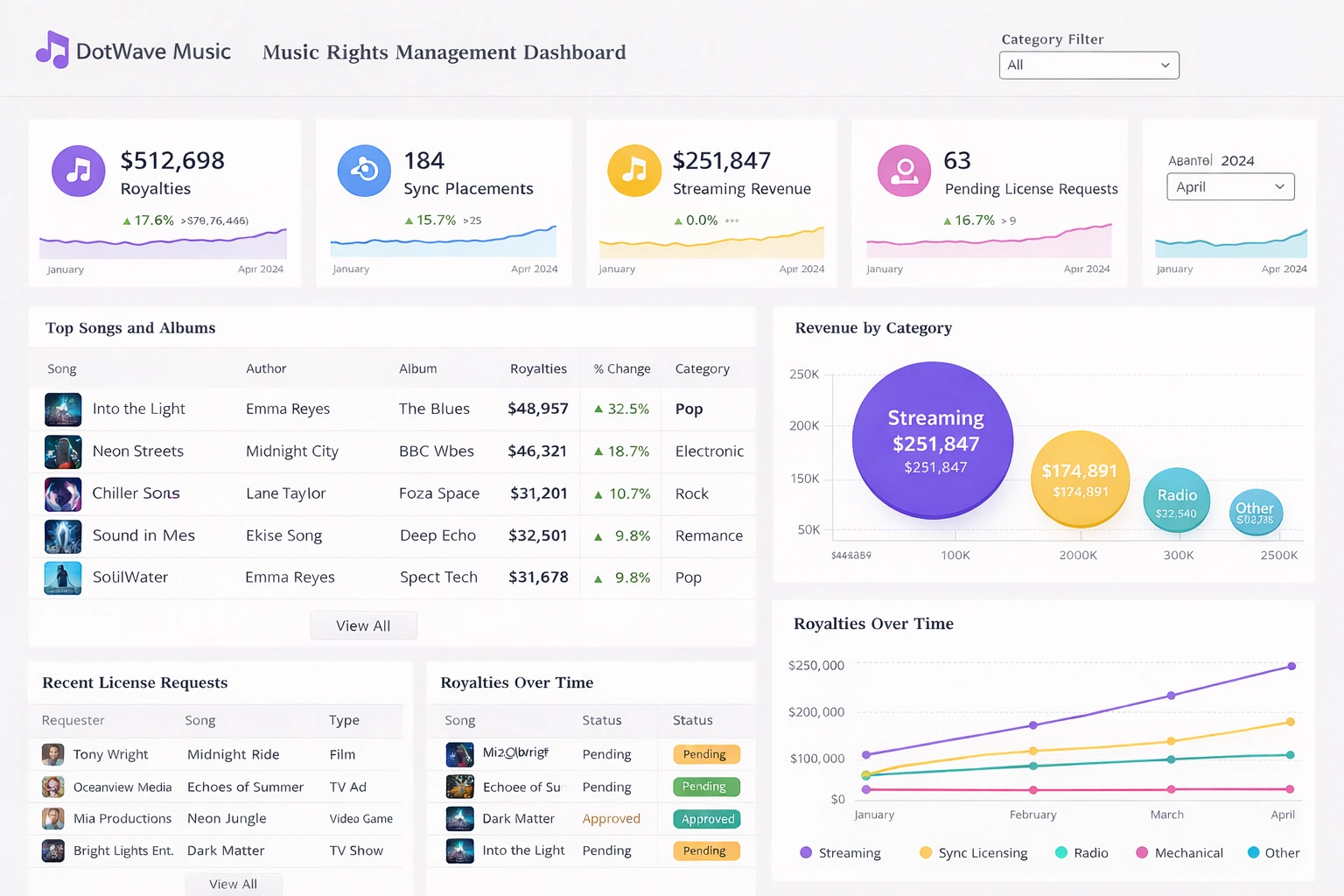

What Are the Advantages of InetSoft's Free Online Dashboard Creator Over the Next 5 Options
Advantages Over Google Looker Studio
- InetSoft's free online dashboard creator offers a more streamlined no-download experience specifically tailored for quick spreadsheet uploads and interactive analysis, whereas Google Looker Studio requires integration with Google accounts and can involve a steeper setup for non-Google ecosystem users, potentially delaying initial dashboard creation by minutes or hours.
- Unlike Looker Studio, which lacks real-time updates in its free version and does not support direct Excel imports without workarounds, InetSoft allows seamless spreadsheet uploads without conversion issues, enabling users to build analyses in minutes without data sampling limits or connectivity hassles.
- InetSoft emphasizes self-service for non-technical users through intuitive drag-and-drop wizards, providing a more accessible interface for beginners compared to Looker Studio's template-heavy approach, which can feel restrictive for custom visualizations and often requires familiarity with data blending.
- Collaboration in InetSoft is enhanced with easy sharing via URLs, email snapshots, and social networks, offering broader options than Looker Studio's embed and share features, which are more geared toward Google Workspace integration and may limit external sharing without additional permissions.
- Performance-wise, InetSoft's free cloud app includes basic data caching for faster interactions, an advantage over Looker Studio's occasional lags in handling complex queries, especially for users not leveraging Google's infrastructure optimizations.
- InetSoft's HTML5 compliance ensures better cross-device accessibility, including Section 508 standards for inclusivity, surpassing Looker Studio's mobile responsiveness, which can sometimes falter on non-Chrome browsers or older devices.
- For small organizations, InetSoft's open-source companion option provides a pathway to advanced features without immediate costs, unlike Looker Studio, which pushes users toward paid Looker for enterprise scalability.
Advantages Over Tableau Public
- InetSoft's free online tool avoids the public storage requirement of Tableau Public, where all dashboards are openly accessible and lack personal data security, allowing users to maintain privacy without forcing uploads to a public gallery.
- With no limits on records beyond basic spreadsheet handling, InetSoft sidesteps Tableau Public's caps at 10 million records per data source and 10 GB overall content, making it more suitable for slightly larger datasets without hitting paywalls.
- InetSoft's drag-and-drop designer is optimized for rapid prototyping without coding, providing a simpler entry point than Tableau's extensive but overwhelming visualization libraries, which can intimidate non-experts despite being code-free.
- Sharing options in InetSoft include private URLs and email, contrasting Tableau Public's mandatory public sharing model, which exposes data to anyone online and limits control over viewer access.
- InetSoft supports interactive analyses directly from uploaded data, with built-in performance features like caching, outperforming Tableau Public in scenarios where real-time interactivity is needed without desktop software installation.
- Accessibility features in InetSoft, such as HTML5 and compliance standards, offer better support for diverse users compared to Tableau Public's mobile-friendly but sometimes clunky web viewer experience.
- Unlike Tableau Public, which is visualization-focused and lacks integrated machine learning hints in its free tier, InetSoft's app hints at advanced analytics pathways, giving users a taste of enterprise BI without immediate upgrades.
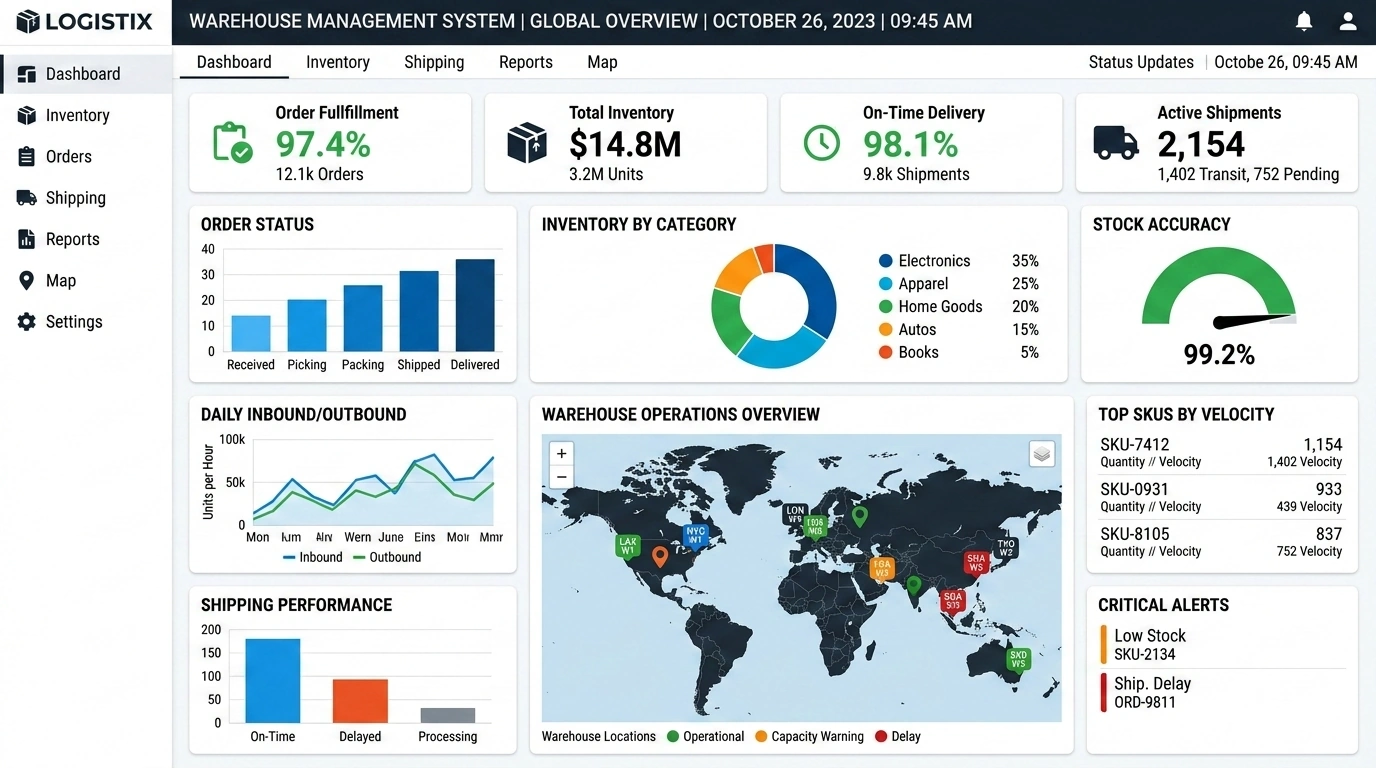
Advantages Over Metabase
- InetSoft's free cloud app eliminates the need for any setup or hosting, unlike Metabase, which often requires self-hosting or cloud deployment knowledge, even in its free open-source version, saving time for non-technical users.
- While Metabase relies heavily on SQL for queries, InetSoft's wizard-driven interface allows dashboard creation without coding, making it more approachable for business users who lack programming skills.
- InetSoft offers broader collaboration tools, including social network sharing and email snapshots, exceeding Metabase's link-based sharing and automated reports, which are more limited in free tiers for team interactions.
- With support for various visualizations and self-service customization, InetSoft provides a clearer UI with less technical jargon than Metabase, which can feel reliant on forums for troubleshooting.
- InetSoft's performance optimizations, such as data caching, handle interactive sessions smoothly, an edge over Metabase's potential limitations in formatting flexibility and scalability for growing datasets.
- Accessibility across devices is stronger in InetSoft due to its web-based HTML5 design, compared to Metabase's setup, which might not be as seamless on mobile without additional configuration.
- For small teams, InetSoft's free option includes unlimited basic dashboards without the role-based management complexities that Metabase introduces, even if useful, potentially overwhelming starters.
Advantages Over Power BI
- InetSoft's free online dashboard creator requires no software downloads or installations, whereas Power BI's free tier still demands desktop application setup, making InetSoft faster to get started for casual users.
- Unlike Power BI, which relies heavily on Excel integration and Microsoft ecosystem lock-in, InetSoft accepts direct CSV and spreadsheet uploads without requiring Microsoft accounts or Office 365 subscriptions.
- InetSoft's drag-and-drop interface is more intuitive for non-technical users compared to Power BI's steeper learning curve, which often requires familiarity with data modeling and DAX formulas.
- Sharing in InetSoft is simpler with URL and email options, while Power BI's free sharing is limited and typically requires paid subscriptions for robust collaboration features.
- InetSoft's cloud app avoids Power BI's occasional performance bottlenecks for complex queries, thanks to built-in optimization and responsive caching mechanisms.
- For small teams and individuals, InetSoft provides unlimited basic dashboards at no cost, whereas Power BI's free tier has significant limitations on data refresh rates and concurrent users.
- InetSoft's accessibility compliance and cross-device support surpass Power BI's mobile experience, which can feel limited on non-Windows devices in the free tier.
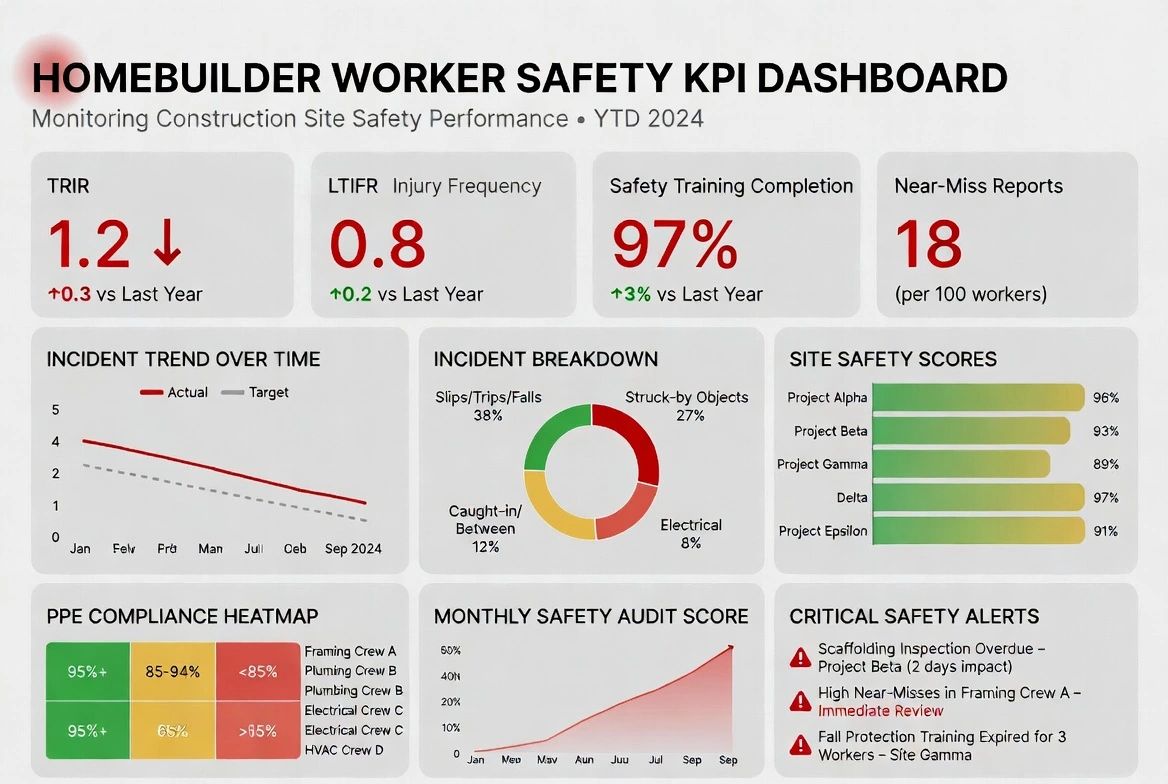
Advantages Over Grafana
- InetSoft's free online creator is designed for business users with drag-and-drop simplicity, contrasting Grafana's higher learning curve aimed at coders and developers, making InetSoft more accessible for non-technical dashboard building.
- Unlike Grafana, which excels in time-series data but has limited visualization options beyond plugins, InetSoft supports a wider range of general-purpose charts and analyses from spreadsheets without requiring custom code or transformations.
- Collaboration in InetSoft is more straightforward with URL and email sharing, while Grafana's team features often need additional setup or paid plans for full alerting and sharing, limiting free use.
- InetSoft's cloud app avoids the occasional lag issues in Grafana, thanks to built-in caching and agile deployment, providing faster interactions for casual users.
- With no need for data source plugins or self-hosting, InetSoft simplifies getting started compared to Grafana's requirement for 40+ plugins, which can be overwhelming for simple spreadsheet-based dashboards.
- InetSoft's HTML5 and accessibility compliance offer better inclusivity than Grafana's panel editor, which, while powerful, may not prioritize user-friendly mobile experiences in free setups.
- For general BI needs, InetSoft provides self-service without the technical depth Grafana demands, allowing quicker value realization for small organizations or individuals.
Advantages Over Databox
- InetSoft's free cloud app has no restrictions on the number of dashboards or data sources in its basic use, unlike Databox's free plan, which limits users to one dashboard and one data source, enabling more experimentation.
- With a focus on interactive analysis from spreadsheets, InetSoft avoids Databox's potential confusion for beginners despite its user-friendly interface, offering clearer wizards for non-experts.
- InetSoft supports broader data import options like CSV and Excel without integration limits, surpassing Databox's 60+ integrations that are capped in free tiers, ideal for offline data users.
- Sharing and collaboration are enhanced in InetSoft with social options, while Databox's alerts and reports via email/Slack are useful but limited in free scope compared to InetSoft's unrestricted basic sharing.
- Performance in InetSoft benefits from caching and minimal resource needs, providing an edge over Databox for users seeking quick setups without template dependencies.
- InetSoft's web-based compatibility ensures seamless access without the need for pre-built templates, offering more customization freedom than Databox's template-heavy approach.
- For affordability and scalability, InetSoft's open-source path allows free expansion, unlike Databox, which pushes upgrades for more features, making InetSoft better for long-term free use.
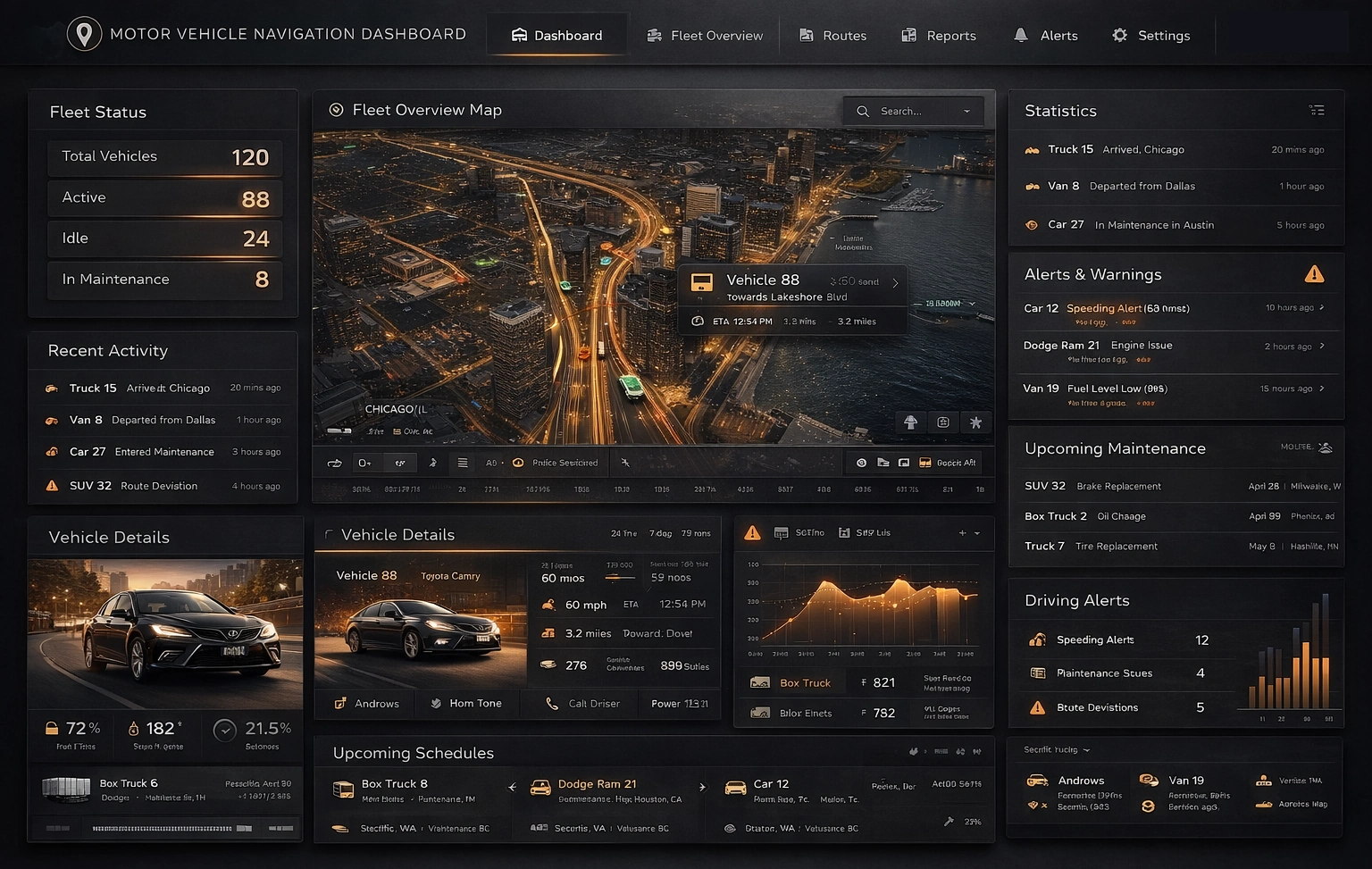
How Does a Navigation Company Use an Online Dashboard Creator?
A navigation company can leverage an online dashboard creator in several ways to enhance its services, improve operations, and make data-driven decisions.
- Real-Time Fleet Monitoring The dashboard creator can integrate with the company's GPS tracking system to provide real-time updates on the location, speed, and status of vehicles in the fleet. This allows for efficient dispatching, route optimization, and monitoring of driver behavior.
- Traffic and Road Condition Updates The dashboard can pull data from traffic APIs and provide live updates on traffic conditions, road closures, accidents, and other incidents. This information helps in rerouting vehicles to avoid delays and provide accurate ETA predictions to users.
- User Behavior and Preferences By analyzing user interactions with the navigation app, the dashboard can provide insights into user behavior, such as popular destinations, preferred routes, and common search queries. This data can inform feature improvements and marketing strategies.
- Performance Metrics The dashboard can track key performance indicators (KPIs) related to the navigation service, including user engagement, app downloads, retention rates, and customer satisfaction scores. This data helps in assessing the overall success of the service.
- Geographical Analytics Utilizing mapping and geospatial visualization capabilities, the dashboard can display heatmaps of user activity, indicating areas of high demand or popular routes. This information aids in resource allocation and service expansion planning.
- Feedback and Bug Reports Integrating with customer feedback systems, the dashboard can aggregate and categorize user comments, bug reports, and feature requests. This allows for timely responses, prioritization of bug fixes, and improvements based on user suggestions.
- Revenue and Monetization TrackingThe dashboard can provide insights into revenue streams, such as premium features, advertising, or partnerships. It can track subscription numbers, ad click-through rates, and other monetization metrics.

What Are the Key Metrics Used by a Navigation Company?
-
User Engagement Metrics:
- Active Users: The number of unique users actively using the navigation app within a specific time frame.
- Session Duration: The average length of time a user spends using the app in a single session.
- Frequency of Use: How often users open and engage with the app over a given period.
-
User Acquisition and Retention:
- Downloads: The total number of times the app has been downloaded.
- Installs vs. Uninstalls: The ratio of new installs to uninstalls, indicating app stability and user satisfaction.
- User Churn Rate: The percentage of users who stop using the app over a specific period.
-
Route and Navigation Metrics:
- Route Completion Rate: The percentage of routes successfully completed by users without deviations or errors.
- Average Time to Destination: The average duration it takes for users to reach their intended destinations using the app.
-
Accuracy and Reliability:
- Location Accuracy: The degree of precision in pinpointing a user's location on the map.
- Error Rate: The frequency of incorrect directions or map information provided to users.
-
Cost and Resource Allocation:
- Infrastructure Costs: Tracking expenses related to server maintenance, data storage, and network infrastructure.
- Development and Maintenance Costs: Monitoring expenditures on app development, updates, and bug fixes.
-
User Feedback and Ratings:
- User Reviews and Ratings: Feedback provided by users regarding their experiences with the app. This includes ratings on app stores and detailed comments.
- Net Promoter Score (NPS): A measure of user satisfaction and willingness to recommend the app to others.
-
Geographical Data:
- Popular Destinations: The most frequently searched and navigated-to locations.
- Heatmaps: Visual representations of user activity, indicating areas of high demand or popular routes.
-
Traffic and ETA Accuracy:
- Traffic Data Accuracy: The degree to which traffic information is accurate and up-to-date.
- ETA Accuracy: How closely estimated arrival times align with actual arrival times.
-
Monetization Metrics:
- Ad Impressions and Click-Through Rate (CTR): For ad-supported apps, these metrics measure ad performance and effectiveness.
- Conversion Rate: The percentage of users who make in-app purchases or subscribe to premium features.
-
Data Integration and API Performance:
- API Response Time: The speed at which data from various sources is retrieved and integrated into the dashboard.
- Data Sync Frequency: How often data is updated from external sources to ensure freshness and accuracy.
-
Operational Efficiency:
- Fleet Utilization: For companies offering fleet management solutions, this measures the efficiency of vehicle usage.
- Driver Behavior Metrics: Tracking metrics related to driver behavior, such as speed, braking, and adherence to traffic rules.
-
Compliance and Safety:
- Compliance with Local Laws: Ensuring that the app complies with local traffic laws and regulations.
- Safety Incidents: Tracking and analyzing any safety-related incidents reported by users.
-
Technical Performance:
- App Crashes and Stability: Monitoring the stability of the app and identifying any technical issues or bugs.
- Load Times: Measuring how quickly the app loads and responds to user interactions.


More Resources for Researchers of Online Dashboard Creators
Articles about InetSoft's Live Dashboard Product - By using the latitude and longitude information of airports this analytical map now has marked the location of all the airports in my data...
Best Department BI Dashboards - Looking for department BI dashboards? InetSoft's industry pioneering BI platform can support any department's business intelligence needs. View examples in the showcase, read articles about its capabilities below, and request a personalized demo. Modern-day human resources and financial advisory consulting companies also rely on real-time data acquisition...
Better Than Microsoft's Team Dashboard App - Are you looking for a good alternative to Microsoft Team's dashboard app? InetSoft's pioneering dashboard reporting application produces great-looking web-based dashboards with an easy-to-use drag-and-drop designer. Mash up Team data with other data in your organization. Bringing the best and latest software service tools to the market with on-demand, flexible and embedded features, it makes InetSoft a one-stop-shop for all your operational needs...
Consider InetSoft for Your Turnkey Dashboard Vendor - Looking for a good turnkey dashboard vendor? InetSoft, a pioneer in self-service oriented dashboard software, can manage your dashboards. Highly rated customer service holds your hand during the entire process. View a demo and try interactive examples...

Developing CIO Dashboards - Looking for tools for developing CIO dashboards? InetSoft offers Web-based dashboard software that is easy to use and quick to deploy. Build dashboards to show IT metrics that CIO's care about. View a demo. Therefore, a report application normally does not need to specify many table attributes in script...
Evaluate InetSoft's Platform for Daily Reporting - Looking for a platform for daily reporting? InetSoft is a pioneer in reporting with 5,000+ customers since 1996. The web-based platform offers the most flexible pixel-perfect reporting platform for report distribution. View a demo and try interactive examples. Part of that information comes from a Oracle database that has the North American sales and also the budget...
Get a Free Visual Analysis Tool - Are you looking for an application that can track and display information through point-and-click, easy to understand visual analyses, without spending big? Are you trying to organize and report your company's information in the form of dashboards and scorecards? Are you looking for ways to easily integrate company information from multiple data sources, for more in depth...
Good Application for Web Dashboards - Looking for a good application for web dashboards? InetSoft is a pioneer in self-service dashboarding with pricing comparable to Power BI. View a demo and try interactive examples. The drag and drop designer makes design easy and quick...

Looking for Custom BI Dashboard Software - Are you looking for a custom BI dashboard software solution? InetSoft is a pioneer in self-service dashboard software with a drag-and-drop designer for business users. View a demo and try interactive examples. Rarely does an enterprise solution work as is right out of the box. BI solutions fall into this group...
Recommend a Snowflake Dashboard Solution - Looking for a good Snowflake dashboard solution? InetSoft is a pioneer in self-service dashboards and can mashup data in Snowflake with almost any other data source. View a demo and try interactive examples. An interactive web-based analytical dashboard, the chart below serves as a easy-to-view and maneuver solution for organizations of varying nature...
Reporting Tools to Integrate with SharePoint - While SharePoint enables rudimentary reporting on list data, it lacks the agility to meet many of today's more elaborate reporting needs. And while it is capable of data mashup to some degree, it can only incorporate a limited number of data sources. SharePoint's reporting also lacks in self service, often requiring IT skills and knowledge of SharePoint SQL...
Try InetSoft's Dynamic Report Designer - Are you looking for a good dynamic report designer? Since 1996 InetSoft has been making BI software that is easy to deploy and easy to use. Build self-service oriented dashboards and visual analyses quickly. View a 2-minute demo and try a free version online...