Why InetSoft's Report Server Offers the Easiest Integration with Cloud Services
Organizations operate in hybrid and multi-cloud environments where data lives across SaaS applications, cloud databases, on-premises systems, and third-party APIs.
A reporting platform must be able to integrate seamlessly with this distributed ecosystem without requiring complex middleware or lengthy implementation cycles.
InetSoft’s report server is designed with cloud integration in mind, offering native connectivity to a wide range of cloud-based data sources including AWS, Microsoft Azure, Google Cloud, Snowflake, Salesforce, REST APIs, and more.
Its flexible data access layer allows organizations to connect directly to live data or leverage cached and scheduled data extracts depending on performance and governance needs.
This adaptability significantly reduces integration friction and accelerates time to deployment.


Cloud Architecture and Deployment Flexibility
One of the primary reasons InetSoft’s report server integrates so easily with cloud services is its architecture. Built on open standards and Java-based technology, it can be deployed in virtually any cloud infrastructure environment, including public cloud, private cloud, and containerized environments such as Docker and Kubernetes. This platform independence ensures organizations are not locked into a single vendor ecosystem. Whether deployed on AWS EC2, Azure Virtual Machines, or a managed Kubernetes cluster, the report server maintains consistent functionality and performance. This deployment flexibility simplifies IT operations and allows teams to align reporting infrastructure with existing DevOps strategies.
Security and governance are also critical factors in cloud integration. InetSoft’s report server supports modern authentication standards such as SAML, OAuth, LDAP, and Active Directory integration, making it easier to align with enterprise identity management systems. Secure API connectivity ensures that data transmission between cloud services and the reporting environment is encrypted and compliant with enterprise security policies. Role-based access control further enables administrators to define granular permissions, ensuring that users only access data relevant to their responsibilities. These built-in governance capabilities eliminate the need for external security layers, streamlining cloud deployments.
Another advantage is the platform’s ability to blend data from multiple cloud sources within a single reporting environment. Organizations rarely operate with a single data repository; instead, they combine CRM data from Salesforce, financial data from cloud ERP systems, operational data from cloud databases, and marketing analytics from SaaS platforms. InetSoft’s report server allows these disparate data streams to be unified through its data mashup capabilities. This eliminates the need for complex ETL pipelines for every reporting request and empowers analysts to create cross-functional reports quickly. The result is faster insight generation and reduced dependency on IT teams for routine data integration tasks.
Performance optimization further enhances ease of integration. The report server supports both real-time data access and scheduled caching strategies, allowing organizations to balance freshness and performance based on use case. For operational dashboards, live cloud connections provide up-to-the-minute visibility. For executive reports that summarize large datasets, scheduled data refreshes reduce load on cloud databases while maintaining accuracy. This intelligent handling of cloud data ensures consistent performance even as data volumes scale.
Finally, InetSoft’s embedding and API capabilities make it easy to integrate reporting directly into cloud-based applications and customer portals. Organizations can embed dashboards and reports into web applications with minimal coding, delivering analytics within the user’s workflow. RESTful APIs allow developers to automate report generation, distribute scheduled outputs, and integrate analytics into broader cloud-based business processes. This seamless extensibility positions InetSoft’s report server not just as a standalone reporting tool, but as a core analytics layer within a cloud-first strategy.
The Importance of a Semantic Model for Drill-Down Capabilities
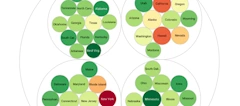
When selecting a report server, it is essential to ensure it includes a semantic model. A semantic model provides a business-friendly abstraction layer between raw data tables and end users. Instead of navigating complex schemas with technical column names and joins, users interact with clearly defined business metrics and dimensions such as revenue, region, product category, or service line. This structured layer ensures consistency in KPI definitions and calculations across reports. More importantly, it enables intuitive drill-down capabilities, allowing users to move from high-level summaries to granular transaction details without writing SQL or understanding database relationships.
Drill-down functionality powered by a semantic model transforms static reports into interactive analytical tools. Executives can start with a company-wide performance summary, then drill into regional performance, individual departments, and ultimately specific transactions or events driving outcomes. Because the semantic layer manages relationships and hierarchies behind the scenes, users can explore data confidently without breaking report logic or compromising accuracy. This combination of governed metrics and flexible exploration enhances both trust and agility, ensuring that the report server supports informed decision-making at every level of the organization.
More Articles About Report Servers
Daily Report App - Daily reports are vital for the regular monitoring and control of business conditions. But in many cases, the production of daily reports puts additional demands on administrators and employees. And with so much business travel and work done out in the field, report accessibly and deliverability can also be an issue. InetSoft's solution, StyleBI, makes the setting up and delivery of weekly reports easy and efficient...
Daily Reporting Platform - Looking for a platform for daily reporting? InetSoft is a pioneer in reporting with 5,000+ customers since 1996. The web-based platform offers the most flexible pixel-perfect reporting platform for report distribution. View a demo and try interactive examples.
Dashboard Reporting Tool - Looking for a dashboard reporting tool? Since 1996 InetSoft has been making dashboard software that is easy to deploy and easy to use. Build self-service oriented dashboards quickly . View a demo and read customer reviews...
Data Reporting System - Data today is more varied and prevalent than ever before. Whether you have customer data, sales data, or any other type of data, you are going to need to make sense of and present it. InetSoft makes this easy with StyleBI, a fully featured BI solution for your organization. Once deployed, it makes sorting and reporting your data easy...
Data Warehouse Reporting Solution - Looking for data warehouse reporting tools? Since 1996 InetSoft has been making business intelligence software that is easy to deploy and use. InetSoft's server-based reporting application connects to many data warehouses including Microsoft SQL Server Analysis Services, Hyperion ESSbase, Oracle OLAP, and SAP NetWeaver. And it can also mash up data from other sources such operational databases, CRMs, and even Excel spreadsheets. The drag-and-drop design tools let you quickly build interactive dashboards accessible from any browswer and perfectly laid out pdf reports for scheduled email distribution...
Data Wizard - The data wizard contains 'sections' - an important feature in InetSoft's reporting software that allows users to sort multidimensional information at the push of a button. A section is a very useful element in report design. A section consists of bands. Each band is a container that holds fixed position elements. In the simplest case, a section can display the same data as a table but give you control over the position and size of each cell. An advanced user may create a section that contains tables and charts to create a master-detail or subreport...
Database Report Designer - InetSoft offers users a full suite of professional reporting and analytical tools with StyleBI. StyleBI is an easy to use tool for users of all levels. Its database report designer feature is especially intuitive. Style Report Style Report, an edition of StyleBI that focuses on enterprise reporting, provides data access, production report design, business logic embedding, ad hoc reporting, and embedded integration in a zero-client, Web environment. Professional reports can be created directly from remote databases via a drag-and-drop or word processor-like interface. Complex programming options are also available for those more technically inclined users...
Database Reporting Tool - Searching for better database reporting tools? Do you want to move past static paginated reports? Deliver highly graphical, visually appealing, and interactive views into your data with InetSoft's Web-based visualization-driven reporting software...

Data Warehouse Reporting Tool - Looking for data warehouse reporting tools? Since 1996 InetSoft has been making dashboard reporting software that is easy to deploy and easy to use and connects to data warehouses and almost any other data source, operational databases, spreadsheets, cloud sources, etc, so you don't have to build new ETL processes. A powerful data transformation and mashup tool and a drag and drop dashboard and report designer allows for rapid creation of self-service-oriented views of data...
Delegate Design Pattern -The delegate design pattern is similar to proxy and is sometimes treated as the same process. However, since InetSoft enterprise products use delegate in a very different fashion, we separate it out for more clarity. A delegate is an object that performs certain functions on behalf of other objects. It can be used to dynamically change the behavior of an object...
Deliver Customer Reports Online - Looking for a good solution for delivering customer reports online? InetSoft's pioneering dashboard reporting application is built for embedding and lets solution providers offer great-looking web-based dashboards and pdf reports with an easy-to-use drag-and-drop designer. View a demo and try interactive examples...
Demo of Our Budgeting and Reporting Software - So at this point in the demo of our budgeting and reporting software, I am going take on the role of budget controller. So I am the person that’s probably sitting at the corporate headquarters. I am waiting for all of this. I want to actually go on and see all the departmental budgets submitted. All the information is not, yet. We can bring up a variety of analyses like the spider chart, and I can see that some people are in. Typically the red items here glare out at me. They are not in, yet, and then I can go in and actually see that within North America, no one has yet submitted their budgets as well as in Latin America. But for the most part the rest of my organization has submitted. I want to jump back into the budget and show the spider graph. I am the controller. I am into the budget application. I can see who has actually submitted. I might actually have my own detail budgeting that I need to do at my level, as well, and then once I am actually in I want to go through the approval process. I want to see again who is approved. Who has been rejected? They have to finish it. Then down here if I come into reporting, you are going to see that as the controller I have a lot more capabilities...

Demo of a Web Based Financial Planning Solution - This is a demo of the Web based financial planning solution. This is a simplified view, but when I log on, you are going to notice that it’s asking me to log in with my user name and password, so here is my single point of entry. This is all Web based. I come into the system and it provides me the simplistic view to start out. Here it’s going to provide me only the information that I have the rights to see within my organization. So in that little simple view, we have a Web app it shows me five categories here. It shows me my hotel’s actual, my hotel’s budget. It shows me my budget. This would be my forecast, and then it splits it out. In this example, I have a hotel, and I have a casino so actually my casino managers fill in their revenue piece. I have additional information that I can see. That’s three buttons across the screen. I can actually go into specific years or periods. I can go into multiple locations. Maybe I actually manage not only in this example, London City but Piccadilly in London House. I might be able to see all of those locations. In addition, we are going to notice from these budget scenarios is the fact that I have really an unlimited number of versions or scenarios...
Demonstrate Creating a New Report - Let’s demonstrate creating a new report, and there I have some additional panes, like Explore, Float Elements, Properties, the Toolbox, with all of the elements that I can add into a report. And because of the framework, I can customize what each of this panes show. I can even move them around, if I wanted to position them differently, putting my report explorer down in the lower left hand corner. From the Toolbox, here I can just drag a table element in and then start binding data to it. So for instance, let’s bring some data from this data model that I have. Let’s get some product related information like the category...