 |
View a 2-minute demonstration of InetSoft's easy, agile, and robust BI software. |
Process of Setting Up Machine Learning Solution - One last question which is probably on the minds of many of our listeners is how does a legacy system affect the process of setting up machine learning solutions? That's a question that I get a lot from our installed base. InetSoft's has chosen the a route of making all machine learning solutions technically available as add-on services running either on premise or in the cloud. With our API and multiple integration points, we're able to enable a rigorous integration of machine learning capabilities into existing architectures without the need to be on the fully latest version number of every single product. I think this is something that all customers look for and appreciate because it helps them drive business value today while also embarking on longer term harmonization and then making an upgrade journey in parallel. So now I'd like to just reiterate a few of the main points as we bring this webinar to a conclusion. Artificial intelligence is enabling us to develop intelligent machines that are helping to enhance our human capabilities and further enabling enterprises to succeed. What we've seen in all the examples today is how machine learning has allowed businesses to reimagine their business processes and to reimagine all the applications of ML...
Putting All That Social Media Data Together - The challenge is putting all that social media data together. It’s amazing when you think about traditionally how you used to gather information from your customers. That’s really how we drive our business is listening to how people are experiencing the restaurant. There used to be phone calls, right? And then it became email, but now it’s this instant real-time data. It’s so real time that, in a moment, we have actually corrected instances inside our restaurant before the guests left because of the ability to listen to them while they are in there because they are going to tell you as soon as they have an experience. That information is all collected so that post the week or the month or real time we can really look at that information to see trends because there is so much of it that correspondence back and forth. It is good, but you really have got to take all that information, put it into buckets and look at it in a way that helps you make some business decisions. Thanks for all that real-world application of business intelligence. Now, let’s return to talk about BI generically and talk about what is possible now and what might be possible in future. Prior to this SoMoClo era we would have been hard pressed to acquire world class technology at a competitive and reasonable price, and yet because the Social-Mobile-Cloud construct is globally available in not just the first world, but the second and third world, it’s transforming businesses of all sizes...
Query Columns - In some cases you may need to calculate the data you want to display from existing query columns. To do this, modify the formula by placing '=' in front of the expression string. For example, consider the formula table described previously (Referencing a Query Column). To merge the 'state' and the 'zip' fields into a single cell, separated by a comma (e.g., NJ, 08901), use the following formula q['=state + ", " + zip']; You can filter out records of a field (column) based on the values of other fields in the result set. To do this, use '@' as the delimiter between the column name and the filtering expression and ':' to introduce the values to filter. For example, consider the formula table described previously (Referencing a Query Column). To extract all the companies within a certain state (NJ), you can adapt the formula as follows: q['company_name@state:NJ']; To filter based on multiple fields, use ';' as the delimiter between the filtering expressions. For example, to find all the companies within a certain city (New Brunswick) and state (NJ), adapt the formula as follows...
Querying Java Object Data Sources - Once a data source is defined, the data source can be used to create object queries. The query building process is identical to the process for XML queries, as the output of the java objects is mapped to hierarchical meta-data and can be selected and filtered using the same mechanism as all other hierarchical data sources. A query based on the object data source is executed in the following sequence: 1. A data loader object is instantiated if none have been created yet. 2. The request method is invoked with the parameter values either from the data source definition or as were input by the user. 3. The collection of object return values is parsed into an object tree based on introspection. 4. Any user defined filtering and selection in the query is applied to produce the final result set...
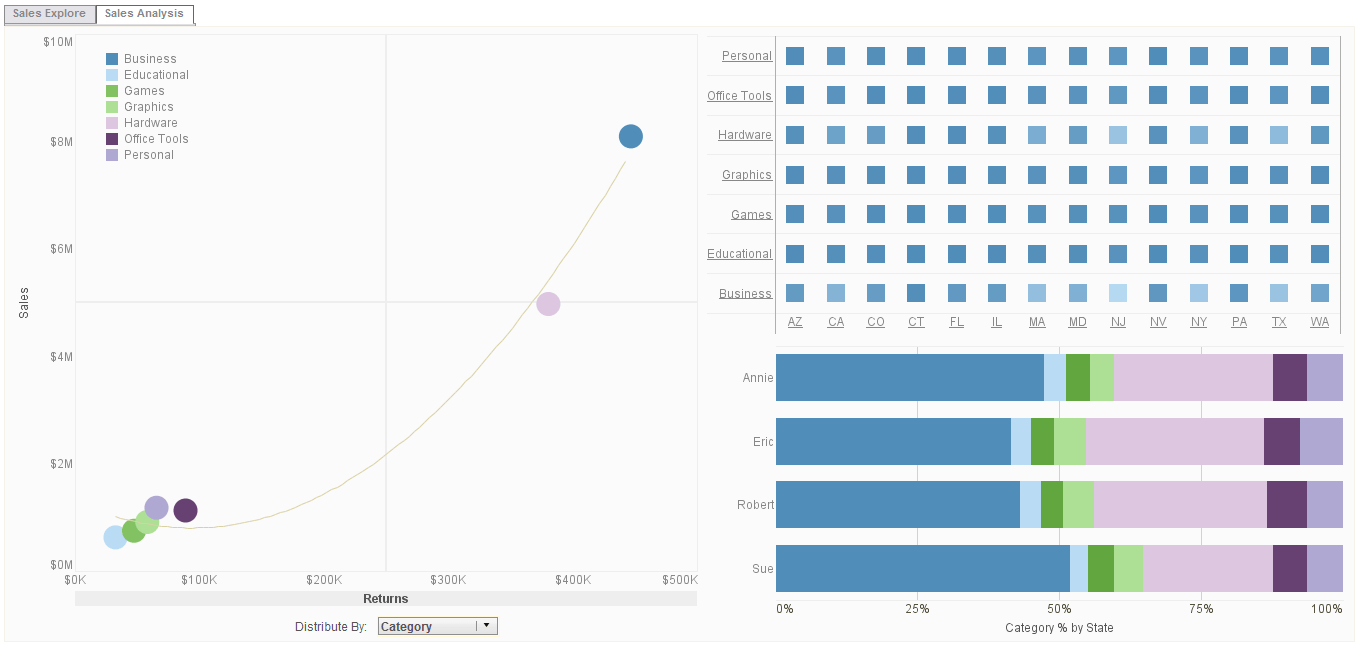 |
Click this screenshot to view a two-minute demo and get an overview of what InetSoft’s BI dashboard reporting software, Style Intelligence, can do and how easy it is to use. |
Query Compatibility - You can dynamically change the data binding of an element from within script by setting the “query” property. Query name, such as grouping and summary fields, and formula columns. If you change a query from within script, you must make sure that the new query is compatible with these other specifications. For Table and Chart elements, a query is considered compatible if it contains the same grouping and summary columns specified in data binding. Since the table can adjust itself to accommodate any tabular data, no change in table layout is necessary. Because Section elements have fixed layout, the compatibility rules are stricter. If you use script to change the query binding for a Section, the new query must contain exactly the same columns as the query that it replaces. Otherwise, the Section will not display the new columns and will use default values for all columns that are missing in the new query. In practice, dynamic query binding is most useful when your reports have tables with the exact same columns, but with different conditions or data sources. Keep in mind however, that Report Beans are the preferred way to achieve component-based reporting and report reuse...