InetSoft Product Information: Data Modeling Concepts
This is a table of contents of useful information about data modeling concepts. InetSoft offers Web-based BI software that includes intelligent data modeling tools for building logical data models and data mashups.
Navigating the Sea of Big Data - As we talk about navigating the sea of big data, it’s also natural to wonder what's in it for me. While some of the answers maybe qualitative, they’re all extremely important to building that stronger foundation of data ultimately leading to the kinds of business improvements that I’ll talk about in a few slides. But in this data management study they asked companies to rank various aspects of the data environment on a scale of 1 to 10. This chart here shows the percentage of companies that reported the following factors were high, meaning that an answer of seven or higher on that scale of 1 to 10. So in terms of trust we see the best companies are more likely to report a strong sense of trust in the relevance and the cleanliness of their business data, but also in the systems used to manage and organize that data. From an organizational standpoint top companies also report far higher instance of adherence to the data policies they set forward, allowing for a more secure and effective data environment. That these policies in the data environment are in place, the analytical systems created are much more likely to see executive level support at top companies. This helps to improve the chances of success for these programs. So these are some of the benefits of that data driven course...
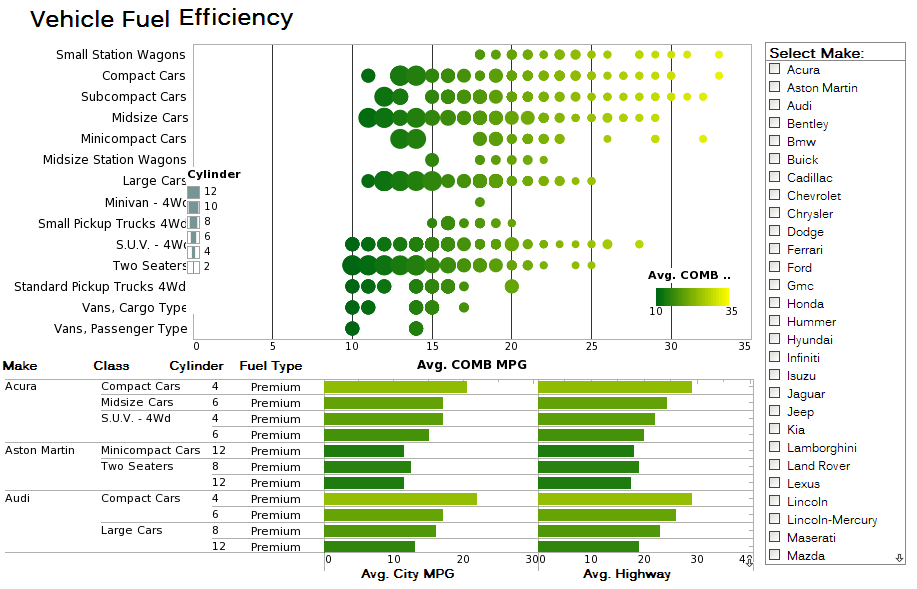 |
Click this screenshot to view a two-minute demo and get an overview of what InetSoft’s BI dashboard reporting software, Style Intelligence, can do and how easy it is to use. |



Native Big Data Analytics Application - Hadoop/Spark has emerged as an open standard Big Data Operating System with wide community support. It allows the usage of in-cloud or on-premise commodity hardware to effectively address the "3 V's" of Big Data: volume, variety and velocity. Moreover, it brings a new generation of intelligent functions as standard components including machine learning, real-time streaming and graphical analysis. This combination makes it an ideal operating system for data processing. Data Operating Systems, like regular operating systems, provide powerful base functions. These functions are essential for programmers, but business users can only benefit from them through applications created by programmers. This is analogous to how business users need an app like Microsoft Office to benefit from Microsoft Windows. InetSoft's data intelligence app is the application for data analytics, visualization, dashboards, and reporting that's specifically designed for this Big Data Operating System...
Need to Aggregate Information from Multiple Sources - We will come and take a look at that. But even here, it's important to recognize that there are some BI applications that are truly analytic or data mining in nature. For instance you might be trying to find patterns of purchase behavior among customers to get a strategic understanding of customers. In these case you really need to mine lots of lots of transactional data or click-stream data in a warehouse. This contrasts to reporting dashboards or operational business intelligence, which is not analytically heavy, but it still needs to aggregate information from multiple sources. You will see that that distinction is somewhat important because today people are using replication based strategies to serve a lot of business intelligence work, but in reality much of this kind of work can actually be done through virtualization saving cost and time plus giving you the ability to deliver faster changes to the product. So having said that, it’s not an either/or question. You can store the same kind of data if you replace this with MDM, and we will see that shortly...
Needs to Know Facts about AI - Artificial Intelligence is a concept of science which is rapidly expanding. It can be an interesting topic for science trivia challenges and science projects by students. In basic language, artificial intelligence is the ability of a machine to learn and perform a specific task. Scientists are intrigued by the fascinating results by auto driving cars or the Siri application in our mobile phones. They are striving continuously to advance in this field. The ultimate goal is to produce effective systems to perform trivial jobs and activities which take a lot of human efforts. Applications of artificial intelligence range widely from the banking and finance sector to medical care, information technology, agriculture, and even human resource management. Data scientists create algorithms and predictive analysis of the behavior of machines. They install a set of instructions to perform specific tasks. As the machine is programmed and strictly goes by the logic of algorithms, there is little to no chance of any mistakes. That's why AI is used for the safety and security facilities for facial recognition. The ultimate goal of scientists is to provide AI systems with problem-solving and decision making capability. Although the dream is far from reality, people are still afraid that AI robots might take over the world or individuals will be unemployed in the future because a robot replaced them...
Newest Buzz Word in BI: Big Data - We’re going to be talking about the newest buzz word in BI: Big Data. You know we all have been through Big Data, and we probably all have a certain idea what it is. You can you define it in your own world and define it as how you see it. The reason that a lot of people don’t know what it is because honestly there are different definitions out there. People have talked about one thing, and they believe they’re on the same page. But I saw a survey of small and medium businesses who were asked about Big Data, and it turned out there were about three or four different definitions that were prevalent out there. The way I like to define it as a kind of baseline is that Big Data is the science and the practice of working with data that in some way, shape or form is just too big for traditional transactional databases to work with inefficient way. Now, you know, people will go beyond that and name an amount, you know, into the hundreds of terabytes, or into the petabytes ranges is one definition...
Next Generation of BI - Yeah. It makes a lot of sense, and let’s use that as our sort of closing concept here, the next generation of BI. I guess first I will throw it out to Byron, as this consumerization trend sort of shakes out overtime, what do you see as the end result in a year or two years’ time...
 |
View a 2-minute demonstration of InetSoft's easy, agile, and robust BI software. |
OLAP Database Definition - Short for Online Analytical Processing, an OLAP style database organizes data into cubes containing measures and dimensions, replacing the traditional tables. This allows for the ability to process complex queries, with the capability of accessing data through multiple dimensions. This approach to data access and storage increases the opportunity for discovering new insights...
OLAP Overlay Multidimensional Analysis - OLAP overlay is an optional component of the data model that provides flexible ways to dynamically group, aggregate, and display summary information. This is often called “slice-and-dice.” Unlike star schema relational databases and multi-dimensional databases, ER schema databases do not have a physical schema that readily supports OLAP functions. The Data Modeler provides a light weight, logical mapping tool called OLAP overlay to allow direct slice-and-dice on ER schema data. For end users, this component of the data model is accessed through the OLAP analysis interface. Conceptually, OLAP overlay can be considered as a star schema. Data items are organized into dimensions and measures. Measures are numeric values that are additive in nature. For example, ‘order sale amount’ fits this definition because adding all ‘order sale amounts’ will give the ‘sales total’. Bank account ‘daily balance’, on the other hand, is not additive because adding two days of a balance does not provide meaningful information. Therefore, account balance is considered semi-additive, because it can still be averaged for useful purposes...
OLAP Server Setup - This article provides various notes on OLAP server configuration. Microsoft SQL Server 2000, Microsoft SQL Server 2005, Oracle9i, and DB2 OLAP Server. 1 Microsoft Analysis Services should be installed. 2 Install Microsoft XMLA for Analysis, version 1.1 or later. 3 The file ‘datasource.xml’ in the ‘<XMLA installation directory>/ config’ directory is configured to use localhost by default. If the OLAP server is on another machine, the file must be reconfigured. Multiple data sources can be included in this file. 4 The file ‘msxisapi.dll’ in the ‘<XMLA installation directory>/isapi’ directory must be made available in a web server. Set up a virtual directory (e.g., xmla) on the web server which points to the ‘isapi’ directory. When the URL (e.g., http://localhost/xmla/msxisapi.dll) is entered in a browser, it should return a SOAP message. If it fails, make sure the end user has been granted permission to execute scripts...
|
View a 2-minute demonstration of InetSoft's easy, agile, and robust BI software. |
onLoad Handler - The onLoad handler is similar to the onInit handler, and is also executed at the beginning of report generation. It differs from onInit in two important ways: onLoad script is executed every time a report is processed. onLoad script is executed after report parameter prompting. The typical usages of the onLoad handler are the following: • Declaring report-level variables. For example, to keep a subtotal on each page, declare the 'subtotal' variable in the onLoad script and then update it using onPageBreak Handler script. • Initializing the report based on user input parameters. For example, onLoad script can set chart styles, report headers, element visibility, etc. The onLoad handler has access to the 'parameter' array that contains all report parameter values. For example, to hide a chart if a parameter is false: if(!parameter['showChart']) { Chart1.visible = false; } • Dynamically running queries. An element's 'query' property can only be set in the onLoad handler, not in element-level script. See Binding Queries for details. • Modifying binding characteristics (column visibility, grouping and summarization, etc.) using the element's bindingInfo attributes. • Modifying multiple elements from a central location...
Operations Improvement for Financial Institutions Using Big Data - Big data has entered the mainstream and businesses from a wide variety of industries have attempted to reap the benefits that come from data integration and analytics. Financial institutions have evolved to use big data in almost every aspect of their business, from customer service to business intelligence, but some business leaders are unsure of how they can build the right data foundations to extract the maximum value from their big data projects. Here are some ways in which financial institutions are using modern data practices to improve operations and some tips for financial institutions who wish to begin doing the same...
Platform with Data Cleansing Engine - Looking a good data cleansing engine that is part of a BI solution? InetSoft's pioneering dashboard reporting application enables real-time data cleansing connected to live data sources to power great-looking web-based dashboards, all with with an easy-to-use drag-and-drop designer and SQL editor. View a demo and try interactive examples...
Possible Machine Learning Use Cases - Let's go to the other side of the business to speak about machine learning use cases that were impossible before. What if you could not just put marketing dollars in putting your brand or logo somewhere, what if you couldn't just sponsor a team or a particular venue or event but you could measure the impact and the outcome of that in real time. Thanks to computer vision and full HD video processing we are able to find your logos, your products, your offerings in real time in commercial broadcast quality and video path and to determine accurate impact metrics so that you can measure what you pay for in terms of scholarship for advertising and make that available in near real time. These are capabilities that have never been available on the market before, and this aims to revolutionize the way we do advertising impact metrics and return on advertising investment calculations. We look forward to deriving many additional visual and video base use cases that bring concrete business value to the enterprise. It's interesting to see that machine learning touches basically every aspect of a business, whether it's sales or marketing, whether it's technology, whether it's operation or whether it's finance. Machine learning is and will be everywhere. You will see. This brings us basically to the next topic about some of the popular and innovative machine learning technology and applications that are being implemented today...
Practicality of Big Data - Social data is another great source of Big Data. Take behavioral data - this is what people might be doing online or in different environments where we are monitoring their behavior. Then there is social graph information, which is the kind of “who they know” scenario and we see this when people look at our Facebook profiles or our LinkedIn profile I know Eric and how he feels and Eric knows me and that’s part of my social graph. We analyze these social graphs and bring the data into Enterprise for analysis of our customers and for customer retention and customer service issues. Perhaps one of the biggest and most important social data sources is sentiment data. This is what people think about us or think about our products or restaurants or our food chains or what have you. And this information can be quite abundant as well. Take Twitter for instance: this micro-blogging site presently has over a 150 million users that are active on the system. They send 90 million tweets per day which is something like 800 of them per-second. And overall the ecosystem at Twitter produces 8 terabytes of information every single day based on all the interactivity from the community that utilizes the system...
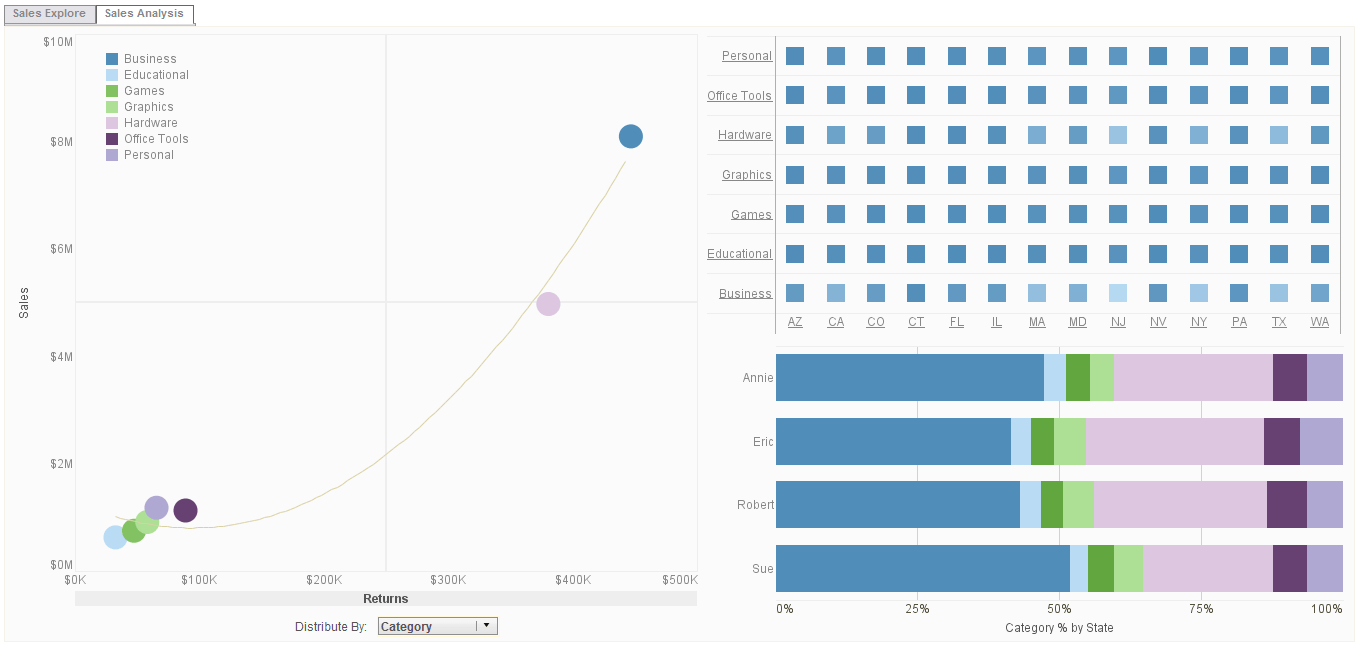 |
Click this screenshot to view a two-minute demo and get an overview of what InetSoft’s BI dashboard reporting software, Style Intelligence, can do and how easy it is to use. |
Presentation Aspects of Mobile Devices - So let’s look at the presentation aspects of mobile devices too. Then we can look at some of the capabilities that leading organizations are more likely to have than others. And a lot of these capabilities help those top performers to get access to the data they need when they need it. A key feature is automated alerts triggered by key performance indicators. So this is basically a rule-driven system that enables an alert to be pushed to an employee’s device whenever some business event occurs...
Principal Ways to Retrieve Data - There are three principal ways to retrieve data from a datasource: Query: A query is a specific request for data from the datasource (i.e., a request for specific columns and rows), typically written in the SQL language. Style Studio provides a wizard to make query creation easy. See Query a Relational Data Source for information on how to create a query. Data Model: A data model provides an all-encompassing representation of your data, a view into your database suitable for business users. Because a data model is not a specific request for data, but rather a model of your database schema, it is much more flexible than a query. See Data Models for more information. Data Worksheet: A Data Worksheet can represent a complex query or a mash-up data from different data sources. See Create a Data Worksheet for more information. The table below highlights the advantages and disadvantages of these different approaches...
Product Updates for Data Intelligence Software - Hello and welcome everyone to the InetSoft Style Intelligence 2020 New Release Webinar. We're excited that so many of you were able to make it to the live webinar to tune in. My name is Ben, and I work in marketing here at InetSoft and with me here is Katie Roussey, who is a Systems Engineer here at InetSoft. I'll be briefly going over some of the product updates, and then Katie will be demoing some of those updates in more detail. There will be time at the end for questions. If you have any questions, just enter those into the question section in the Zoom webinar panel. One of the major feature updates in this release is the new data connectors for 73 different Cloud based web sources with catalogues of their API endpoints. You can connect to and update these sources on the web without needing Style Studio, although you can still use Style Studio if you'd like. You can do database queries for these sources through the worksheet. This reduces the need for software installed on your machine and it also makes the process easier. We have a new dashboard wizard with charts and table recommendations...