InetSoft Product Information: Database Reports
This is a table of contents of useful product information about InetSoft's reporting software. Ease of deployment and ease of use are the cornerstones of our product development strategy. Read articles below for more details.
Balanced Scorecard for Reports - InetSoft's reporting software comes equipped with balanced scorecards for reports that can be set up to provide critical up to the minute updates as often as needed. A scorecard is used to keep track of certain parameters (e.g., Sales Revenue). Multiple users can monitor these parameters from the Report Portal. These parameters (metrics) can also be measured at regular intervals (triggers). They can be checked against certain conditions (thresholds, time comparisons, custom business logic etc.) to which they must comply. If they don't, specified actions can be automatically taken (email notifications, etc.). The metric, trigger, conditions and other settings are collectively handled as a target. A scorecard is thus a collection of one or more targets. Consider the following use of a scorecard: A company aims for a 2% increase in sales revenue every month. A sales manager wishes to closely monitor this metric to ensure a sustained increase in the revenue. We create a data asset (in the Asset Composer) which calculates the total sales revenue of the company for each month. We create a metric based on the 'Revenue' field of this asset...
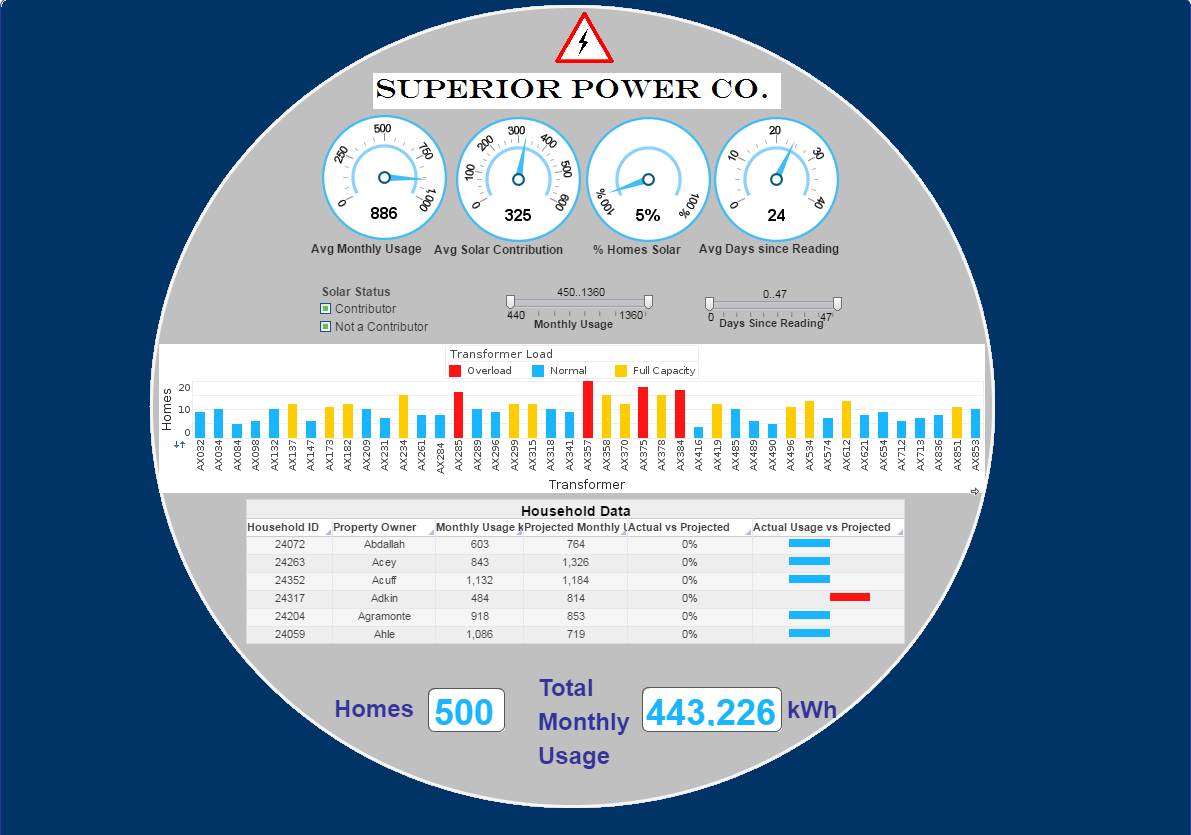 |
Click this screenshot to view a two-minute demo and get an overview of what InetSoft’s BI dashboard reporting software, Style Intelligence, can do and how easy it is to use. |



Banded Reports - Rewound Property - The “rewound” property has special significance in Section scripting. When a Section is printed on a page, the bands are repeated for each row of the table. If a band goes outside of the boundary of the page, the band. Normally this does not cause a problem, because when the band is rewound, it does not re-execute any associated scripts. The only time this is an issue is when the calculation of elements in a band is used in the page header and footer. For example, if a script is attached to an element in the band for calculating a running total on the page, the total would contain an extra value from the next page. To correct this problem, you need to handle rewinding for scripts in the onPageBreak handler. First, check if the rewound property is set. If it is, the script undoes the effect of the previous script and pushes the value to the next page. The onPrint handler is executed before a report is printed or exported. The typical usages of onPrint handlers are as follows...
Batch Report Generator Software Features - Both interactive and paginated reports can be batch generated, to meet both regular and ad hoc needs. InetSoft’s report generator software provides multiple customizable options, with over 30 different chart types, a presentation element library, and subreport nesting...
Benefits of a Visual Reporting Solution - Welcome to our webinar today on “What are the Benefits of a Visual Reporting Solution?” Today we’re going to focus on visual reporting and analysis, what is it, what benefits does it provide? We’re going to summarize some of key research points and then go to three examples of such an application. First we’ll look at an example with a top college, second with a major airline, and third with work with a salesforce.com pipeline analysis. Just for your information we will of course have some time for question and answers at the end of the webinar, and there are several ways that you can get your questions to us. You can use the chat panel that you see in the right hand corner of your Gotomeeting screen, or if you are into tweeting you can use our Twitter hashtag #inetsoftviz, or you can feel free to raise your hands, and we can unmute. You can ask your question live, or wait until the the end of the webinar. And the all important question will the webinar and slides be available afterwards? Yes we’re recording the webinar, and we will make both the webinar and slides available on our website...
Best BI Reporting - In order to make effective decisions, managers need to have a clear grasp on the conditions of their organization, in relation to their business goals. This process involves taking large, disparate datasets and presenting them visually through graphs, charts, and various other display elements. While it was, at one time, practical to perform these operations manually, the business climate has since changed...
Best Cloud Reporting Tool - Looking for the best cloud reporting tool? InetSoft's pioneering dashboard reporting application produces great-looking web-based reports with an easy-to-use drag-and-drop designer. View a demo and try interactive examples...
Best Dashboard for Small Companies There is a competitive market of BI brands offering the ability to incorporate huge datasets, often touting power and impressive scale -- but what about the best dashboarding solution for small companies? Just because your enterprise may be considered small does not mean you do not generate lots of business data. As a matter of fact...
Best Monthly Report Tool - Looking for the best monthly report tools? InetSoft's pioneering dashboard reporting application produces great-looking web-based or paginated reports. The software has been op rated by customers for personalized support on G2. View a demo and try interactive examples...
Best Practice Report About Self Service Business Intelligence - I came across a best practice report about self service business intelligence. It said that for the main reasons for implementing self-service BI, 65% said constantly changing business needs, so you can see the need for flexibility there. 57% said the inability of IT to meet user demands. We’ve been talking about that. And again you can see right here on the screen some of the key reasons for self-service BI to be important to organizations. But then we want to look at what are some of the inhibitors. Again I am quoting from the report. Almost 60% said business user skills were an obstacle. So again the difficulty of deploying many BI tools pervasively comes up. It has been used by power users and business and data analysts, but getting it out to non-technical users is a challenge. I think we’re still in an evolution towards where we’re getting tools that business users who are not that technical in that respect are able to use. 55% say lack of data quality control and governance is a problem. Well these are universal difficulties with BI and data warehousing...
 |
Read why choosing InetSoft's cloud-flexible BI provides advantages over other BI options. |
Best Practices for Integrating Ad Hoc Reporting into a Cloud Application - Integrating ad hoc reporting into a cloud application can provide users with the flexibility and power to generate custom reports on demand. Here are some best practices to consider when integrating ad hoc reporting into a cloud application: User-friendly interface: Design an intuitive and user-friendly interface that allows users to easily navigate and interact with the ad hoc reporting features. Provide a drag-and-drop interface or simple controls to select data fields, apply filters, and create visualizations. Secure data access: Implement proper authentication and authorization mechanisms to ensure that users only have access to the data they are authorized to view and analyze. Use role-based access control (RBAC) or similar mechanisms to manage user permissions. Data abstraction layer: Create a data abstraction layer that shields users from the complexities of the underlying data structure. This layer should provide a simplified view of the data, hiding the technical details and presenting a logical and coherent data model...
Best Practices for Planning Report Design - Select Elements and Queries First, examine what data needs to be presented and decide which report elements will best capture the information. Make sure that the existing queries will provide the data in a usable form, subject to the modifications available during data binding. In some situations, queries are required for a particular report, but will not be used in other reports. These queries should be created as local queries, which are embedded and saved within the report (.srt) file, as opposed to global queries which are stored in the global registry. This avoids unnecessary clutter within the query registry. See Using a Local Query in Advanced Topics for more information. Determine Appropriate Layout Next, determine the best layout. The Flow Report Layout is ideal for newsletters and similar reports where specific areas on the page must be delineated. A flow report without page areas is identical to a Tabular Report Layout with only one cell, but the tabular layout type has many advantages. For example, two grid cells forming two columns enable side-by-side tables or table and chart combination. For small reports in particular, the tabular layout provides great control over the placement of elements. When there are many fixed-size elements, such as charts and text, you can designate the element location precisely. With dynamically-sized elements, the grid cells grow to accommodate the contents, so the element placement remains the same relative to the contents of other grid cells...
Best Practices for Report Distribution - Let's go ahead and move into the next slide. This next section is involved with recommendations for good report formatting. Now some may say that formatting comes a little bit later on in the process, but as I discussed earlier, for me, knowing the format in which the stakeholder desires is going to be key in your development of this report. Ensuring that the report is structured for easy reading is going to be an important objective for the report or for the business analyst. The report should be structured so that useful information can be read easily at a glance. The report should then allow users to easily access more detailed information. So as I said earlier, providing any executive summaries at the beginning of the report is going to be useful. Completeness is key, ensuring that the report is complete so the user doesn’t have to go elsewhere to find more information. So there is this tradeoff that occurs between being complete and having too much. We will talk about that later on in this presentation...
Best Practices for Reporting - I would like to welcome you to today’s webinar titled ‘Best Practices for Reporting.’ It will last approximately 60 minutes including a Q&A session. So make sure to submit your questions in advance using the questions feature of the webinar software. It's a pleasure to speak to you folks in the business analyst community. What I have done for this presentation is did a little bit of research, little bit of surveying in the business analyst field to determine some best practices, perhaps best practices that can be incorporated into your workflows particularly during the times where you need to gather requirements and move your way into the workflow of developing reports for those constituents. This presentation, as mentioned, will last about an hour. Let me go ahead and give you an agenda. What we will do first is we will walk through some best practices. I will talk you through what I feel are best practices in the different stages of the reporting lifecycle. What we will then do is move into talking about some challenges. I actually have a polling question for you about 60% through this webinar so look forward to that...
 |
Read what InetSoft customers and partners have said about their selection of Style Report as their production reporting tool. |
Best Reporting Tool - Do you need to generate pixel-perfect paginated reports for scheduled distribution or self-service drill-down usage via a Web portal? Style Report Enterprise is InetSoft's award-winning reporting application...
Best Startup Reporting Tool - Looking for the best startup reporting tool? InetSoft partners with entrepreneurs to embed it flexible dashboard reporting application, including options for no up-front license investment costs. Solution providers get great-looking web-based dashboards with an easy-to-use drag-and-drop designer. View a demo and try interactive examples...
Best Web Based Reporting Tool - Are you looking for the best web based reporting tool? Since 1996 InetSoft has been making reporting software that is easy to deploy and easy to use. Build self-service oriented interactive dashboards quickly. View a demo and try a free version...
Better Reporting and Tracking - Today we are talking about how better reporting and tracking can address some of the challenges that promotions can cause in the supply chain in terms of inventory and customer service for organizations that are attempting to innovate. Typically, what you see with promotions, and this is the case with forecasting, in general, you have too much or not enough. Typically, what we see, especially in kind of these difficult economic times, if you will, which I know is over used, but people are running a lot of promotions to drive demand. Some of those promotions are doing quite well, and some of those promotions aren’t doing well at all. And you end up with a double-edged sword of, in some locations, you have way too much product, and other locations, you do have not enough. So you have the problem of too much inventory and not enough inventory at the same time. And from not enough inventory, that obviously causes customer service issues and dissatisfaction. And if you have got too much, then you are going to have to have lower prices to get it out the door later on...
Better Salesforce Reports Solution - Looking for a better solution than Salesforce Reports? InetSoft's pioneering BI application produces great-looking reports that give you more formatting control. And InetSoft's data mashup tool allows the combination of data from other enterprises sources to your sales reports. View a demo and try interactive examples...
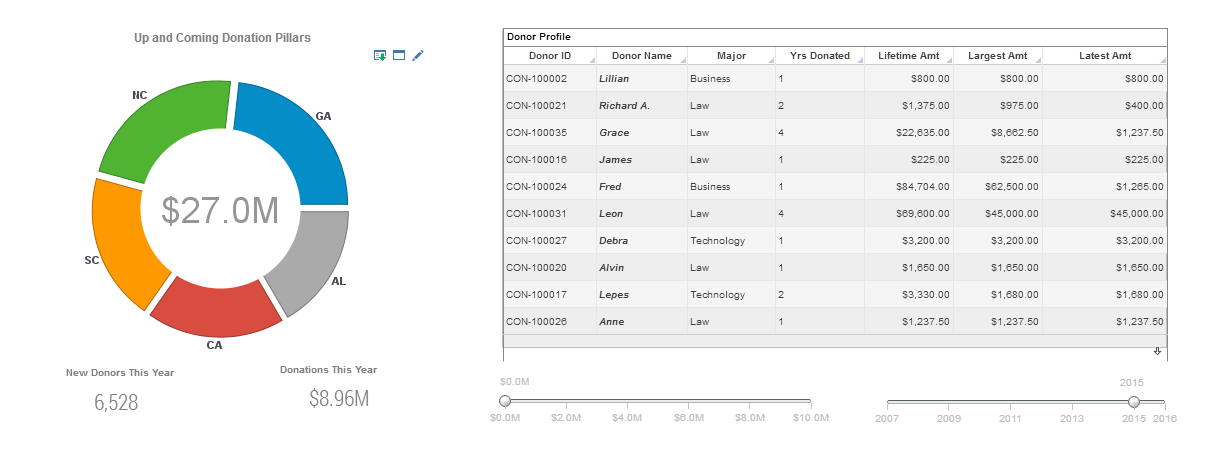 |
Click this screenshot to view a two-minute demo and get an overview of what InetSoft’s BI dashboard reporting software, Style Intelligence, can do and how easy it is to use. |
BI Reporting Application - Looking for a BI reporting application? Since 1996 InetSoft has been making BI software that is easy to deploy and easy to use. Build self-service oriented interactive visual reports quickly . View a demo and read customer reviews...
BI Reporting Dashboard Company - InetSoft, a pioneering bi reporting dashboard company since 1996, offers a web-based platform for interactive dashboards and maximum self-service. Try it now...
BI Sales Reporting Tools - Are you searching for a way to monitor and analyze your sales data? A BI sales reporting tool will not only help you make sense of your past performance, but is also an excellent tool to help you predict future results as well...
BI Software Vendors - The ever increasing need for BI software has created a crowded marketplace with an overwhelming array of options. But the right product is one that will create permanent solutions for your company's data interpretational, plus presentational needs, lowering IT costs at the same time...
BI Solutions Reporting API InetSoft's API enables the flexibility for organizations to create a unique web interface for business reporting needs. OEM/SAAS providers and developers can optimize InetSoft's robust reporting capabilities though their own web portals, with whatever look or design that they choose. InetSoft's API is white-label friendly, allowing enterprises to have complete control over the reshaping the interface for their clients, without sacrificing any capabilities....
Billing Reporting Tool for Chargify - Looking for a good solution for Chargify billing dashboard reporting? InetSoft's pioneering BI application produces great-looking cloud-based dashboards with an easy-to-use drag-and-drop designer. View a demo and try interactive examples...
Bitly Reporting Tool - Looking for a good solution for Bitly dashboard reporting? InetSoft's pioneering BI application produces great-looking cloud-based dashboards with an easy-to-use drag-and-drop designer. View a demo and try interactive examples...
Box Reporting Tool - Looking for a good solution for Box reporting? InetSoft's pioneering BI application produces great-looking dashboards that mashup content collaboration data with other enterprise data in your organization. View a demo and try interactive examples...
Brenk Brothers Case Study - Before adopting InetSoft’s Style Scope, information delivery at Brenk Brothers mainly consisted of reports that were
produced for monthly meetings with executive management. These relatively simple reports were produced by handrunning
SQL queries, then exporting the data into Excel for manual modifications and chart building, then converting
them into PowerPoint presentations for better display. The problem with this tedious process was that if something was
not quite right with the report, or if a new informational need arose, they had to go all the way back to the drawing board,
writing new SQL queries and restarting the process. This would sometimes have to be repeated several times for a single
report...
Browse Reports From a Web Browser - InetSoft provides a viewer to browse reports from a web browser: the User Portal. The User Portal is based on HTML, CSS, and JavaScript. It can be used with Firefox 2.x and later, Netscape 6.x and later, and Internet Explorer 6.x and later. The User Portal is different from the previewer provided by the Report Designer. A previewer's primary function is to preview a report before it is printed. It has functions to zoom and print a report. On the other hand, the viewer is designed from the ground up to browse interactive reports. In addition to displaying the contents of a report, it also handles the rich set of user interactions supported by the replet environment and provides advanced searching and navigation functions. We will cover the use of the viewer in this chapter. Note that the differences in browsers have little effect on the report developer. The User Portal is a combination of JavaScript code and dynamically generated DHTML from the ServletRepository. The ServletRepository is the only servlet that handles all User Portal related requests. It must be registered with a servlet container. Refer to the Administration Reference for more information regarding servlet setup and configuration...
Buffer Reporting Tool - Looking for a better reporting tool for Buffer? Go beyond Buffer's own reporting with greater self-service, personalized dashboards for your social media analytics, and and the ability to create data mashups with other organizational data outside of Buffer. InetSoft's pioneering dashboard reporting application produces great-looking web-based dashboards with an easy-to-use drag-and-drop designer. View a demo and try interactive examples...
Building a Custom Report Tree - A custom representation of the report repository (list of deployed reports) for a given user can be created using a JSP page or servlet. It is assumed that the user has been signed-on into the reporting server with a valid session. To make certain API calls, it is necessary to obtain the repository list for the given user. The resulting code will display a list of reports for which the user and/or his roles have read permissions. It is often desirable to set certain custom properties for a user session. These properties are external to Style Intelligence, but may be accessed within the Style Intelligence environment. You can also change certain Style Intelligence-specific session properties on the fly. Although properties can be set through the HttpSession object, it is highly recommended that you access properties using the SRPrincipal object associated with the user session. You can access the SRPrincipal object from within the script of a report as well as from a VPM...
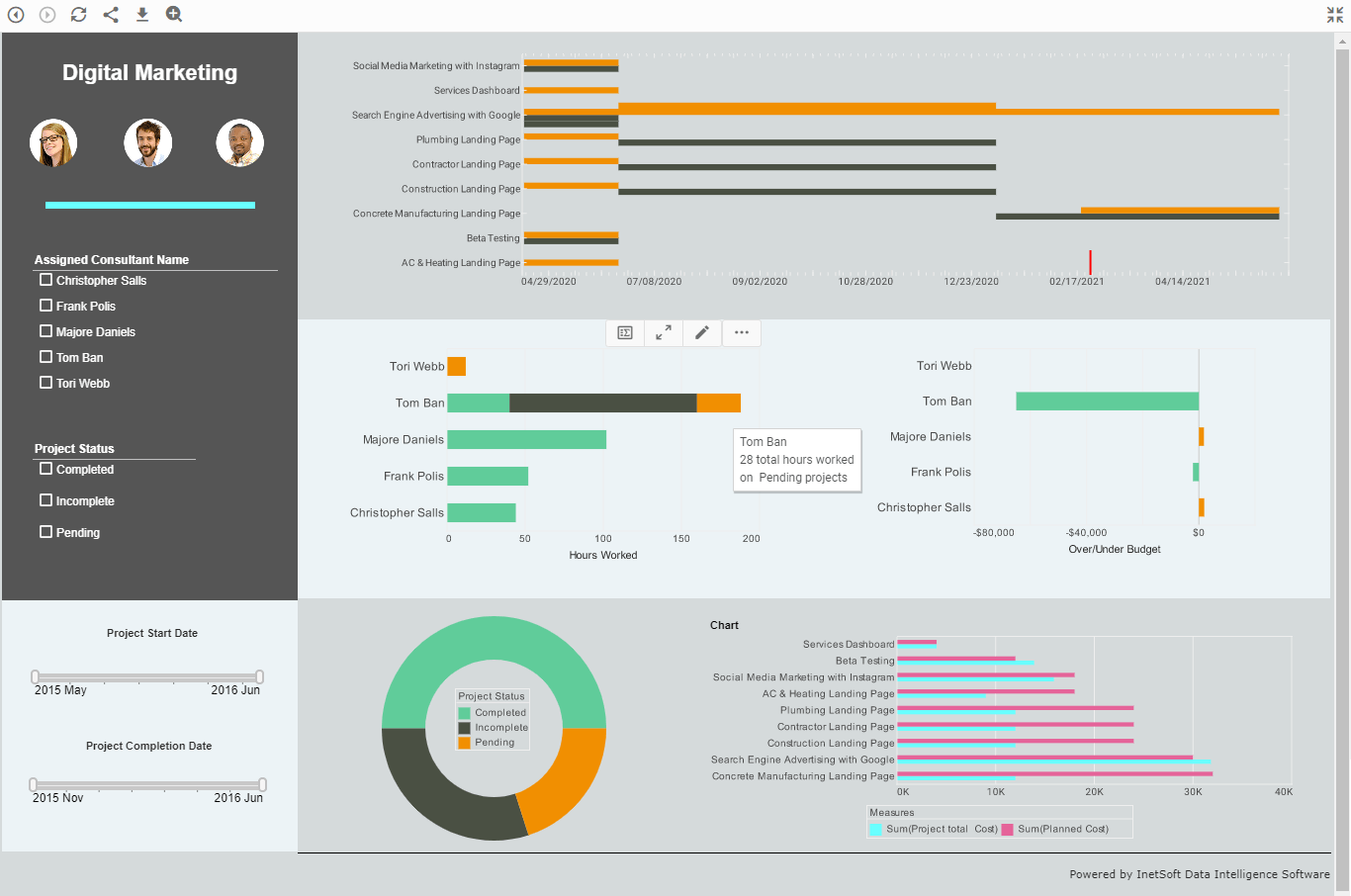 |
Click this screenshot to view a two-minute demo and get an overview of what InetSoft’s BI dashboard reporting software, Style Intelligence, can do and how easy it is to use. |
Business Agile Reporting Tool - Are you searching for a business agile reporting tool to help you keep up with your organizations informational needs? InetSoft offers reporting tools through its flagship platform Style Intelligence and a stand alone reporting tool called Style Report Enterprise...
Business Analyst Reporting Software - Looking for good business analyst reporting software? InetSoft is a pioneer in self-service reporting and makes it easy to create analytical dashboards with a drag and drop designer. View a demo and try interactive examples...
Business Objects Reporting Tool Replacement - Searching for a Business Objects reporting tool replacement? InetSoft's advanced flexible BI application makes a good option. Get paginated reporting, interactive dashboards, and a data mashup engine from a pioneer in self-service BI since 1996. View a demo and try interactive examples...
 |
View a 2-minute demonstration of InetSoft's easy, agile, and robust BI software. |
Built-in Interactivity for Dashboards & Reports - The Designer provides the embedded Script implementation of all the methods discussed in this section. It is better to use the Designer to specify links and interactions, only using the API described below if the desired feature cannot be implemented from the visual interface. The BasicReplet API defines a number of methods for adding common user interactions to a replet. Each call to these methods causes some default event handlers to be registered in order to support that interaction. They serve as convenience functions as well as high-level encapsulations of the functionality. For most replets, the high-level methods are enough to handle most user interaction needs and programmers do not need to work with the lower level event handling API. There are three varieties of this method for adding a link to another element or report: 1. addLink(String eid, String replet) Add a hyperlink from the specified element (element ID) to a replet. When the element is clicked, the target replet is opened in a new window. 2. addLink(String eid, EventPoint item, String replet, RepletRequest req...
Business Information Reporting System - Searching for an information reporting system? Do you want to move past static paginated reports? Deliver highly graphical, visually appealing, and interactive views into your data with InetSoft's Web-based visualization-driven reporting software...
Business Intelligence Software License Price - Part of the deliberation when investing in BI software is, of course, pricing. You want to be sure that the price of the software license meets the budget of your enterprise. InetSoft understands this and thus developed several tiers of product deployment that fit anywhere from small to midsize to large enterprises...
Business Intelligence Visualization - he fastest growing businesses in any industry are using business intelligence visualization. And InetSoft has been a player in BI software since 1996, the primordial beginnings of the industry. This makes InetSoft an expert firm for seeing what a business needs from their BI and helping that business realize their profitable potential. To that end...
Business Reporting Software - Warum ist InetSoft's Reporting Lösung einfach, agil und robust? Style Intelligence™ ist InetSoft's Flaggschiff Business Intelligence Platform. Die Dashboard-, Reporting- und Data Mashup-Lösungen sind: Einfach - Geniessen Sie eine ungewöhnlich schnelle Implementierung mit einem Minimum an Aufwand von IT Experten. Erfahren Sie als Business Anwender eine schnelle und flache Lernkurve, die nur Excel ähnliche Kenntnisse erfordert. Einfache Anwendung für Analysten und Administratoren, es sind keine SQL Kenntnisse erforderlich...
C-Level Program Reporting Tool - Looking for tools for c level program reporting? InetSoft is a pioneer in self-service reporting with an easy drag and drop designer. View a demo and try interactive examples...
Calculating the Page Total - Calculating the page total itself is very simple. First declare two report-level variables in the onLoad Handler, total1 and total2. These will be used to store the totals. Next, add a script to the total field (Text) in the Content band to add the total value to the two total variables, and to display the appropriate highlighting. Finally, add an onPageBreak Handler script to display the two totals in the footer, and to reset the total variables. One complication of page-level calculation is the fact that a band can be rewound to a new page during printing. Therefore, if you leave the report as it currently is, the page total may contain an extra value from the next page. To address this, you will add logic to handle the rewinding of a band. To “undo” the effect of rewinding, you first need to determine what the last band did before it was rewound. In the onPageBreak Handler handler, you can check if the last band was rewound, and undo the last action. For this example, declare a report-level variable in the onLoad Handler to hold the last value added to the total variables...
Call Reporting Software -Check out this call reporting dashboard example to explore InetSoft's latest, powerful, report building software. This dashboard refreshes every 5 seconds, feeding the user a constant stream of live data. This is the essence of real time reporting, and this aggressive and powerful BI strategy is extremely useful for helpline, auto dispatch, customer service centers and more...
Campaign Monitor Reporting Tool - Looking for a good solution for Campaign Monitor dashboard reporting? InetSoft's pioneering BI application produces great-looking cloud-based dashboards with an easy-to-use drag-and-drop designer. Mash up your email campaign data with other enterprise sources for a unified view of marketing performance. View a demo and try interactive examples...
Chargebee Reporting Tool - Looking for a good solution for Chargebee subscription billing dashboard reporting? InetSoft's pioneering BI application produces great-looking cloud-based dashboards with an easy-to-use drag-and-drop designer. View a demo and try interactive examples...
Chargify Billing Reporting Tool - Looking for a good solution for Chargify billing dashboard reporting? InetSoft's pioneering BI application produces great-looking cloud-based dashboards with an easy-to-use drag-and-drop designer. View a demo and try interactive examples...
Chart and Report Building Solution - Looking for a good report and chart building program. InetSoft's pioneering dashboard reporting application produces great-looking web-based charts reports. View a demo and try interactive examples...
Choosing Style Intelligence over Actuate's BIRT - InetSoft won all of the general usage ratings - Meets Requirements, Ease of Use, Quality of Support, Ease of Doing Business With, and Product Direction. The speed with which dashboards and reports can be churned out has been a great reason for reviewers to recommend Style Intelligence. InetSoft also scored big under Quality of Support with its very responsive support staff and quick resolution of customer queries. The Product Direction parameter was also ranked favorably with the extensive "how to" reference videos on numerous topics and the mentoring service from InetSoft to kick-start an organization's efforts in the BI space...
Client-side Report Event Handling - Client-side event handling is implemented through the EventHandler class. An EventHandler object is an event to command mapping. It contains pairs of events and command objects. The event object in each pair serves as an event specification. When the EventHandler is asked to handle an event, the event is matched against the event specification. If a positive match is found, the corresponding command is returned as the result of the event processing. EventHandler uses a fuzzy match algorithm. Event specifications contain partial descriptions of events. The specification is compared to a concrete event object by ignoring the parts that are not specified. In general, to omit a value in an event specification, use null as the object (String, EventPoint, etc.) value and –1 for integers. Add a menu event to command mapping. The menu event can be specified for either the entire page, or a specific element/item. Add a hyperlink from a form to a replet. When a form with the specified name is submitted, the form data is packaged into a request and used to create a new replet object of the specified replet...
Cloud Based Reporting Tool Option - Looking for the best cloud reporting tool? InetSoft's pioneering dashboard reporting application produces great-looking web-based reports with an easy-to-use drag-and-drop designer. View a demo and try interactive examples...
Cloudera Reporting Tool - Looking for a good solution for Cloudera dashboard reporting? InetSoft's pioneering BI application produces great-looking cloud-based dashboards with an easy-to-use drag-and-drop designer. View a demo and try interactive examples...
Cognos Reporting Tool Replacement - Searching for a Cognos reporting tool replacement? InetSoft's advanced flexible BI application makes a good Cognos reporting tool replacement. Get paginated reporting, interactive dashboards, and a data mashup engine from a pioneer in self-service BI since 1996. View a demo and try interactive examples...
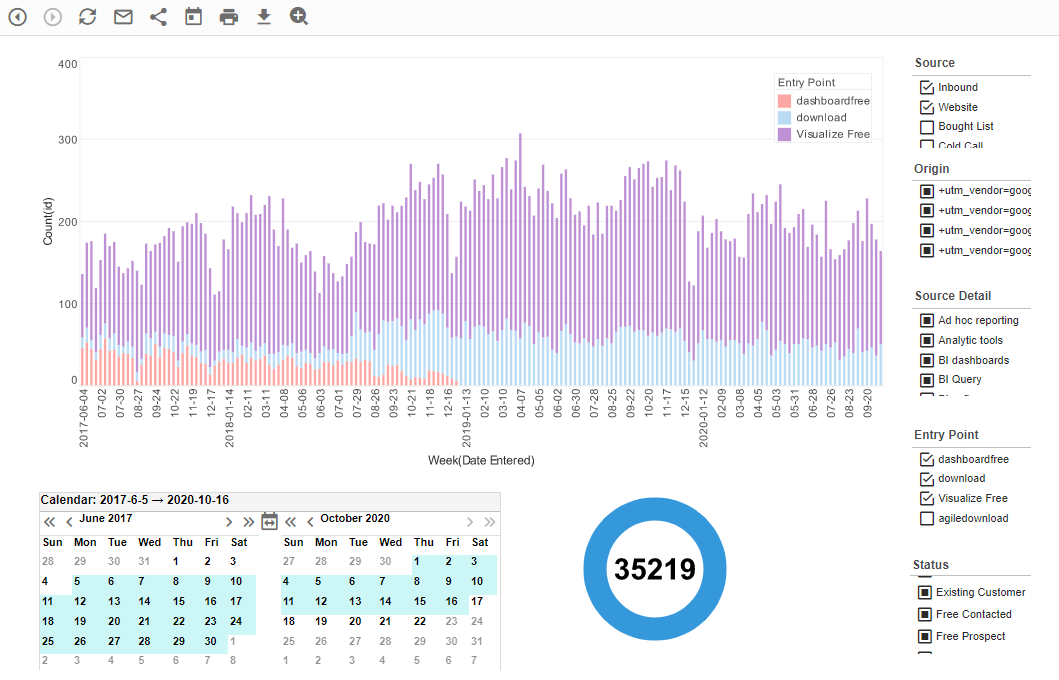 |
Click this screenshot to view a two-minute demo and get an overview of what InetSoft’s BI dashboard reporting software, Style Intelligence, can do and how easy it is to use. |
Company Management Report Tools - Looking for good company management report tools? InetSoft's pioneering dashboard reporting application produces great-looking web-based reports with an easy-to-use drag-and-drop designer. View a demo and try interactive examples...
Communications Reporting Tool for Twilio - Looking for a good solution for Twilio dashboard reporting? InetSoft's pioneering BI application produces great-looking cloud-based dashboards with an easy-to-use drag-and-drop designer. Mash up your communications data with other enterprise sources for a unified view of marketing performance. View a demo and try interactive examples...
Competitor of Domo's Reporting Tool - Searching for a competitive option for Domo's reporting tool? InetSoft's advanced flexible BI application makes a good option. Get paginated reporting, interactive dashboards, and a data mashup engine from a pioneer in self-service BI since 1996. View a demo and try interactive examples...