Comparing Reporting Software Vendors
Researching reporting software vendors? Since 1996, InetSoft has been offering flexible, powerful and easy to use reporting software for enterprises and OEMs.
| Vendor | Overview | Data Access & Transformation | Report Design & Interactivity | Deployment & Administration | Strengths & Ideal Use Cases |
|---|---|---|---|---|---|
| InetSoft |
InetSoft is a full business intelligence and reporting platform that combines data modeling, transformation, dashboards, and pixel‑perfect reporting in a single environment. It is designed for both standalone BI deployments and deeply embedded analytics inside other applications. Unlike many report‑only tools, InetSoft positions reporting as one layer of a broader semantic model, so the same governed data structures can feed dashboards, ad‑hoc analysis, and operational reports without duplication of logic. |
InetSoft includes a visual and scriptable data transformation layer that lets users join, filter, aggregate, and enrich data from multiple sources before it reaches a report. This layer effectively acts as a lightweight ETL and semantic model. Business logic—such as KPIs, hierarchies, and reusable calculations—can be defined once and reused across many reports. This reduces the risk of inconsistent metrics and makes it easier to maintain complex reporting environments over time. |
InetSoft supports pixel‑perfect reporting for invoices, statements, regulatory forms, and operational documents, alongside interactive dashboards. Designers can control layout at a fine‑grained level while still binding to dynamic data. Reports can include parameters, drill‑downs, conditional formatting, and embedded charts. Because reports share the same semantic layer as dashboards, users can move between high‑level views and detailed documents without losing context. |
InetSoft offers on‑premises, cloud, and hybrid deployment options, with strong multi‑tenant support for OEM and SaaS scenarios. Row‑level security, role‑based access control, and workspace partitioning are built into the platform. Centralized administration covers data sources, schedules, caching, and user permissions, making it suitable for large enterprises that need consistent governance across many teams or customers. |
InetSoft is best for organizations that want reporting tightly integrated with BI and data modeling, rather than a standalone report generator. It fits well in scenarios where multiple departments or external clients must share a governed data model. Typical use cases include embedded analytics for software vendors, enterprise self‑service BI, and environments where both dashboards and formal reports must be produced from the same curated datasets. |
| FastReport Mono |
FastReport Mono is a cross‑platform reporting solution targeting .NET/Mono environments. It is primarily a report generator and designer rather than a full BI suite, and is often embedded into custom applications. Its focus is on fast, code‑friendly integration and a familiar banded report paradigm, making it attractive to developers who need to add reporting to existing systems without adopting a large BI stack. |
FastReport Mono connects to common databases and supports queries, parameters, and basic expressions. However, it does not provide a rich semantic layer or multi‑step transformation pipelines; most heavy data shaping is expected to happen in SQL or in the application layer. Simple calculated fields and grouping are supported inside the report, which is sufficient for many operational documents but less suited to complex, reusable analytics models. |
The built‑in designer allows developers and power users to create banded reports, subreports, and composite layouts. It supports barcodes, images, and export to formats such as PDF, Excel, and HTML. Interactivity is generally limited to parameters and drill‑downs; it is not intended as an interactive dashboard tool. Its strength lies in generating structured, print‑ready documents from application data. |
FastReport Mono is deployed as a component within .NET/Mono applications. Licensing is typically developer‑centric, and administration is largely handled by the host application rather than a separate server console. There is no extensive multi‑tenant or enterprise governance layer; instead, security and user management are delegated to the surrounding application and database. |
FastReport Mono is ideal for software teams building custom business applications who need embedded reporting with tight control from code. It works well for invoices, statements, and internal reports where developers own the data pipeline. It is less suitable for organizations seeking self‑service BI, centralized semantic modeling, or cross‑departmental governance without additional tooling. |
| FineReport |
FineReport is a Chinese‑origin enterprise reporting and dashboard platform that combines traditional reports with interactive web dashboards. It targets corporate IT teams that want a visual designer and a web‑based distribution layer. The product emphasizes “Excel‑like” design metaphors to make report creation more approachable for business users familiar with spreadsheets. |
FineReport connects to relational databases and other sources, offering query configuration and some in‑tool data processing. It supports parameterization, filtering, and basic transformations, though complex ETL is usually handled upstream. Some semantic abstraction is possible through reusable datasets and templates, but it is not as fully developed as a dedicated semantic layer in a BI suite like InetSoft. |
FineReport provides a visual designer for crosstab reports, forms, and dashboards. Users can build interactive tables, charts, and input forms, and then publish them to a web portal for consumption. It supports drill‑downs, parameter panels, and a variety of chart types. The design experience aims to bridge the gap between classic reporting and modern web dashboards, though pixel‑perfect control may require more effort than in developer‑centric tools. |
FineReport is typically deployed on an application server, with users accessing content via a browser. It includes user and role management, menu configuration, and scheduling for report distribution. Governance features are oriented toward departmental and enterprise use, but multi‑tenant OEM scenarios are less of a core focus compared to platforms built explicitly for embedding. |
FineReport suits organizations that want a web‑based reporting portal with a spreadsheet‑like design experience. It is a good fit for internal corporate reporting where IT teams manage data sources and publish standardized content. It is less ideal for highly customized embedded analytics or environments that require a strong, reusable semantic model across many independent applications. |
| QueryTree |
QueryTree is a lightweight, visual query and reporting tool aimed at non‑technical users who need to explore database data without writing SQL. It focuses on ad‑hoc querying and simple report creation rather than full enterprise BI. The interface centers on building queries through drag‑and‑drop conditions and joins, then visualizing or exporting the results. |
QueryTree’s core strength is its visual query builder, which lets users filter, join, and aggregate data from connected databases. This provides a basic transformation layer for ad‑hoc analysis. However, it does not offer a persistent semantic model or complex multi‑step pipelines. Each query is largely self‑contained, and reuse of business logic is more limited than in enterprise BI platforms. |
Reports in QueryTree are essentially saved queries with tabular views and simple charts. Users can export results to CSV or other formats, and share links with colleagues. Interactivity is modest—primarily filtering and parameterization—making it suitable for quick data pulls and simple dashboards rather than highly formatted, print‑oriented reports. |
QueryTree is typically deployed as a web application connected to one or more databases. Administration focuses on managing data source connections and user access, with relatively lightweight governance. There is no extensive multi‑tenant or complex role hierarchy; it is designed more as a team‑level tool than a large enterprise reporting backbone. |
QueryTree is ideal for small teams and analysts who want a friendlier alternative to raw SQL for querying operational databases. It works well for exploratory analysis, quick reports, and one‑off data pulls. It is not a replacement for a full reporting server when organizations need pixel‑perfect layouts, large‑scale scheduling, or strict governance across many departments. |
| Seal Report |
Seal Report is an open‑source reporting platform for the .NET ecosystem, focused on dynamic SQL generation and web‑based report execution. It aims to provide a free, self‑hosted alternative to commercial reporting servers. The platform includes a web interface for running reports and a configuration layer for defining data sources and metadata. |
Seal Report uses a metadata layer to define tables, joins, and calculated columns, which are then used to generate SQL dynamically. This provides a basic semantic abstraction over the underlying database. While it supports filters, aggregates, and calculated fields, complex ETL is still expected to occur upstream. Its transformation capabilities are stronger than simple query tools but lighter than full BI suites with visual pipelines. |
Reports can be designed with tables, charts, and parameters, and executed via the web portal. Seal Report supports HTML and export formats, and can generate scheduled outputs such as emailed reports. Layout control is oriented toward functional, data‑centric reports rather than highly polished, pixel‑perfect documents, though many operational needs can be met with its templating approach. |
Seal Report is deployed on a Windows/.NET server, with configuration stored in files and/or databases. Administration involves defining data sources, security rules, and report folders. It offers user and group management and can integrate with existing authentication, but multi‑tenant OEM scenarios require custom work. As an open‑source project, it relies on community and in‑house expertise for advanced governance patterns. |
Seal Report is well‑suited to organizations that prefer open‑source, self‑hosted solutions and have .NET skills in‑house. It provides a capable reporting server without licensing fees, making it attractive for budget‑constrained teams. It is less appropriate for organizations that need vendor‑backed support, extensive self‑service BI, or highly polished, branded reporting out of the box. |
Related Articles
Reporting Software Choices - An explanation of InetSoft's two reporting software applications, Style Report Enterprise, the Web-based interactive reporting application suitable for both production and ad hoc reporting, and Style Report Professional, the reporting engine created for embedding in other software applications that need pixel-perfect, high-performance, highly customizable production reporting...
Reporting Software Information - InetSoft's award-winning business intelligence software is now available in a convenient reporting suite, designed for departments to start building and using reports quickly and easily...
Reporting Software Comparison - There are several reporting software in the market getting the job done but InetSoft stands out of the crowd for several reasons. The main feature that helps InetSoft's Style Intelligence distinguish itself from its competitors is the Ad Hoc visual discovery capabilities. Along with the others, InetSoft reporting application is able to produce information in a structured, formatted way generating drill downs and cross-table analysis...

Reporting Software Layout - InetSoft's reporting software offers users full control over report layout by way of highly sophisticated property controls that allow for full customization. In the Report Portal, you can change the layout, page size, and orientation of reports that use Tabular layout. This section demonstrates these features using the 'Ad Hoc' report, located in the ‘Tutorial’ folder within the Repository panel. To make Ad Hoc edits to a report before generating the report, follow the steps below: 1. Click the Design tab in the Report Portal. 2. Under the Design tab, click the ‘Report’ link. This opens the ‘Report Wizard’ page. 3. Click the desired report in the Repository tree. This opens the report template without generating the report. Only meta-data is shown. 4. Click the ‘Ad Hoc’ button in the report toolbar to enter Ad Hoc mode. 5. Edit the report using the Ad Hoc tools...
Reporting Software Localization - InetSoft's reporting software allows for localization making it a viable option for international organizations seeking a unified solution. Localization can be implemented at both the Portal level as well as the report level. When users log into the Portal they can specify a locale (language-country combination), based on which the InetSoft software can dynamically modify the Portal interface (Portal tabs, repository tree, Ad Hoc design interface) as well as report elements (text elements, chart axis titles, table header columns, etc.) and data model/query names displayed in the Ad Hoc tool. Two independent mapping files are required for the two levels of localization mentioned above. One file maps Portal entities, and the other file maps report elements and data model/query names. • The “srinter” mapping file controls localization for interface text (tabs, tree nodes, Ad Hoc controls, etc.). • The “SreeBundle” mapping file controls localization for report text (text in tables, charts, etc.) and data model/query names. The two files are discussed in the following sections...
Reporting Software - Perfect for Small Businesses - Do you want a tool that effectively presents data and manages information? Deliver highly graphical, visually appealing, and interactive views into your data with InetSoft's Web-based visualization-driven reporting software...
Reporting Software Tutorials - View these brief videos to learn about report design, simple formatting, layout, element-specific binding, basic scripting, reusable components, formula tables, and much more...
Reporting Solution - Information for application providers seeking embeddable reporting, or for enterprises looking for a reporting solution to embed in an enterprise portal. InetSoft offers a solution with many integration points and maximum skinning features. The importance of reporting tools has grown considerably over time, as evidenced by the ubiquity of Web based reporting in every department, across the enterprise. A complete enterprise reporting solution needs to provide access to a wide range of data sources, must have the right mix of features & functionality, and must be easy to use. Equally as important, it must fit easily into the business processes of each enterprise organization and fulfill the need of multiple layers of management. This means that the data querying aspects of the reporting solution must be invisible to the end-user and must look and feel like a normal part of the business application used by either internal administrators or their customers. Style Report software is 100% open standards based and relies on open standards such as; JSP, SOAP, and portlets to ensure tight interface integration...
Reporting Software for Amazon - Looking for an Amazon reporting tool? InetSoft's reporting application runs in AWS and offers maximum self-service. Highly rated for customer service and ease of deployment, InetSoft has been a pioneer in self-service BI since 1996. View a demo and try interactive examples...
Reporting System Tool - Looking for a good reporting system tool? InetSoft's pioneering dashboard reporting application produces great-looking web-based reports with an easy-to-use drag-and-drop designer. View a demo and try interactive examples...
Reporting Tool for Associations - Looking for good reporting tools for associations? InetSoft's pioneering BI application produces great-looking dashboards for analyzing membership trends and dues payment performance. View a demo and try interactive examples...
Reporting Tool for Business Analyst - Business analysts uphold the responsibility to interpret an organization's data, using the information to create solutions that will progress towards achieving business objectives. InetSoft's flagship BI software empowers business analysts with productive dashboarding and visualization tools that facilitate finding reliable solutions. Business analysts have a maximum amount of self-service, need minimal IT intervention, and have absolute control of real-time data mashups and automated reporting capabilities...

Reporting Tools for SQL Server 2012 - Businesses utilizing SQL Server 2012 as their primary relational database management system will greatly enhance their reporting capabilities with the addition of InetSoft's BI application, StyleBI. Implementing Style Intelligence within your IT environment is a simple procedure; there is only one installation process and users are equipped with all the necessary BI tools to manage all their data needs. Combined with an SQL Server, InetSoft's BI application empowers users with the ability to generate pixel-perfect reports, build interactive dashboards, and manage robust data mashup...
Reporting Tool for Zendesk - Looking for an alternative reporting tool for Zendesk? Go beyond Zendesk Explore with greater self-service and personalized reporting, advanced chart types, and the ability to create data mashups with other organizational data outside of Zendesk. InetSoft's pioneering dashboard reporting application produces great-looking web-based dashboards with an easy-to-use drag-and-drop designer. View a demo and try interactive examples...
Reporting Tools in Data Warehousing - Take your data warehousing capabilities to the next level with InetSoft's BI Solution. StyleBI enhances data utilization by employing a powerful data mashup engine, providing a convenient web-based platform, and offering efficient tools for creating compelling dashboards and reports. StyleBI's reporting and dashboarding tools can work with virtually any data source or operational database, so producing an analysis report or generating an interactive dashboard will present reliable and accurate information that reflects all accumulated knowledge...
Reusable Report Logic - Report Beans - A report bean is a reusable set of report components that can be managed as a single unit. It is a very effective tool for building component-based reports, improving reusability and reducing report development time. You can configure report beans (without scripting) to expose certain sets of properties to the report developer, and this approach is sufficient for most reports. However, you can also implement reusable report logic by embedding scripts within beans. The following sections discuss issues related to placing script inside report beans. A report bean is treated as a mini-report. The bean has its own onLoad Handler and onInit Handler, just like a regular report. However, a bean does not have an onPageBreak Handler or onPrint Handler. All page break events are handled by the parent report. The bean's onInit handler is invoked when the report loads, before the report parameters are prompted. Like the report onInit handler, the bean's onInit handler is invoked exactly once per instance. If a report bean is used in multiple instances in one report, the onInit handler for each instance is executed once...
Rich Reporting - Let’s dive into one of the BI innovations, rich reporting. First think about the benefits, the biggest one is user appeal. This is interesting because sometimes we think in BI that anything to do with making BI prettier or more engaging, it’s just fluff, all you care about is getting to the core data. But think about BI adoption. If you want to make BI more engaging beyond those power users, you’ve got to make it look nicer. First impressions matter. The other benefit, besides interface appeal, is that it gives interactivity within a report or within a dashboard in a very simple way. It might be a simple sort or filter. This is good way to get to that iterative approach to self-service BI versus giving users a blank screen and saying “build your own query.” What are some of the things that you want to look at that make up rich reporting. The first one is which technology? A rich reporting might use Adobe Flash, like InetSoft's does, which gives animation within a report or a dashboard. That can also include menus, the way you navigate particular content...
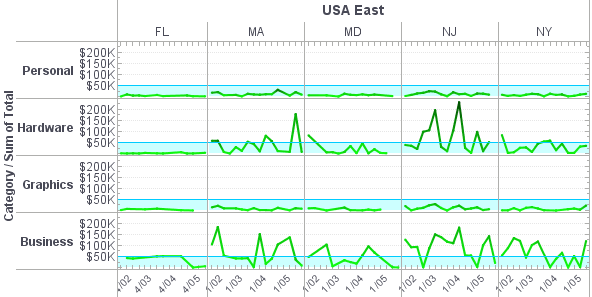
Rich Reporting for BI Interactivity - So which graphics rendering technology will win out? Today Adobe Flash is predominant technology for delivering that animation or what can be called rich reporting. You also have to look at the build process for you to take advantage of a technology. In the best world, you have an existing report or an existing dashboard and you do a simple ‘save as’ and enhance it with animation. That would be the ideal. But the reality is today you have to use a separate design environment. There is still so much that is left to the imagination of the developer how you use the animation. We, too, are providing a tool set and a blank canvas for you to design whatever interactive report or dashboard you wish. And because this is still emerging, you have to think of some best practices around when to use it. So besides making information more appealing, it can also make information more actionable. Imagine an animation that shows within a dashboard if you are getting low on inventory or if your actual expenses are exceeding your budget, and maybe there is a red flashing indicator that is telling you to go and investigate that...
Running an Accounting Report - Now, let’s run this accounting report. We’ll extract the financial data, and this example is running live. Here’s all the data for company 100. Now, you can perform analysis on this data. This is the high level. If you’d like to drill down to show more information, you can create a drill that would show you the detailed journal entries. Or you could do what’s called a break out. Now, for a break out, you click the icon for break out and then select how do you want to break this information out. Well, in this case go and use the reporting segment to grab reporting segment 2, which I said earlier that’s a location. Reporting segment 3 is department. Click ok, and now it’s going out and retrieving the information. The reporting server has created, as you can see on the left hand side, a reporting tree. So now, not only can you see the location 2, but you can also see that location 2 has a total of 63,000 in the actual. If you go to location 2, department 1, well, that department is 16,900 of that 63,000 total. So you can click through and see this information, and it’s easily presented and was very easy to grab and take advantage of that type of functionality...
Sales Team Reporting - I was just hoping may be you could expand a little bit on your ability to do sales team reporting, being able to report on the performance on individual members of the sales team and some of the different ways that you might be able to represent their performance graphically? What you did already mention was really interesting here so just thought maybe you could give us another overview of what would be available in that regard? Yes, that’s a good question. Let me back up and go back to the last demo which has several sales analysis charts in it. So this set of dashboards is about sales pipeline and sales performance, and there are a couple of charts in here that are about comparing the different sales staff. This one, and this is a small team with a demo data set, this is called a heat map...
SAP Reporting Tool - Enterprises that utilize SAP as their primary data processing software will further enhance their ERP capabilities with the addition of InetSoft's easy, agile, robust StyleBI BI software. The software maximizes self-service, cutting out IT intervention and allocating usability for business users. Business end-users obtain the direct control of real-time data mashups and automated reporting capabilities. Style Intelligence's reporting and dashboarding tools amplify the functionality of SAP, with its versatile data mashup engine, straight-forward data analysis, and the ability to create visually alluring reports and interactive dashboards...
Sharepoint Reporting Tools - It's no wonder that so many businesses adopt Microsoft SharePoint as a collaboration tool. SharePoint sites provide an easy way for organizations to share information and coordinate on projects and tasks. However, using SharePoint alone as a business intelligence tool has definite limitations...
Simple Reporting Tools - Are you searching for a simple Business Intelligence tool to help you organize your reports so it can be viewed with ease? InetSoft offers reporting tools through its flagship platform StyleBI and a stand alone reporting tool called Style Report Enterprise. Business users require flexibility when it comes to reporting. Like data mashup, creating reports must be an accessible process for both IT and business users, alike. InetSoft empowers both with a combination of powerful authoring tools and a highly scalable deployment environment...
Snowflake Reporting Tool - Looking for Snowflake reporting tools? InetSoft is a pioneer in self-service reporting and can mashup data in Snowflake with almost any other data source. View a demo and try interactive examples...
Software as a Service (SaaS) Reporting Tool - SaaS reporting tools have now provided these smaller and mid-sized businesses with an enhanced BI solution that costs significantly less than purchasing licensed applications. Since this software is hosted remotely, businesses do not need to invest in additional hardware, installation services, and daily set-up maintenance. Visualize Free Web-based reporting tool is 100% Java so it can be deployed on any computing platform and in any geographical location. This allows support to be easily and readily available to large numbers of users whether they be internal or external to the company...
Splunk Reporting Tools Alternative - Searching for a Splunk reporting tools alternative? InetSoft's advanced flexible BI application makes a good option. Get paginated reporting, interactive dashboards, and a data mashup engine from a pioneer in self-service BI since 1996. View a demo and try interactive examples...
SQL Dashboard Software - As more businesses look for answers in the cloud and explore database virtualization, the location of data sources may change. However, the need to display data in visually appealing and easy-to-interpret reports will not change. In fact, today's business users and consumers demand highly graphical and interactive views into their data. InetSoft offers visualization driven dashboard software compatible with SQL Server housed data and many other data sources. InetSoft's Web-based dashboard application is 100% Java and enables quick development and deployment across computing platforms...

SQL Report Builder - Looking for a way to build professional reports with data from a SQL Server? InetSoft's Style Report can query Microsoft SSAS cubes through MDX, for the easy creation of mashup driven, pixel-perfect reports....
SQL Reporting Generator - A high performance SQL reporting generator is included in InetSoft's award-winning Style Report. This reporting application has an advanced object oriented API and easy to use visual report designer. The drag and drop report generator generates SQL for you, which you can further modify as desired. The repository manages report caching, demand paging, event distribution, and other server oriented tasks. Interactivity includes drilldown, parameters, search, sorting and filtering within a report. The professional authoring tool combines word-processing grade design with dynamic data manipulation. Key benefits include...
SQL Reporting Services - InetSoft Provides Advanced SQL Reporting Services for BI Operations. InetSoft’s core product, StyleBI, is a full-featured business intelligence solution that is 100 percent Java at the server level and HTML, JavaScript, and Flash at the client level, which combined with its SOA architecture and open standards-based technology. You can deliver on-demand reports on the Web. In-report exploration capabilities empower business users with the ability to reshape information in real time. Key benefits includes the ability to: * Gather up-to-the-minute information * Reshape reports in real time * Minimize performance bottlenecks...
SQL Reports - If you are looking for software to make SQL reports in a Java environment, evaluate InetSoft's award-winning Style Report. This Java reporting application integrates seamlessly with other business applications to create a powerful reporting solution. InetSoft’s AJAX and Flash powered Web 2.0 technology brings a desktop grade Web user experience to ad hoc query and reporting. Key benefits are: * Extend professionally designed reports * Gather information by self service queries * Produce presentation quality reports on the web...
Subscription and Billing Report Solutions With InetSoft - Priced to scale from midsize to large sized businesses, InetSoft products are customized to fit enterprise needs snuggly. To accomplish this InetSoft works with companies to figure out how many concurrent end-users they expect to have, and which features they can utilize best, to avoid paying for licenses and features that do not complement their business needs. As businesses find more success they also find more data needs to answer, so StyleBI was designed to effortlessly upgrade with the scale of growing enterprises...